
Email Marketing & Deliverability
Email that arrives, from a domain that proves it is yours.
Add your sending domain, publish the DKIM, SPF and DMARC records the wizard generates, and let the platform verify them against live DNS before it lets you send a single campaign.
Domain to inbox
Deliverability is a setup problem before it is a content problem.
Most email that fails, fails at authentication — long before anyone reads the subject line. This is the order the platform makes you do it in.
0108Your team
You add the domain you want to send from
Sending is tied to a domain you control, not to a free mailbox borrowed for the purpose.
Happens on /email-domains in the product
In the product
What you get, and why it is there.
Domain health you can act on
Each record is checked individually and the failure is named — a missing DKIM selector reads differently from a DMARC record published twice.
Multiple sending accounts
Configure more than one SMTP account, test the connection and send a test message before a campaign depends on it.
Reusable templates
Save a design and start the next campaign from it. Templates are shared inside the workspace, not trapped in one person's drafts.
Autosave and recovery
The campaign wizard saves as you work, so a closed tab is an inconvenience rather than a rewrite.
Same contacts as everything else
Email runs on the CRM's contact records, so an unsubscribe, a phone match and a lead conversion all refer to the same person.
Per-campaign reporting
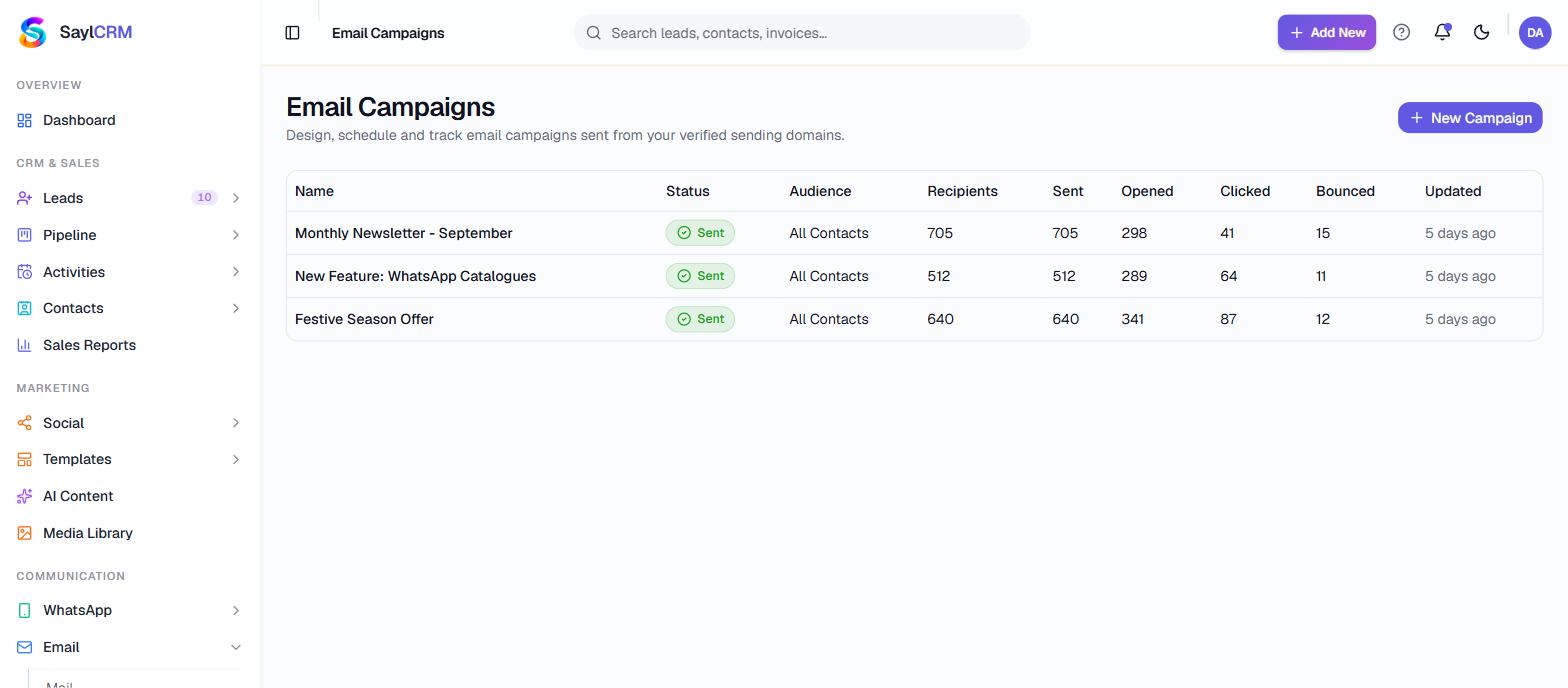
Recipients, delivery outcome, opens and clicks per campaign, with the delivery log behind it.
Where each step actually happens
These are real screens in the product, not stages in a diagram. You can be looking at every one of them on day one.
See the whole platform mapDomain
You add the domain you want to send from
DNS records
Real keys are generated, with the exact records to publish
Verify
The platform queries live DNS and tells you what it found
Build
The campaign is designed in a drag-and-drop builder
Pre-check
The send is blocked on things that are actually wrong
Audience
Groups, contacts, or a filtered segment
Track
Opens, clicks and a one-click unsubscribe that works
Straight answers
What this does not do
Every one of these is a real constraint — some ours, some the upstream platform's. They are on this page so you find them now rather than after you have paid.
Only synchronous bounces are captured
Outbound SMTP can detect a rejection that happens at send time. A bounce notification that arrives as an email hours later is not captured without monitoring a return mailbox or using a provider with bounce webhooks. That is deferred work, and the campaign screen says so in the product.
The spam score is a heuristic
The pre-send check looks for missing unsubscribe links, broken links, a missing plain-text part and known spam words. It is not a reputation or deliverability engine, and we do not present its number as one.
Questions
Before you ask
Do we have to move our email hosting?
No. You keep your mailboxes where they are. What you add are the DNS records that let this platform sign and send campaign mail as your domain.
What if our DNS is already partly configured?
The verifier reports what it actually found against what it expects, including problems like a duplicated DMARC record — which is exactly the sort of thing that silently halves delivery.
Keep going
What connects to this
Ready when you are
See Email running on your own process.
Bring a real example — an enquiry that got lost, a quote that took three days, a campaign nobody could measure. We will walk it through the actual product.