
WhatsApp Business
Campaigns that send, replies that land on someone's name.
Connect your number, build templates that mirror Meta's own structure, send a campaign with per-recipient variables, and watch every reply arrive in a thread that already knows who the customer is.
Number to conversation
What actually happens between your campaign and their phone.
WhatsApp has more rules than any other channel here, and most of them are Meta's rather than ours. Select a step to see which is which.
0108Meta
Your business number is linked to the platform
The supported path is Meta's official Cloud API. A second, optional path links a number by scanning a QR under WhatsApp's Linked Devices.
Happens on /whatsapp-settings in the product
- Multiple numbers are supported, with one marked default. Every message records which number sent it, so attribution survives adding a second line.
- Access tokens are encrypted at rest, and the QR path keeps its credentials in its own tables so a problem there cannot touch the official integration.
In the product
What you get, and why it is there.
Multi-number, with real attribution
Add a second or third number without losing track of which line a customer knows you by. Sender is recorded on every message.
Chatbot on the same thread
Automated replies are ordinary outbound messages on the ordinary conversation, not a parallel store — so the human who takes over sees exactly what the customer saw.
Delivery and read reporting
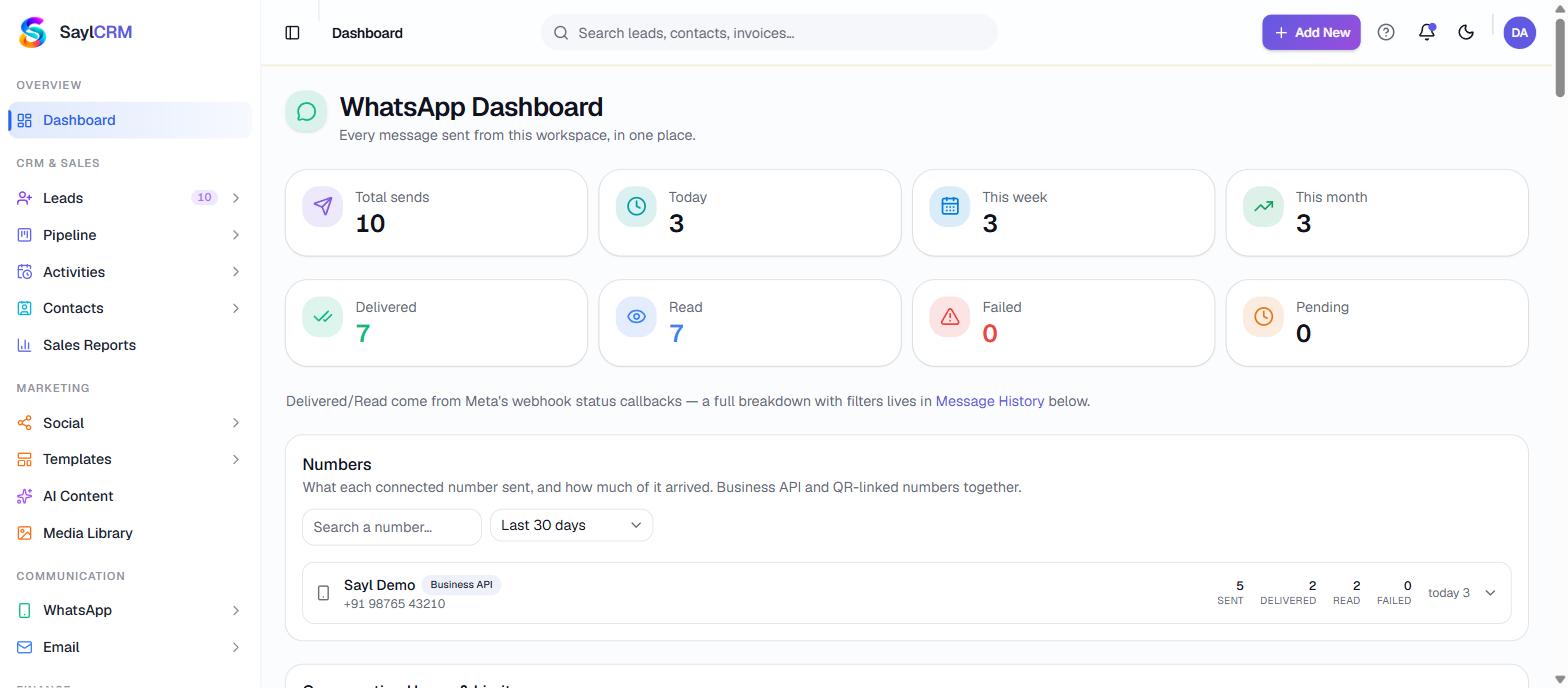
Sent, delivered, read and failed per recipient, exportable to CSV or Excel.
Opt-outs that are actually honoured
A stop request is recorded and enforced at send time, and clearing the list is an audited action.
Media library
Reusable images, documents and video for templates and replies, with signed public URLs where an upstream API needs to fetch a file rather than receive it.
QR connection as a second path
For teams not yet on the Cloud API, a number can be linked by QR. It is kept deliberately separate from the official integration.
Where each step actually happens
These are real screens in the product, not stages in a diagram. You can be looking at every one of them on day one.
See the whole platform mapConnect
Your business number is linked to the platform
Template
You build the message the way Meta models it
Campaign
Pick the audience and map the variables per recipient
Send
Delivery is paced and idempotent
Reply
The response opens a thread keyed to the number it came in on
Assign
A person owns the conversation
To CRM
The conversation becomes part of the lead's history
Straight answers
What this does not do
Every one of these is a real constraint — some ours, some the upstream platform's. They are on this page so you find them now rather than after you have paid.
Meta controls delivery, not us
Whether an approved message reaches a phone depends on Meta's policy, your template status, your account quality rating, recipient engagement and your configuration. Anyone promising guaranteed WhatsApp delivery is describing something they do not control.
The QR path carries real risk
Linking by QR uses an unofficial client. It is against WhatsApp's business terms and a linked number can be banned. We show that warning in the product rather than burying it, and we keep the path structurally separate so a break there cannot affect your official integration.
A blocked number stays blocked
When Meta returns a 403 the connection is marked blocked and does not automatically retry. Automatic reconnection is what turns a warning into a permanent ban.
Questions
Before you ask
Do we need our own WhatsApp Business API access?
Yes for the official path — the platform integrates Meta's Cloud API using your business account and number. Setup is part of onboarding.
Can we run more than one number?
Yes. One is marked default for outbound, every message records which number sent it, and each customer-plus-number pair is its own conversation thread.
What happens to messages sent before a number was connected?
Historical messages that cannot be attributed to a connected number get their own thread rather than being silently merged into a current one.
Keep going
What connects to this
Ready when you are
See WhatsApp running on your own process.
Bring a real example — an enquiry that got lost, a quote that took three days, a campaign nobody could measure. We will walk it through the actual product.