Sayl Connect · Remote desktop
Control any Windows PC, from anywhere.
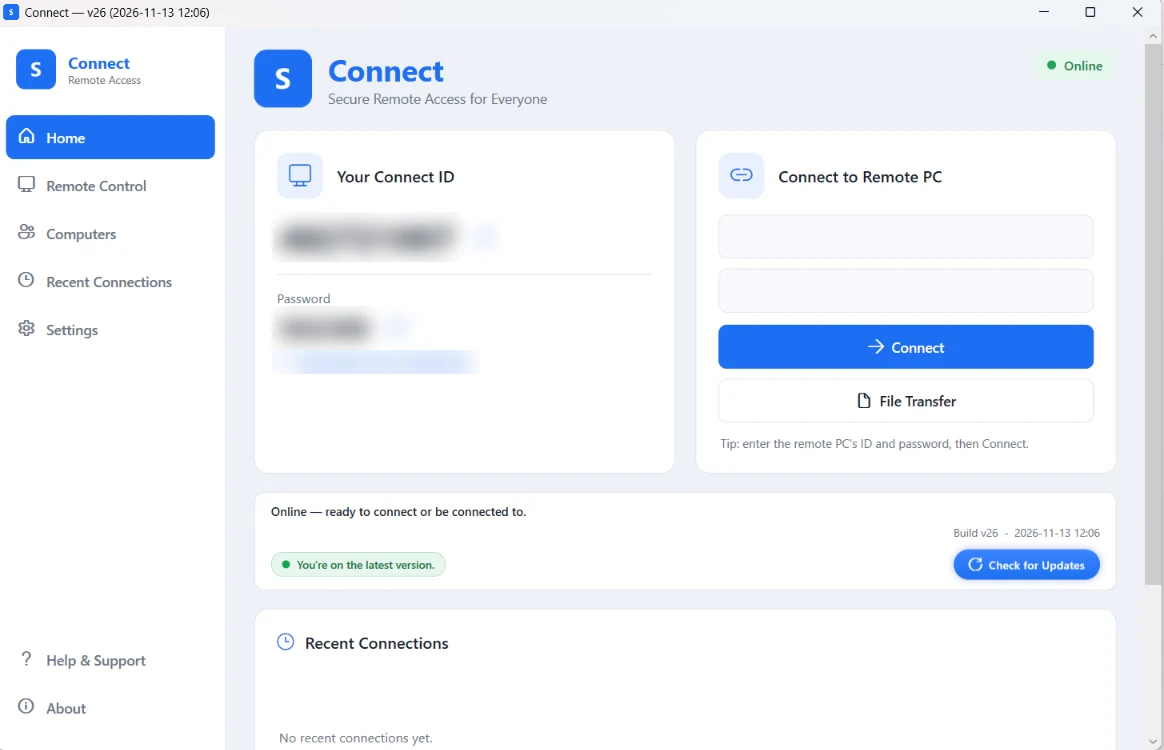
Sayl Connect gives you fast, encrypted remote access to a Windows computer over the internet - no VPN, no port forwarding, no account to set up.
Who it is for
One app for a quick support call and for every day.
Help someone right now
They read you their Connect ID and password, approve the session on their screen, and you see exactly what they see.
Reach your own machines
Set an access password once and open office PCs or servers whenever you need them, even when nobody is sitting there.
Support your customers
Fix a setup problem on the customer's own PC instead of describing it over the phone, then hand control back.
Features
Everything you need for remote access.
Professional remote-desktop tools in one lightweight Windows app.
Full remote control
See the remote screen live and use its keyboard and mouse as if you were in front of it.
Unattended access
A permanent access password reaches a computer any time - for servers and office machines with no one present.
File transfer
Browse both computers side by side and move files during a session. No email, cloud drive or USB stick.
Multi-monitor
Switch between the remote computer's screens, fit to window or go full screen.
Works through firewalls
A direct link where possible and an encrypted relay when not, so it connects through NAT without port forwarding.
Signed automatic updates
Every update is checked against a pinned signature before it installs, so each PC stays on the current version.
How it works
Connected in three steps.
- 1
Install Connect
Download and run the installer on both computers. No account to create.
- 2
Share the ID and password
Each computer has its own permanent Connect ID. The person being helped shares their ID and password.
- 3
Connect securely
Enter the ID, compare the Security Code on both screens, and you are in control over an encrypted link.
Security
Your session stays between you and that PC.
Remote access is only useful if it is trustworthy, so every connection is gated, encrypted and checkable.
Encrypted sessions
Screen, keyboard, mouse and files travel over an encrypted DTLS channel.
Security Code check
Both sides can compare a matching per-session code before trusting the connection, which exposes a man in the middle.
Password and approval
A session needs the right ID and password, and attended sessions ask the person at the PC to approve.
Verifiable download
The installer's SHA-256 fingerprint is published next to it, and updates are signature-checked before install.
Get Sayl Connect for Windows
Version 1.0.26 · about 52 MB · Windows 10 / 11 (64-bit) · SHA-256 fingerprint on the download page
Questions
Before you ask
What does it run on?
Windows 10 and Windows 11, 64-bit. Install it on both the computer you connect from and the one you connect to.
Do I need a Sayl account?
No. Connect works on its own: install it, share the Connect ID and password, and connect. You do not need any other Sayl product.
What does it cost?
Connect is free to download. For a rollout across a company's PCs, talk to us about licensing and support.
Windows shows "Windows protected your PC". Is that safe?
This happens on first run because the release is new to Windows SmartScreen. Check the installer's SHA-256 fingerprint against the value published on the download page; if it matches, choose More info and Run anyway. Company IT teams can trust the Connect code-signing certificate so the prompt does not appear.
Can someone connect to my PC without me knowing?
Only with your Connect ID and your password. For attended sessions you approve the connection; unattended access works only if you set an access password yourself. Change or clear it in Settings at any time.
How do updates work?
Connect checks for updates itself and installs only a release whose signature matches the one built into the app.
Sayl Connect
Remote support without the setup.
Install it on both PCs and connect in under a minute. Rolling it out across a company? Tell us how many computers and we will help.