Web Forms & Lead Capture
Every form on your website, feeding one record.
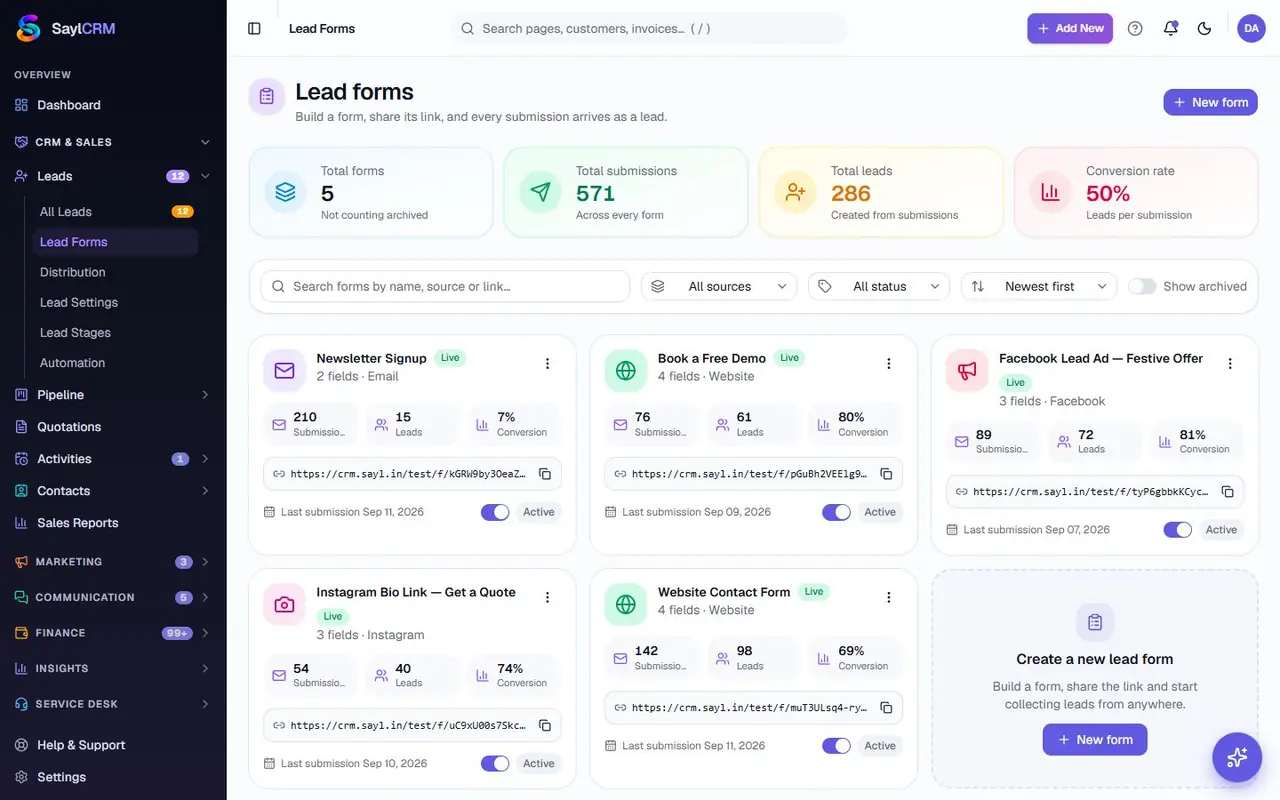
Build a lead form in the browser, publish it at its own link or embed it on your site, and every submission lands in the CRM already carrying its source, a spam check and an automatic receipt to the person who filled it in.
Website enquiries land in an inbox, get forwarded twice and are answered days later.
The real product
Web Forms, on real screens
Captured from the read-only Sayl Demo workspace, with sample data. Nothing here is a mock-up.
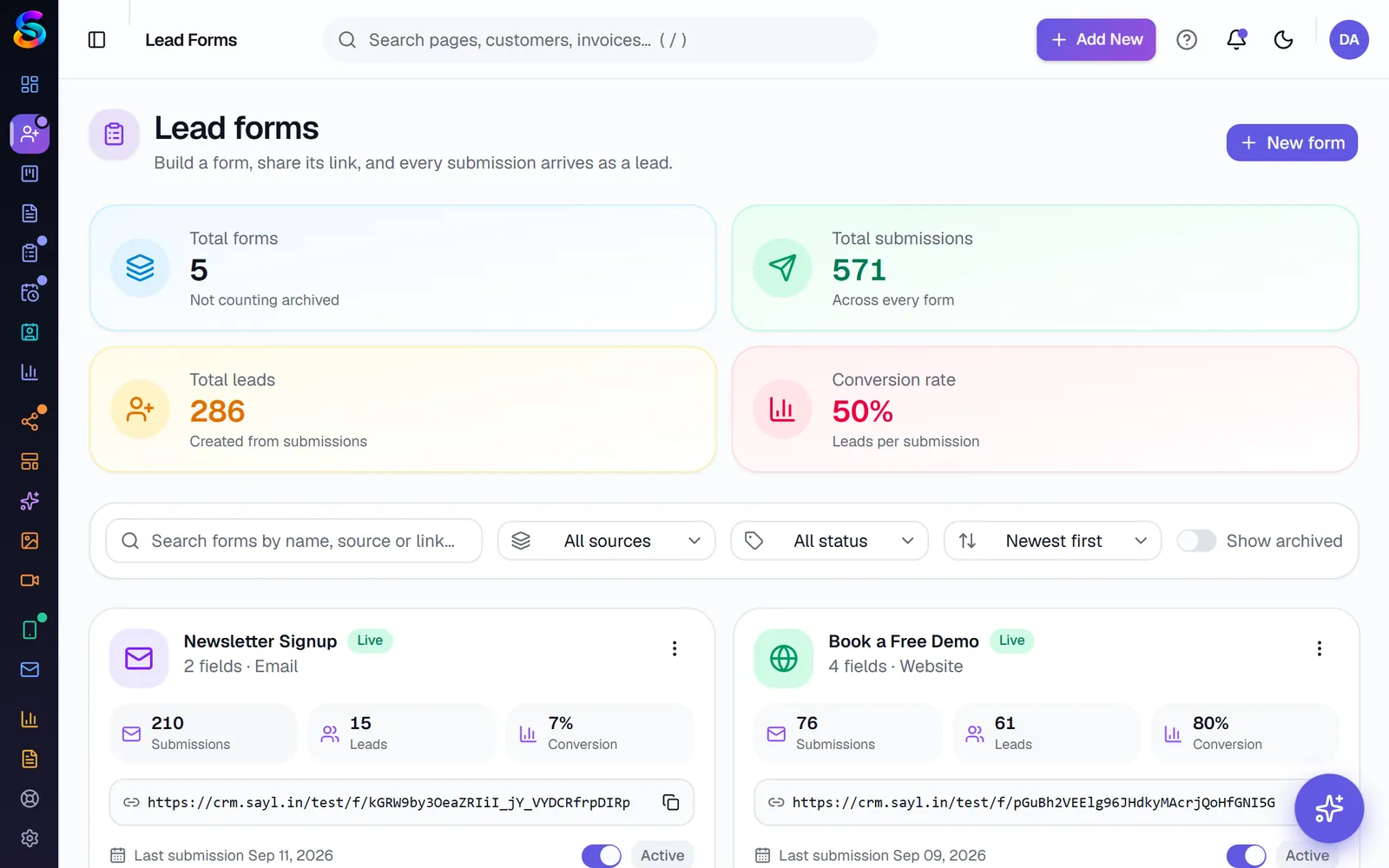
Lead forms with a field builder and share options
Field to funnel
From a blank form to a routed, scored lead.
A form is the first thing a stranger touches. This is what happens between them clicking submit and a salesperson's name being on the result.
0106Your team
Custom fields, including a file upload
Fields are assembled in the browser against your own schema, not a fixed template everyone's enquiry form looks like.
Happens on /forms in the product
In the product
What you get, and why it is there.
Form builder with a public URL
Custom fields including file upload, assembled in the browser and published at their own address.
Share anywhere
Link, QR code or embed on your existing website — one form, three distribution paths.
Self-hosted spam protection
Captcha, IP blocking and rate limits run inside the product. Nothing about a visitor is sent to an outside anti-spam service.
Source tracking
UTM capture plus the Meta Pixel and Conversions API, on the same submission that creates the lead.
Lead API and webhooks
Create leads from your own systems with an API key, or receive an outbound webhook when one arrives here.
Automatic receipts
The person who submitted the form gets an acknowledgement immediately, not after someone opens their enquiry.
Where each step actually happens
These are real screens in the product, not stages in a diagram. You can be looking at every one of them on day one.
See the whole platform mapBuild
Custom fields, including a file upload
Share
A public link, a QR code, or embedded on your site
To CRM
Deduplicated and routed exactly like any other lead
Straight answers
What this does not do
Every one of these is a real constraint — some ours, some the upstream platform's. They are on this page so you find them now rather than after you have paid.
No landing-page builder or web push
This builds forms, not full landing pages, and there is no web-push notification channel. If you need a standalone campaign page, it lives on your own website with the form embedded in it.
No conditional logic yet
Every field on a published form is shown to every visitor. Branching a form based on an earlier answer is not built.
Questions
Before you ask
Does a web-form lead get treated differently from a WhatsApp or imported one?
No. It runs through the same deduplication, routing and scoring as every other intake path — see CRM & Lead Management.
Do we need a third-party captcha service?
No. Spam protection is self-hosted, so visitor interactions on your form are not sent to an outside provider to be scored.
Can a question only appear if an earlier answer was 'yes'?
Not today. Conditional logic between fields is not built — every field on the form is shown to every visitor.
One record
Connected to the rest of Sayl
Keep going
What connects to this
Ready when you are
See Web Forms running on your own process.
Bring a real example — an enquiry that got lost, a quote that took three days, a campaign nobody could measure. We will walk it through the actual product.