
Sayl Mail · For administrators
Sync users from Microsoft Entra ID, Okta or Google with SCIM
Let Microsoft Entra ID (Azure AD), Okta or Google create, update, suspend and delete Sayl Mail mailboxes automatically, using SCIM 2.0.
What directory sync (scim) is and why it helps
If your company manages staff in Microsoft Entra ID (Azure AD), Okta or Google Workspace, directory sync keeps Sayl Mail in step automatically: a new joiner gets a mailbox, a name change follows, and a leaver's mailbox is suspended.
It uses SCIM 2.0, the standard those systems speak. You create one API key in Sayl with only the scim permission and paste it, with the address below, into your identity provider.
Where to find it
Admin console → Email flow → API keys → Create API key (scim permission)
Who can use it: Organisation administrators with full rights.
Step by step
Every screenshot is from Sayl Mail itself, using a demo company with made-up people. The button to click is outlined in orange.
- 1
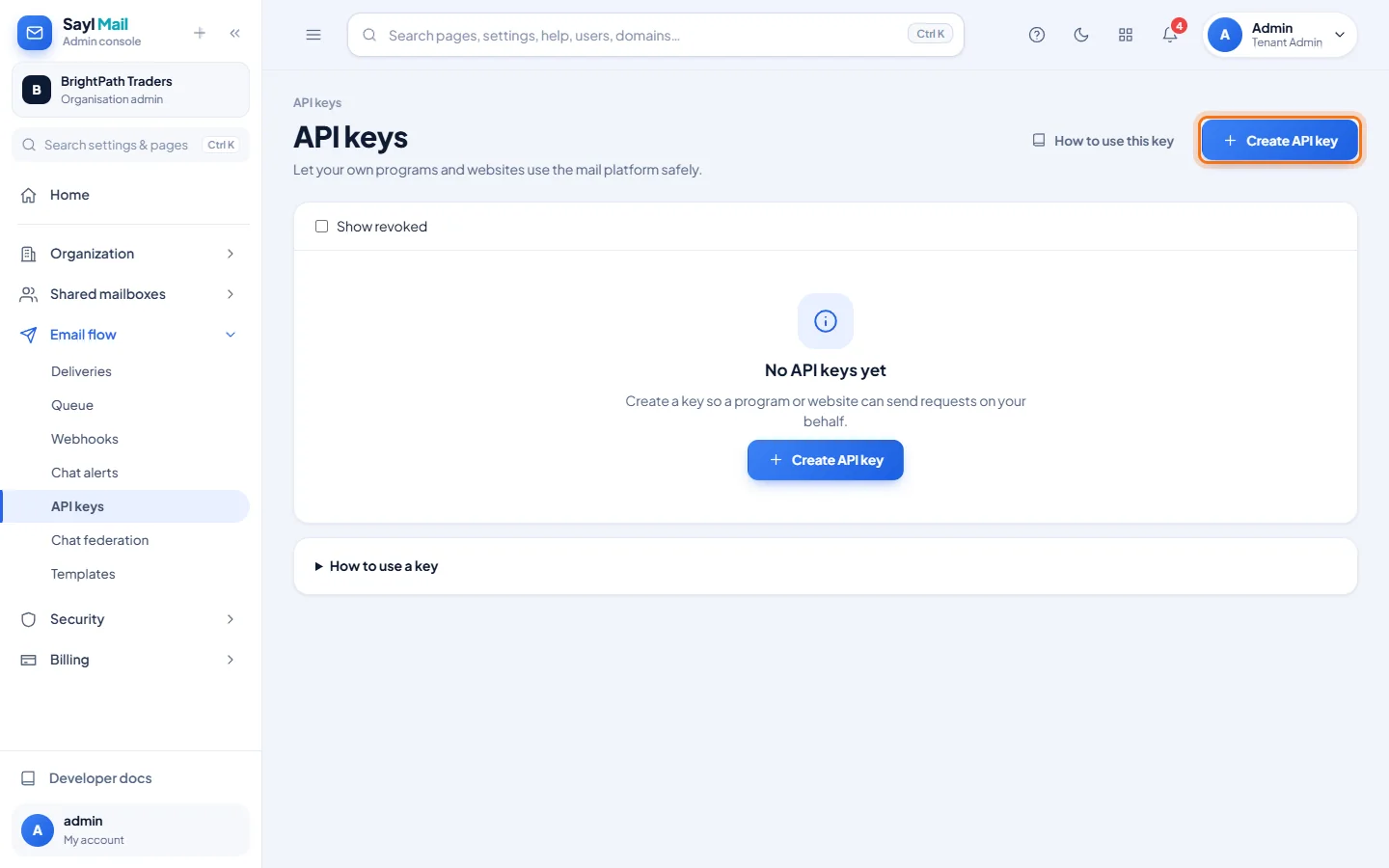
Open API keys and click Create API key
In the admin console, open Email flow → API keys and click Create API key.
- 2
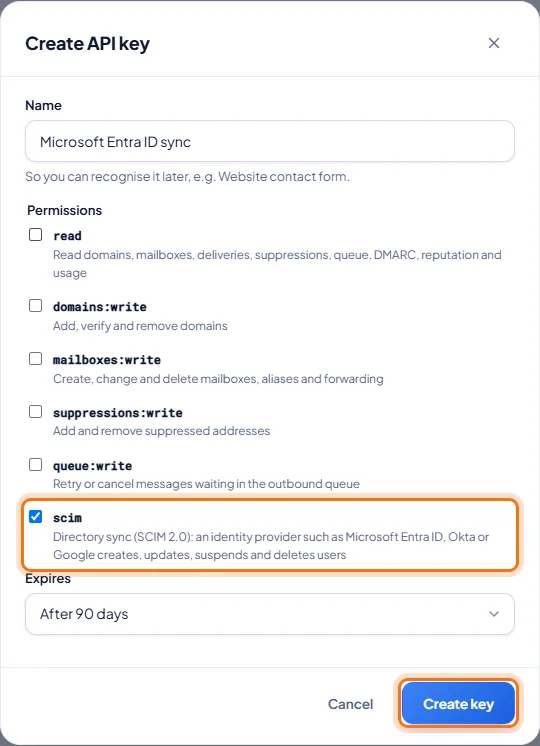
Give the key only the scim permission
Name the key so you recognise it (for example Microsoft Entra ID sync). Untick everything else and tick only scim. Choose when it expires and click Create key.
- 3
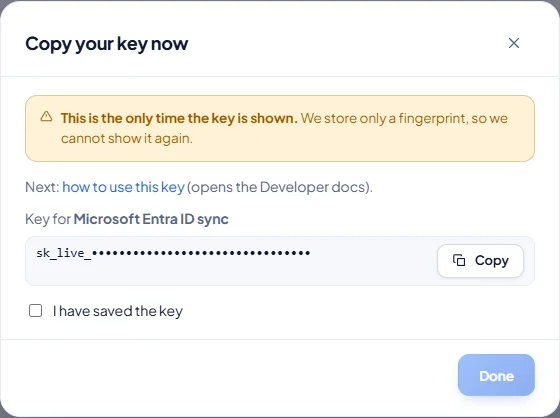
Copy the key now
The key is shown only once. Copy it and keep it for the next step. (It is hidden in this picture.)
- 4
Paste it into your identity provider
In Microsoft Entra ID: Enterprise applications → New application → Create your own (non-gallery) → Provisioning → Automatic. Enter the Tenant URL and the key as the Secret token, click Test connection, and map userPrincipalName (or mail) to userName. In Okta, add a SCIM 2.0 app with header authentication and turn on Create Users, Update User Attributes and Deactivate Users.
- 5
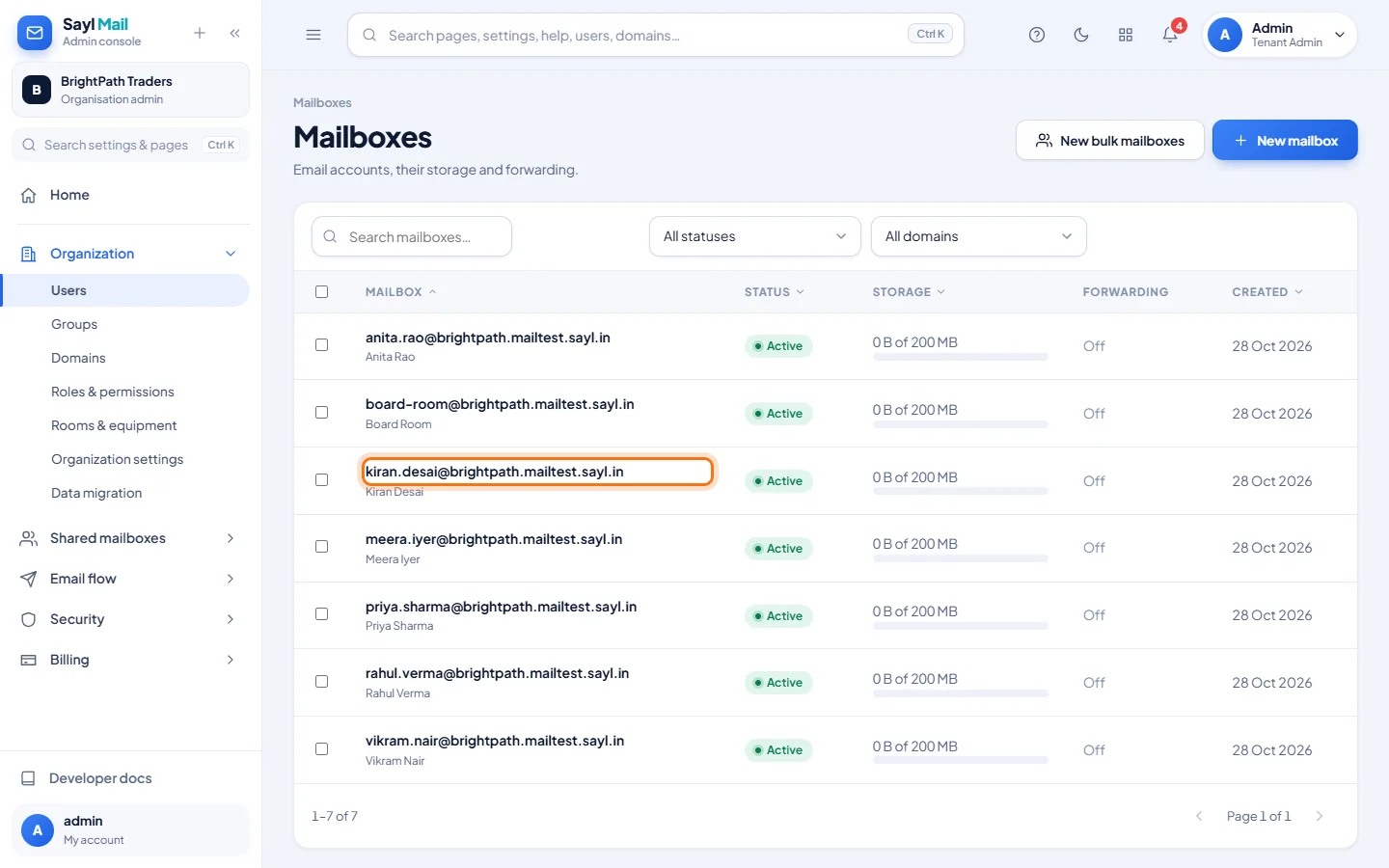
New people get mailboxes automatically
When the provider sends a new person, the mailbox appears in Organization → Users. Here, Kiran Desai was created by a SCIM request, exactly as Entra ID or Okta sends it.
Example
The values your identity provider asks for:
- Tenant URL / SCIM base URL
- https://admin.sayl.in/api/v1/scim/v2
- Secret token / API token
- the key you copied (starts with sk_live_)
- Unique identifier
- userName = the person's work email address
The result
- New joiners get a mailbox; name, title, department and phone changes follow; suspending someone in the provider suspends the mailbox (mail still arrives).
- Deleting someone moves the mailbox to Deleted mailboxes, where it can be recovered for 30 days.
Troubleshooting
- Test connection fails.
- Check the URL is exactly https://admin.sayl.in/api/v1/scim/v2 and that the key has the scim permission, has not expired and was not revoked.
- A user is refused.
- The email domain must already be added to your organisation in Sayl, and your plan needs a free mailbox.
- Can I change someone's email address through SCIM?
- No. The address cannot change; create the new address and remove the old one.
- Are groups synced?
- No. Only users are provisioned. Manage groups and mailing lists in the admin console.
- The key was exposed.
- Revoke it in API keys straight away, create a new one, and paste the new key into your identity provider.
Still stuck? Your organisation's administrator can help first. Administrators can reach Sayl support from the admin console, or through the contact page.