
Sayl Mail · For everyone
Read your email offline in Sayl webmail
Keep a copy of your recent mail on your own computer so you can still read it when the internet or the server is down. How to turn it on and off.
What offline webmail is and why it helps
On a train, on a weak connection or during an outage, offline mail lets you keep reading. Sayl keeps a copy of your Inbox and its latest conversations in your browser, plus every conversation you open.
Offline mail is for reading. Sending, replying and deleting need a connection. Turn it on only for a computer that is yours: signing out or turning it off deletes the copy.
Where to find it
Webmail → Settings → General → Offline mail on this device
Step by step
Every screenshot is from Sayl Mail itself, using a demo company with made-up people. The button to click is outlined in orange.
- 1
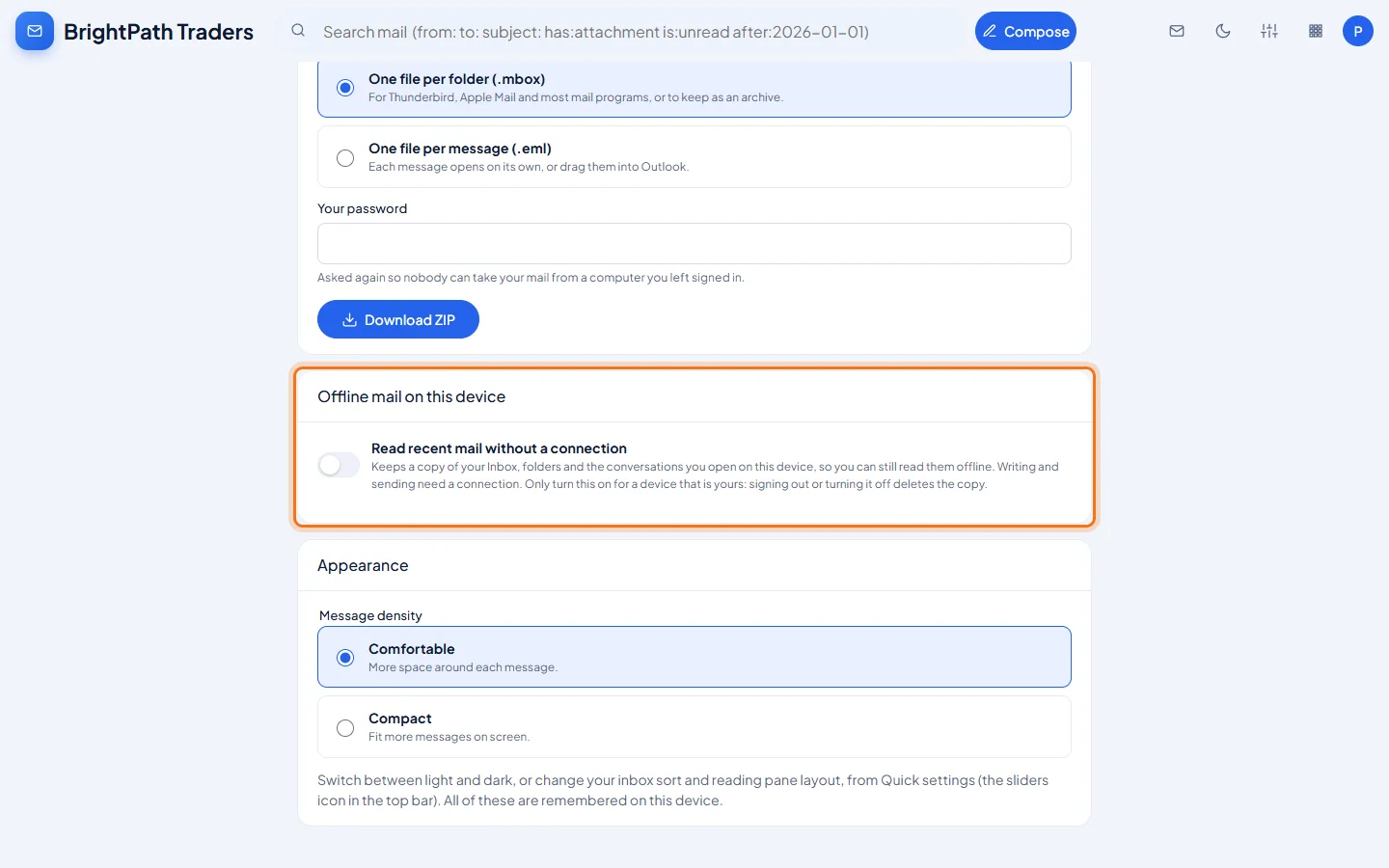
Open Settings → General and find Offline mail
Open Settings (or Quick settings → See all settings). In General, find the card Offline mail on this device.
- 2
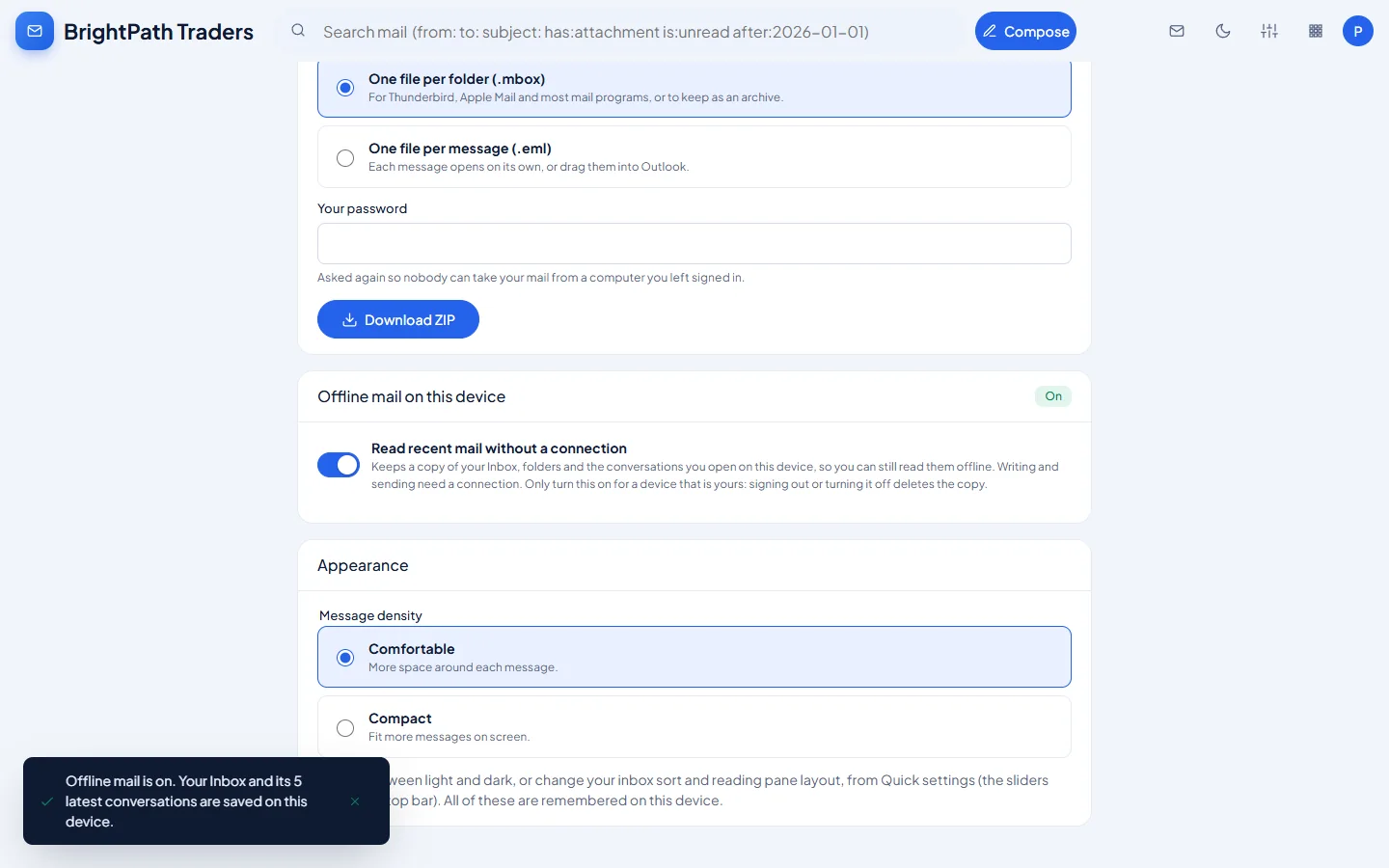
Turn on Read recent mail without a connection
Click the switch. Sayl saves your Inbox and its latest conversations, and confirms how many were saved. The card now shows On.
- 3
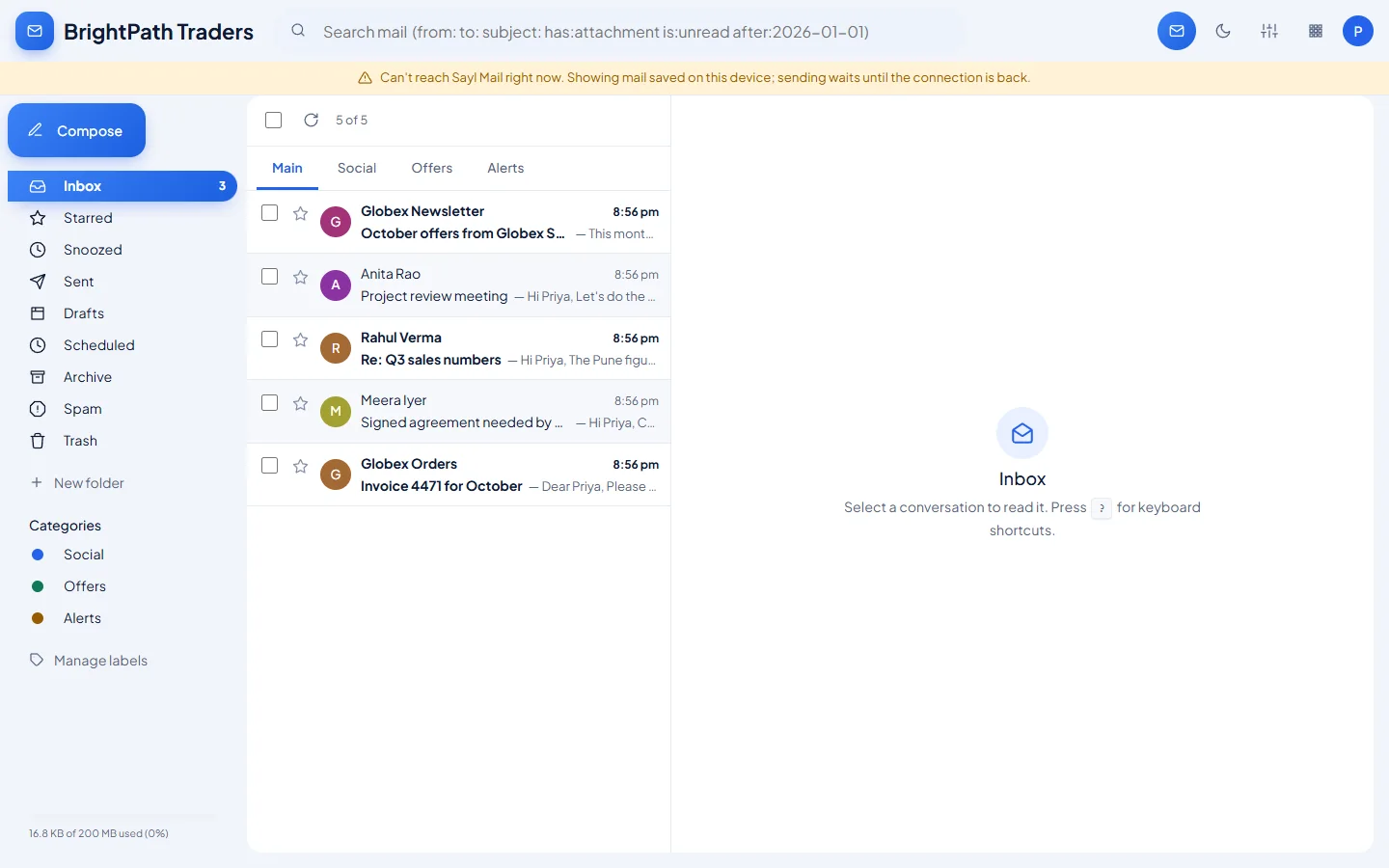
Without a connection, your mail is still there
When Sayl Mail can't be reached, a yellow bar says you are seeing mail saved on this device. Your Inbox still opens.
- 4
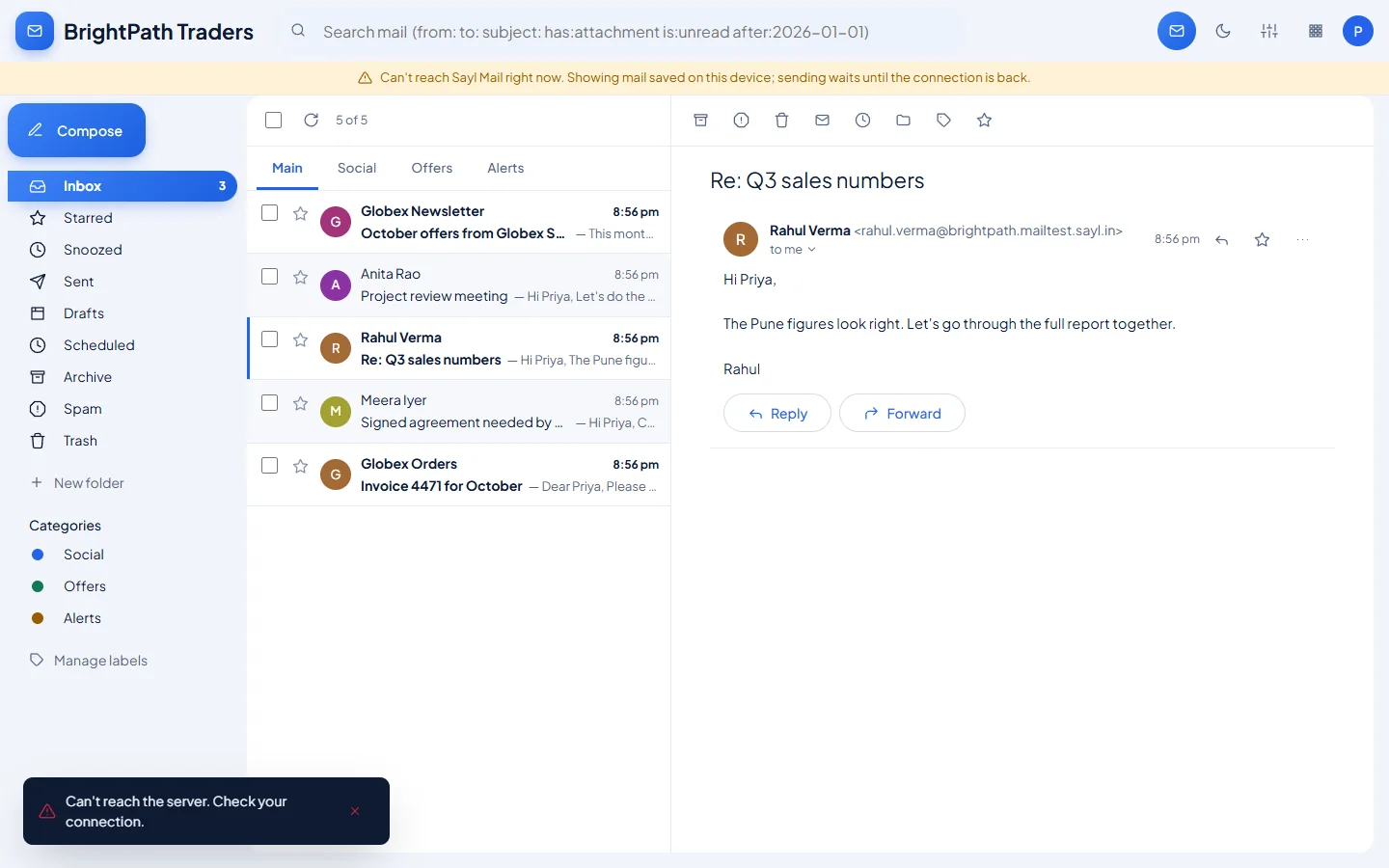
Open saved conversations
Conversations that were saved open as usual. Anything you write waits until the connection is back.
Example
What is saved and what is not:
- Saved
- Your Inbox list, its latest conversations, and conversations you open while offline mail is on.
- Not saved
- Other folders you haven't opened, attachments you haven't opened, and anything older.
- Deleted
- Everything saved, as soon as you sign out or turn offline mail off.
The result
- You can keep reading recent mail during a connection problem, and the copy disappears when you sign out.
Troubleshooting
- The switch says "This browser does not support it".
- Use an up-to-date version of Google Chrome. The feature was tested in Chrome on a desktop computer.
- A conversation won't open offline.
- Only saved conversations open without a connection. Open the conversations you will need while you are still online.
- I used a shared or public computer.
- Sign out when you finish: that deletes the saved copy. Don't turn offline mail on for computers other people use.
Still stuck? Your organisation's administrator can help first. Administrators can reach Sayl support from the admin console, or through the contact page.