
Sayl Mail · For everyone
Send a confidential email that expires
Send sensitive information that can only be read in the browser with a one-time code, expires automatically and can be withdrawn at any time.
What confidential mode is and why it helps
Confidential mode is for information you do not want sitting in someone's mailbox forever: salary letters, bank details, contracts, passwords for a shared system.
The recipient gets a notice with a link instead of the message itself. To read it they confirm their email address and enter a one-time code that Sayl sends to that address, so a forwarded notice is useless to anyone else. The message stops working on the expiry date you choose, and you can remove access earlier.
Where to find it
Webmail → Compose → lock icon (Confidential mode) at the bottom of the message
Step by step
Every screenshot is from Sayl Mail itself, using a demo company with made-up people. The button to click is outlined in orange.
- 1
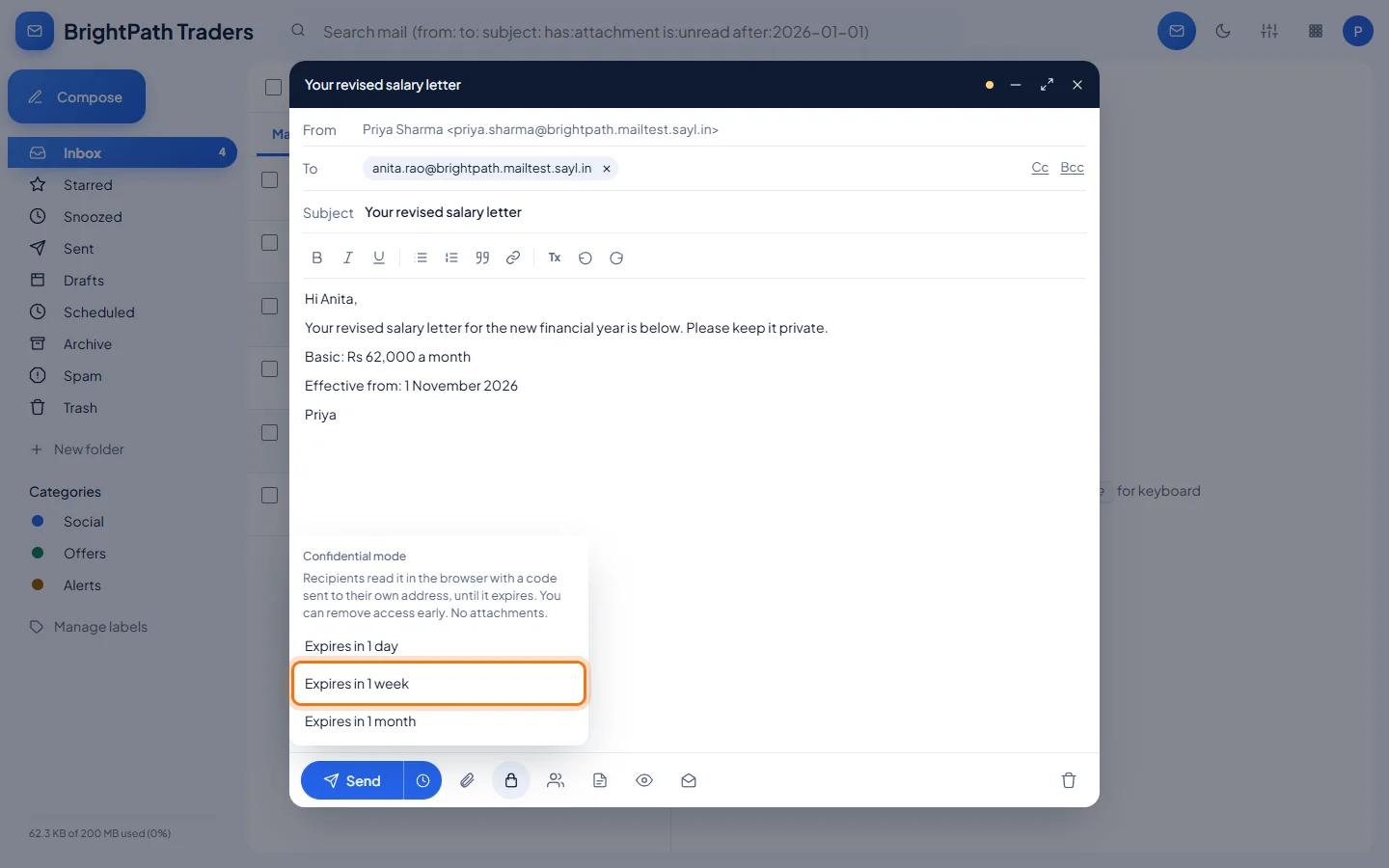
Write the message and click the lock icon
Write your email as usual. Then click the lock icon at the bottom and choose how long it stays readable: 1 day, 1 week or 1 month.
- 2
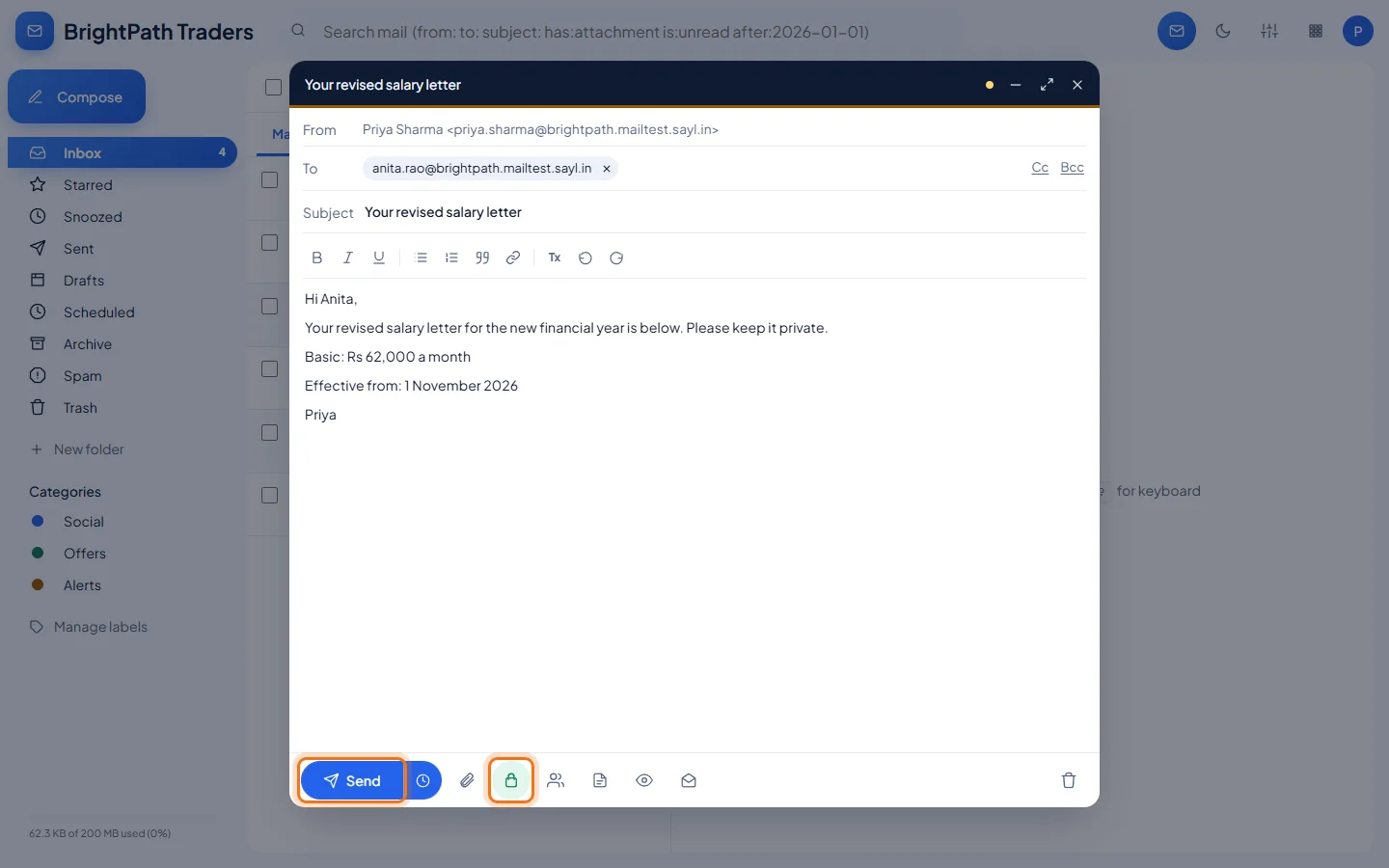
Send it
The lock icon turns green while confidential mode is on. Click Send.
- 3
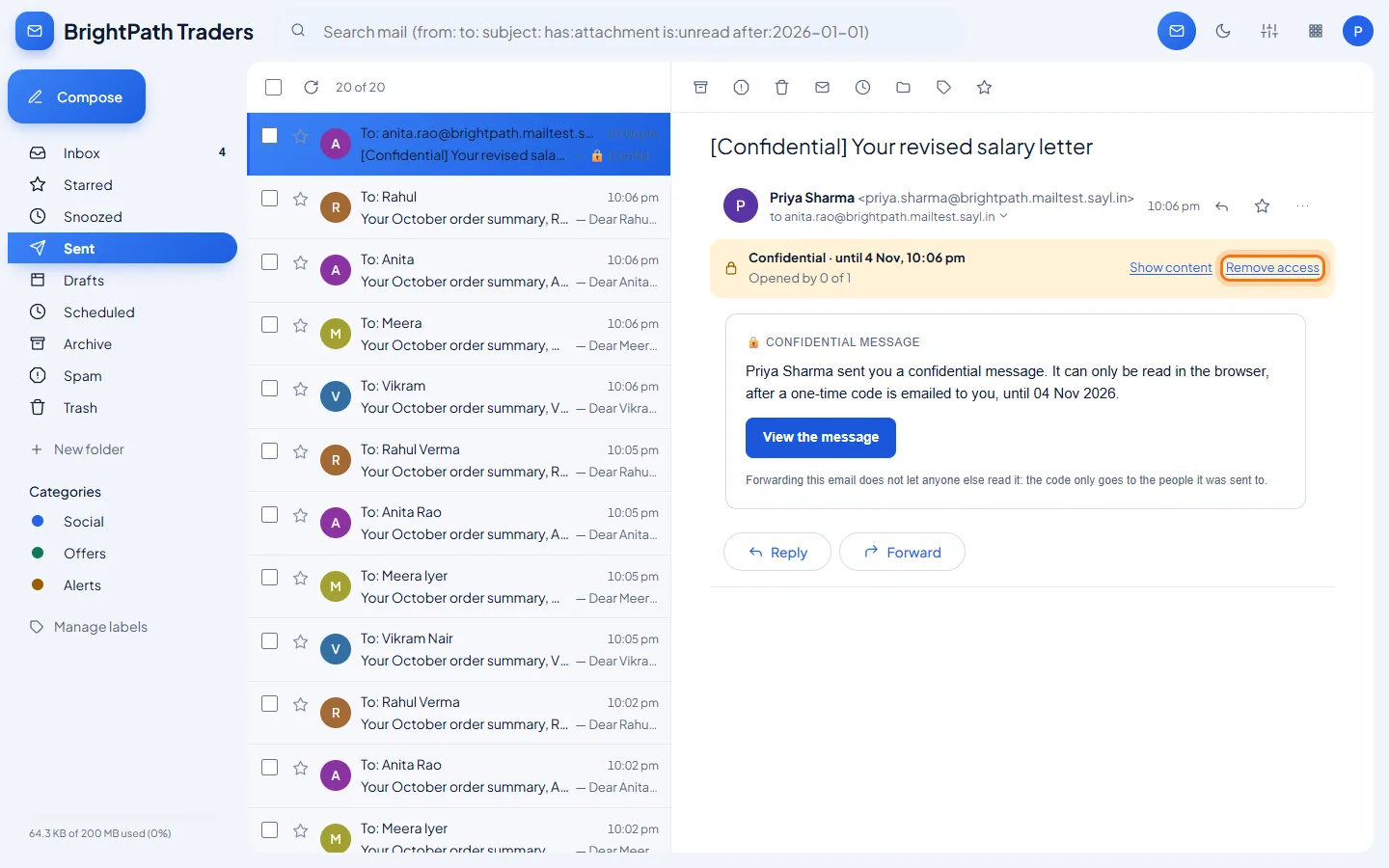
Your copy shows the status and a Remove access button
In your Sent folder the message is marked [Confidential]. A bar shows until when it can be read and how many people have opened it. Click Remove access to stop it working immediately.
- 4
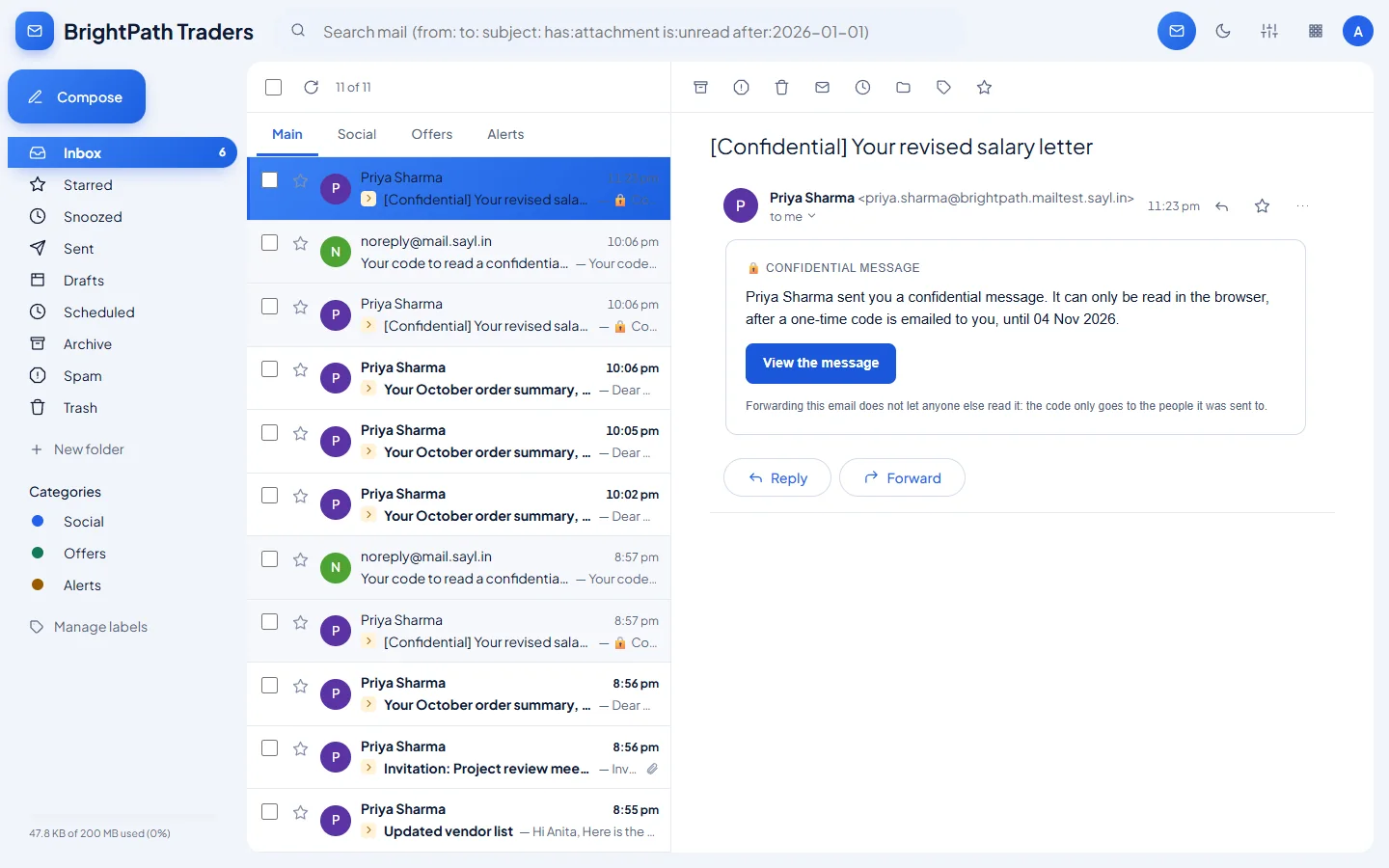
The recipient gets a notice, not the message
The recipient's email contains a short notice from you and a View the message button.
- 5
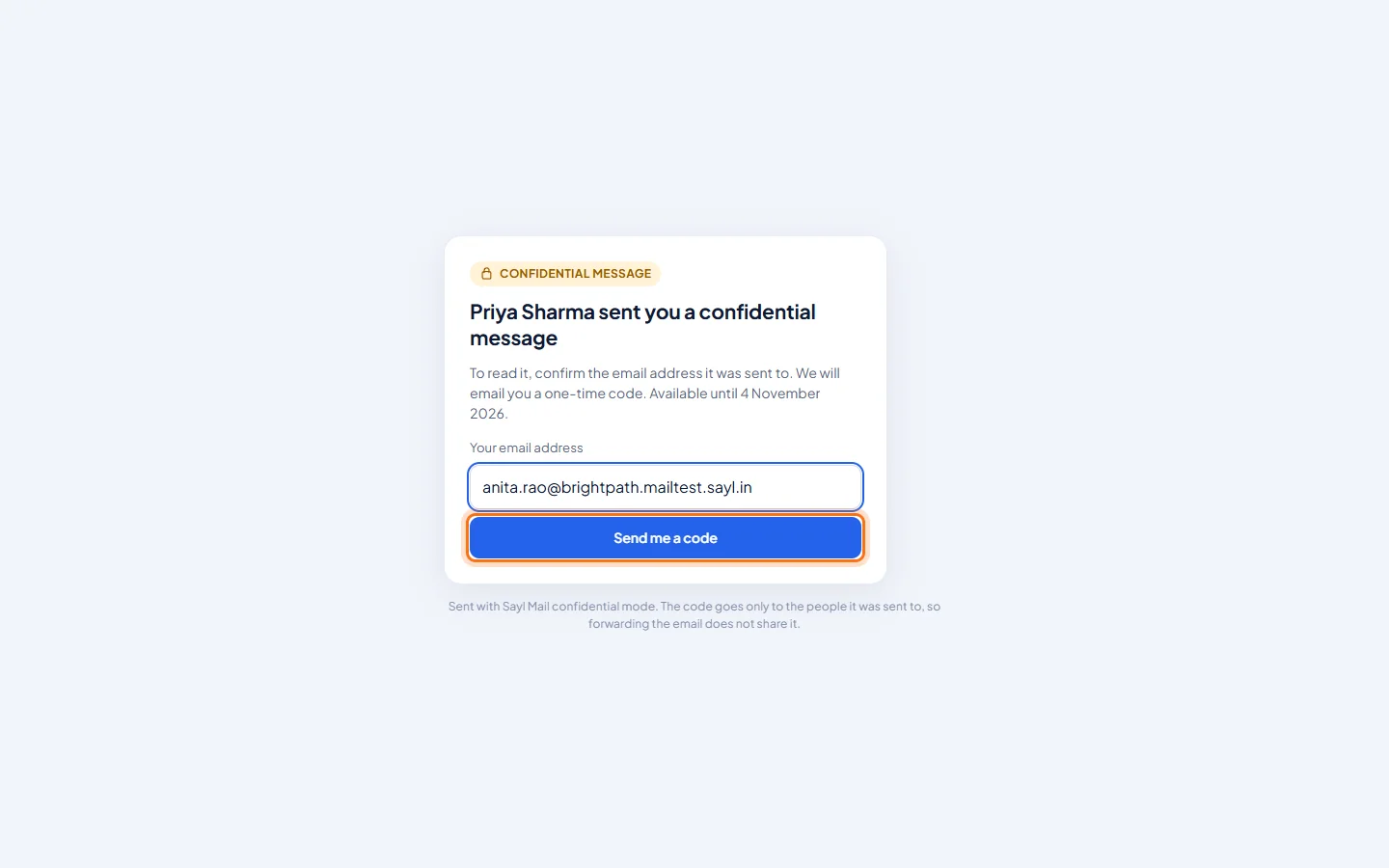
The recipient confirms their address
The link opens a page in the browser. The recipient types the address the message was sent to and clicks Send me a code.
- 6
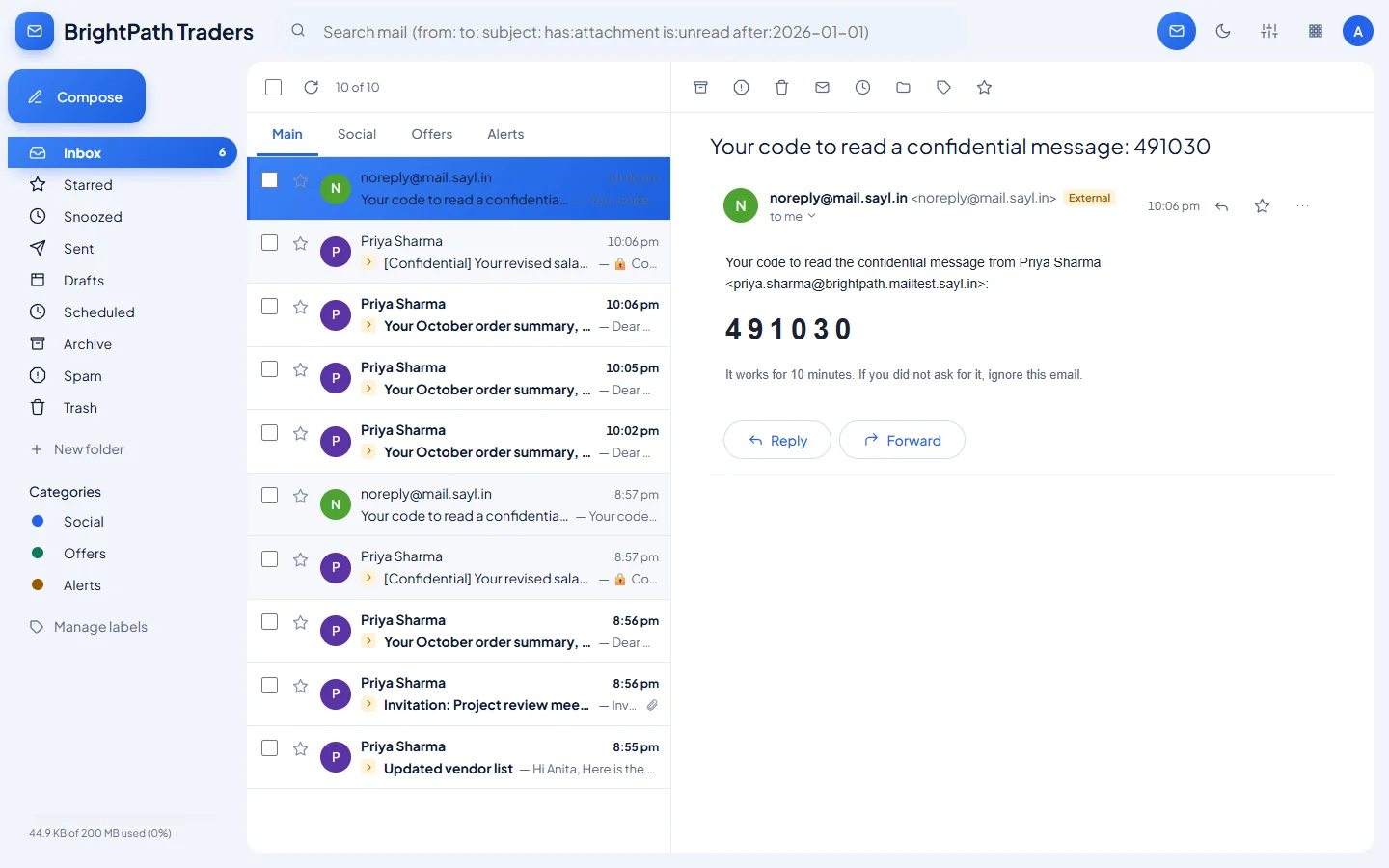
A one-time code arrives by email
Sayl emails a 6-digit code to that address. It works for 10 minutes.
- 7
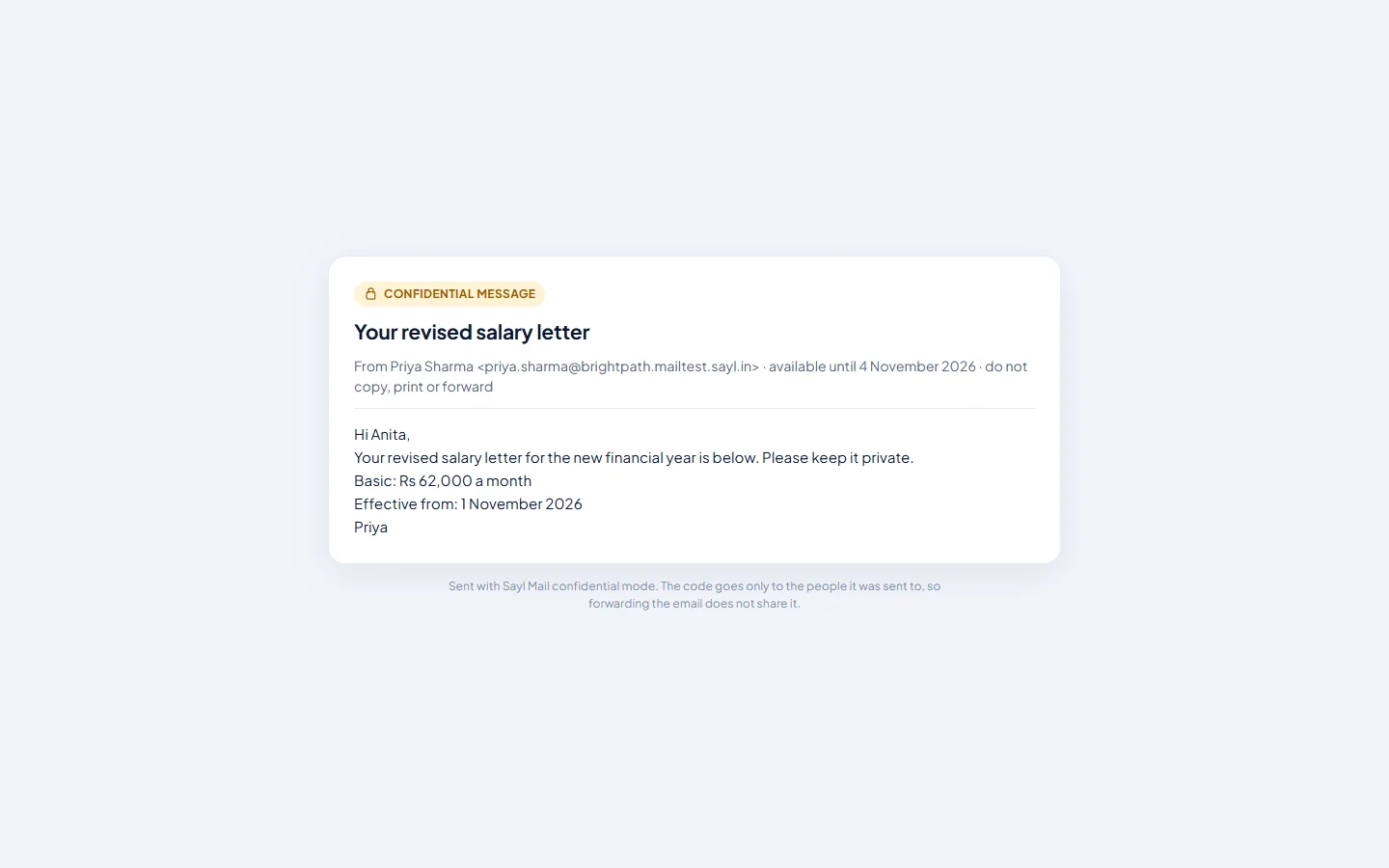
The message opens in the browser
After entering the code the recipient can read the message. It is shown with the date it stops being available.
Example
The message used above:
- Subject
- Your revised salary letter
- Message
- Hi Anita, Your revised salary letter for the new financial year is below. Basic: Rs 62,000 a month. Effective from: 1 November 2026.
- Confidential mode
- Expires in 1 week
The result
- The recipient can read the message in the browser only after entering a code sent to their own address.
- The message stops working on the expiry date, or as soon as you click Remove access.
Troubleshooting
- The lock icon is greyed out.
- Confidential mode cannot be combined with mail merge, and confidential messages cannot carry attachments. Remove attachments or turn mail merge off.
- The recipient says the code did not arrive.
- Ask them to check Spam, and to type exactly the address the message was sent to. They can ask for a new code from the same page; each code works for 10 minutes.
- The recipient sees "This message is no longer available".
- It has expired or you removed access. Send it again if they still need it.
- Can the recipient copy the text or take a screenshot?
- Confidential mode controls who can open the message and for how long. Like any message shown on a screen, it cannot stop someone photographing or copying what they can see, so only send it to people you trust with the content.
Still stuck? Your organisation's administrator can help first. Administrators can reach Sayl support from the admin console, or through the contact page.