
Sayl Mail · For administrators
Set up bookable meeting rooms and equipment
Add meeting rooms, projectors or cars that people book from a calendar event. Each room answers invitations itself, so nothing is double-booked.
What rooms and equipment is and why it helps
Rooms and equipment let people book a meeting room, a projector or a pool car the same way they invite a colleague: by adding it to a calendar event.
Each room has its own booking address and its own calendar. It answers every invitation by itself: accepted when the time is free, declined when it is already booked or the organiser is outside your organisation. Nobody has to manage a booking sheet.
Where to find it
Admin console → Organization → Rooms & equipment; webmail → Calendar → New event → Add a room or equipment
Who can use it: Adding rooms: organisation administrators with full rights. Booking: everyone in the organisation.
Step by step
Every screenshot is from Sayl Mail itself, using a demo company with made-up people. The button to click is outlined in orange.
- 1
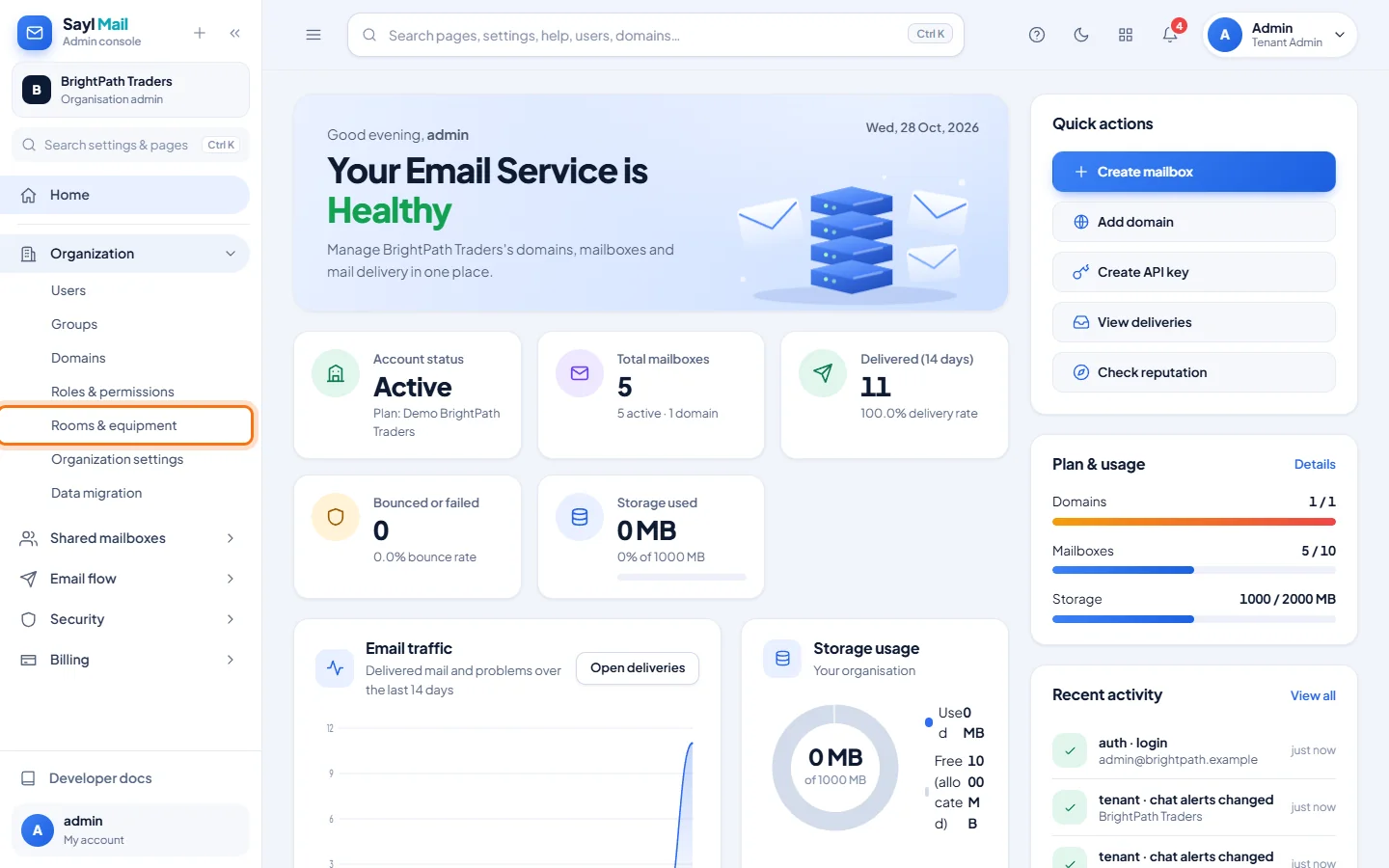
Open Organization → Rooms & equipment
In the admin console menu, open Organization and click Rooms & equipment.
- 2
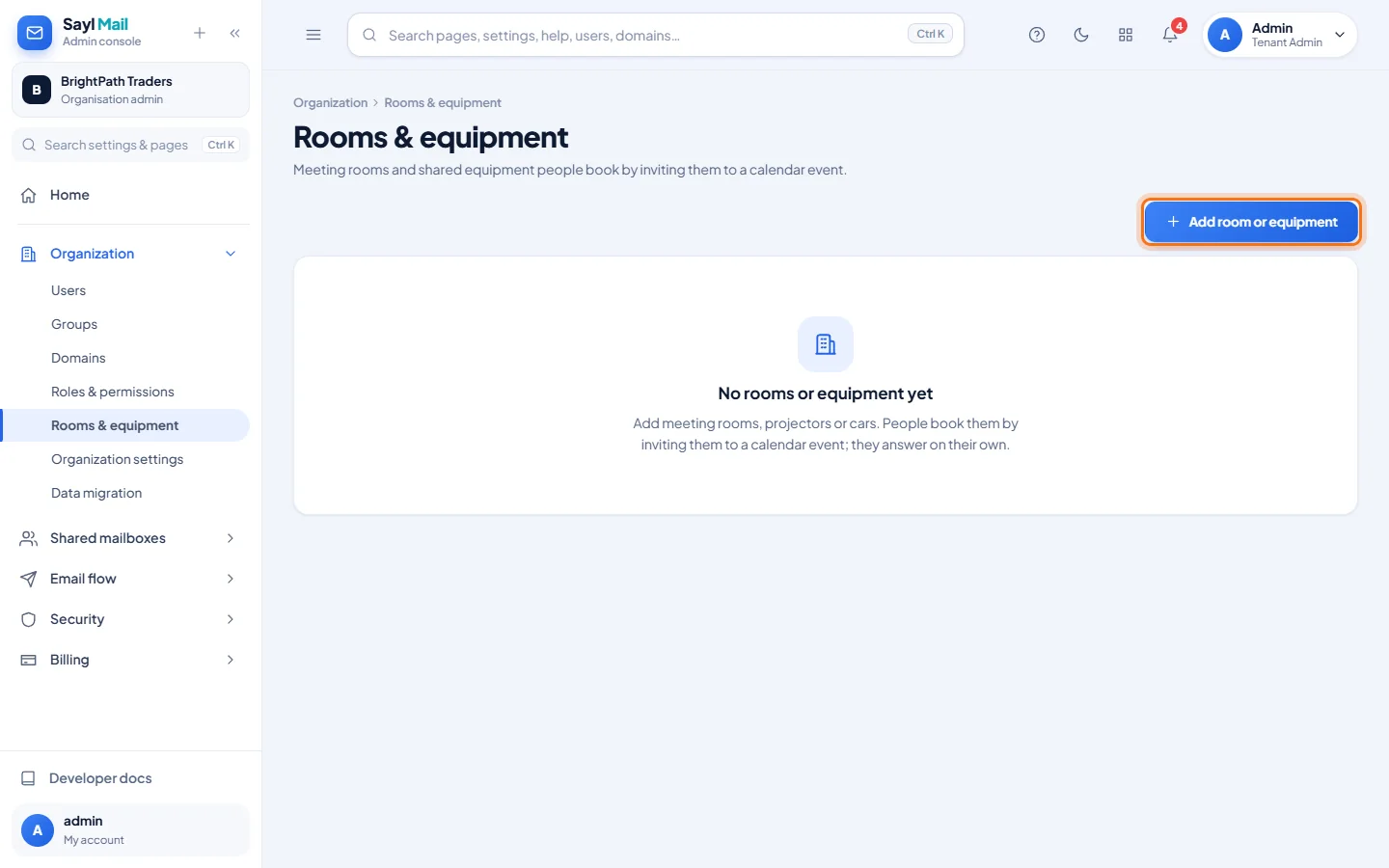
Click Add room or equipment
The first time, the page says No rooms or equipment yet. Click Add room or equipment.
- 3
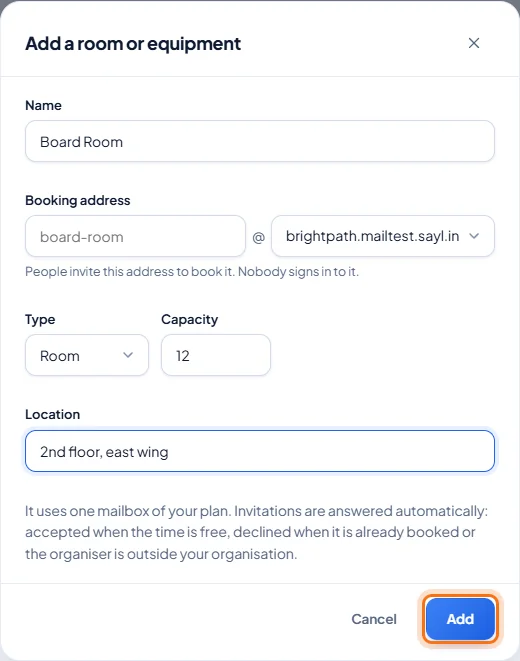
Enter the room's details
Enter a name, check the booking address Sayl suggests, choose Room or Equipment, and add the capacity and location. Click Add. A room uses one mailbox of your plan.
- 4
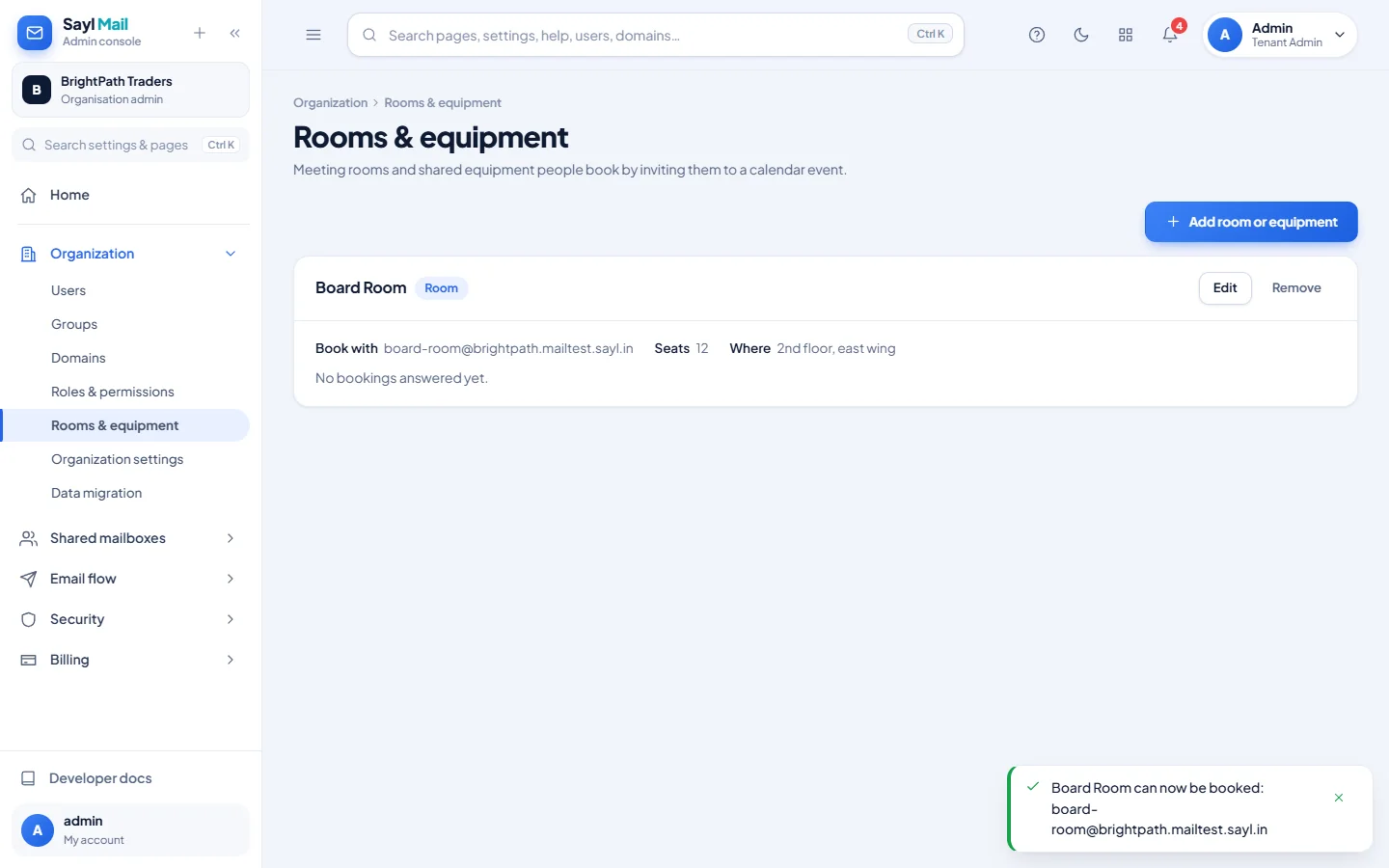
The room is ready to book
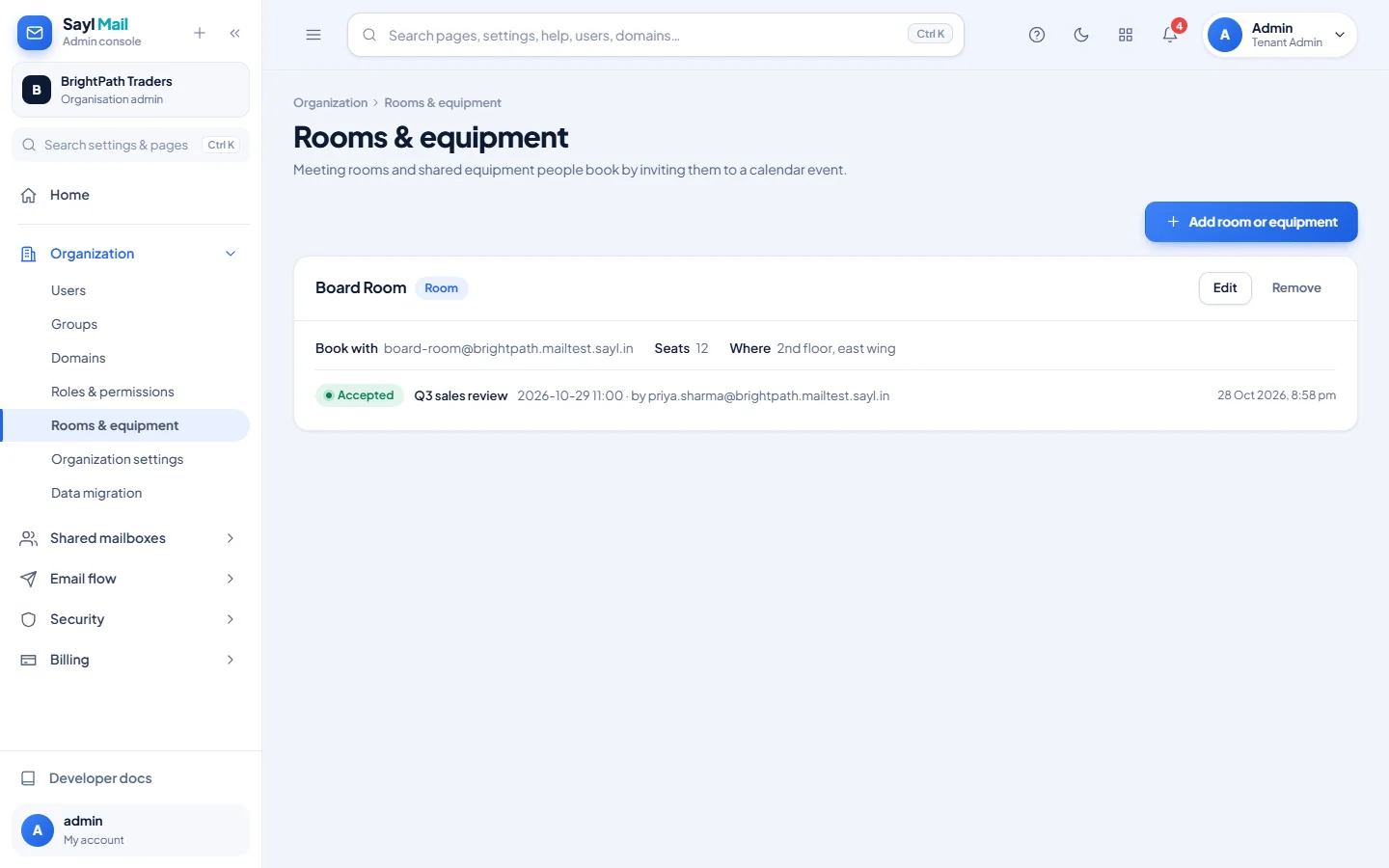
The room is listed with its booking address, seats and location.
- 5
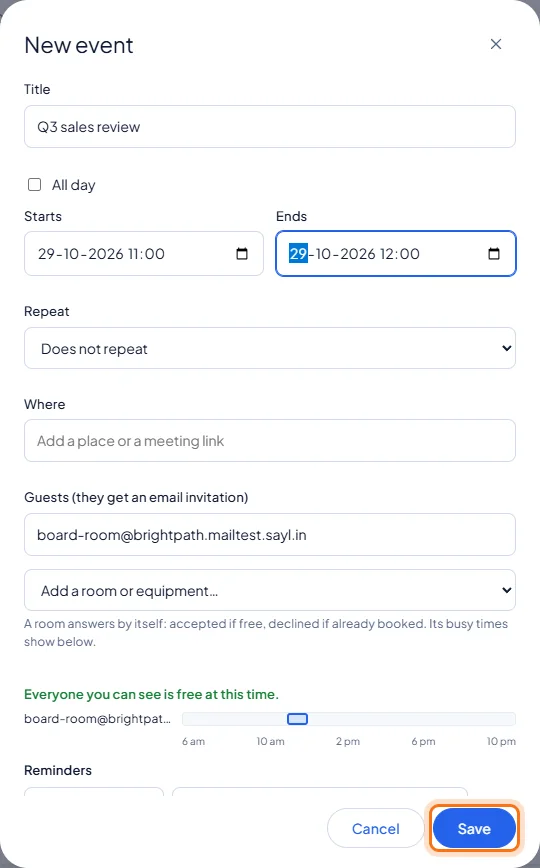
People book it from a calendar event
In webmail Calendar, create a New event and choose the room in Add a room or equipment. Its busy times show below, so you can pick a free slot. Click Save.
- 6
The room answers by itself
The room accepts the invitation if it is free. The admin page lists each answered booking: accepted or declined, the event, the time and who booked it.
Example
The room used above:
- Name
- Board Room
- Booking address
- board-room@ your domain
- Type / capacity
- Room, 12 seats
- Location
- 2nd floor, east wing
- Booked by
- Priya: Q3 sales review, 29 October, 11:00 to 12:00. Accepted.
The result
- Rooms and equipment that people book from their calendar, with double bookings declined automatically.
Troubleshooting
- Add room or equipment is greyed out or missing.
- Only full administrators can add rooms, and your organisation needs a domain and a free mailbox in its plan.
- The room did not answer.
- Rooms answer bookings for upcoming times. A booking for a time that has already passed gets no answer. Answers usually arrive within seconds and at the latest within 5 minutes.
- The booking was declined.
- The room is already booked at that time, or the organiser is outside your organisation. Pick another time; the busy times in the event show when it is free.
Still stuck? Your organisation's administrator can help first. Administrators can reach Sayl support from the admin console, or through the contact page.