
Sayl Mail · For everyone
See important mail first with the priority inbox
Sayl Mail marks mail from people you write to or saved as contacts, and can sort it to the top of your Inbox so newsletters never bury it.
What priority inbox is and why it helps
Your Inbox mixes mail from colleagues and customers with newsletters and notifications. Priority inbox helps the important part stand out.
Mail from people you have written to, or saved as contacts, gets a small › marker. Turn on Important first and that mail moves to the top of your Inbox, above everything else.
Where to find it
Webmail → Inbox (› marker); Quick settings (sliders icon, top right) → Inbox type → Important first
Step by step
Every screenshot is from Sayl Mail itself, using a demo company with made-up people. The button to click is outlined in orange.
- 1
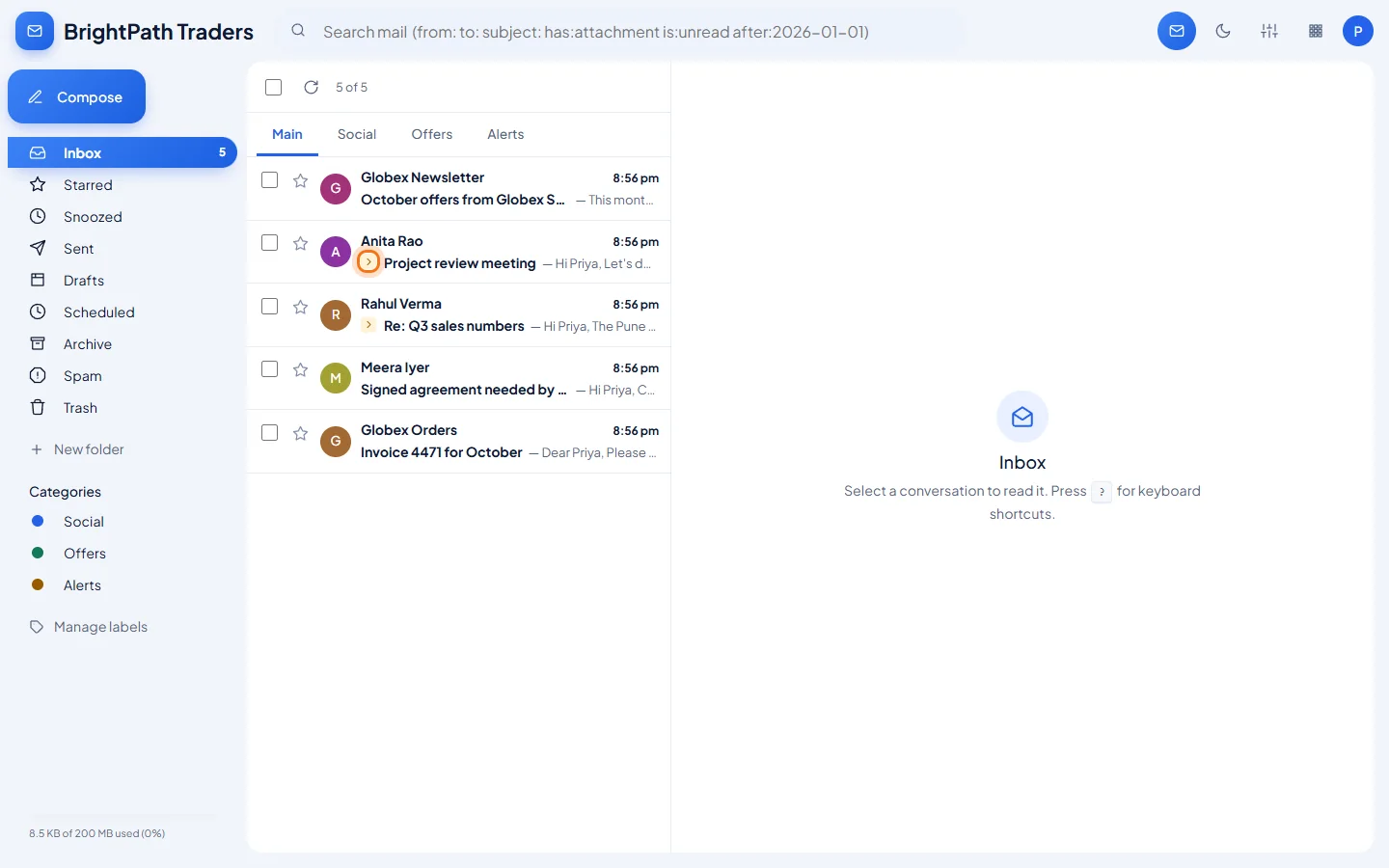
Spot the priority marker
A small › before the subject means the mail is from someone you correspond with. Here, mail from Anita, Rahul and Meera is marked; the Globex newsletter is not.
- 2
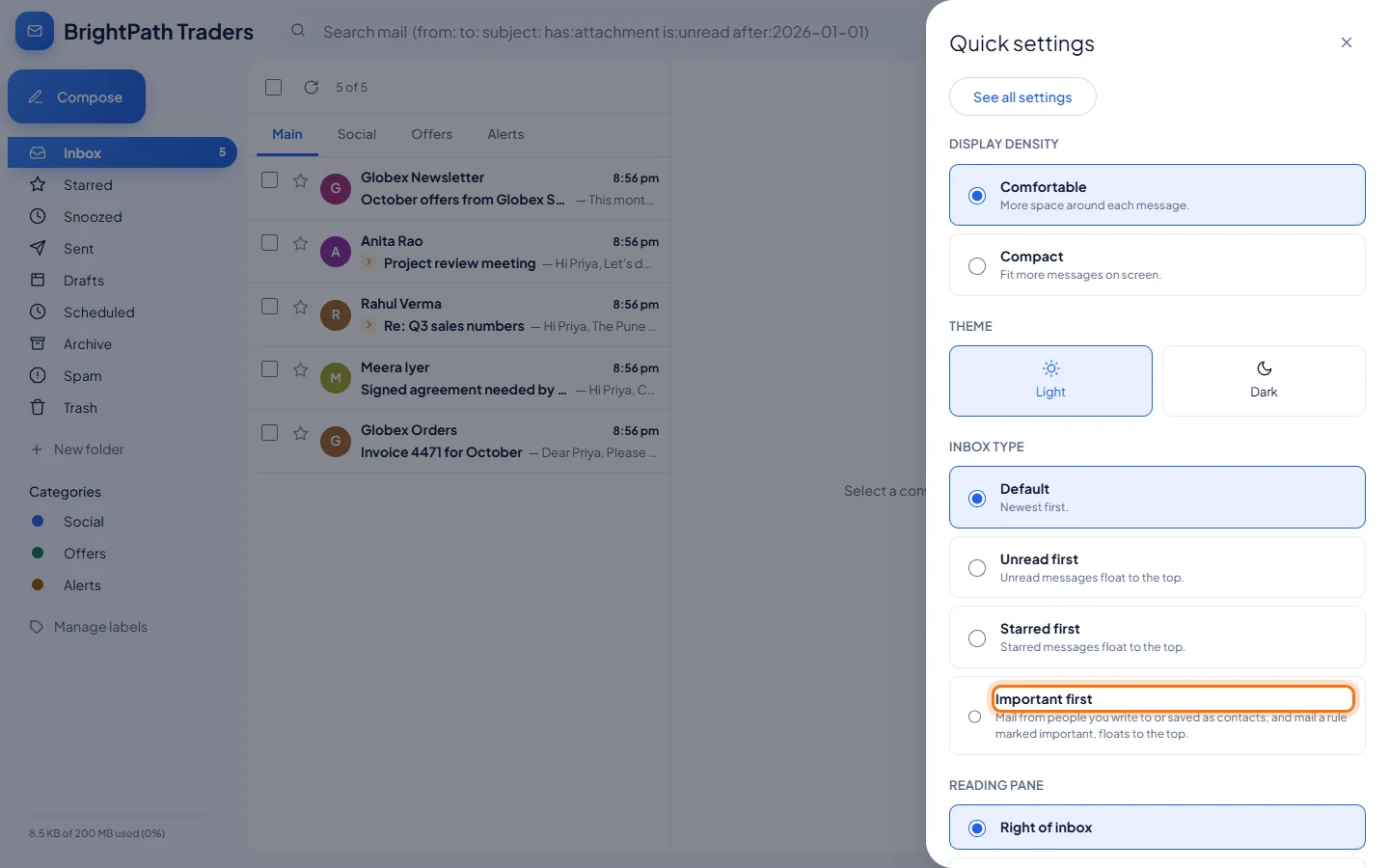
Choose Important first in Quick settings
Click the sliders icon (Quick settings) at the top right. Under Inbox type, choose Important first.
- 3
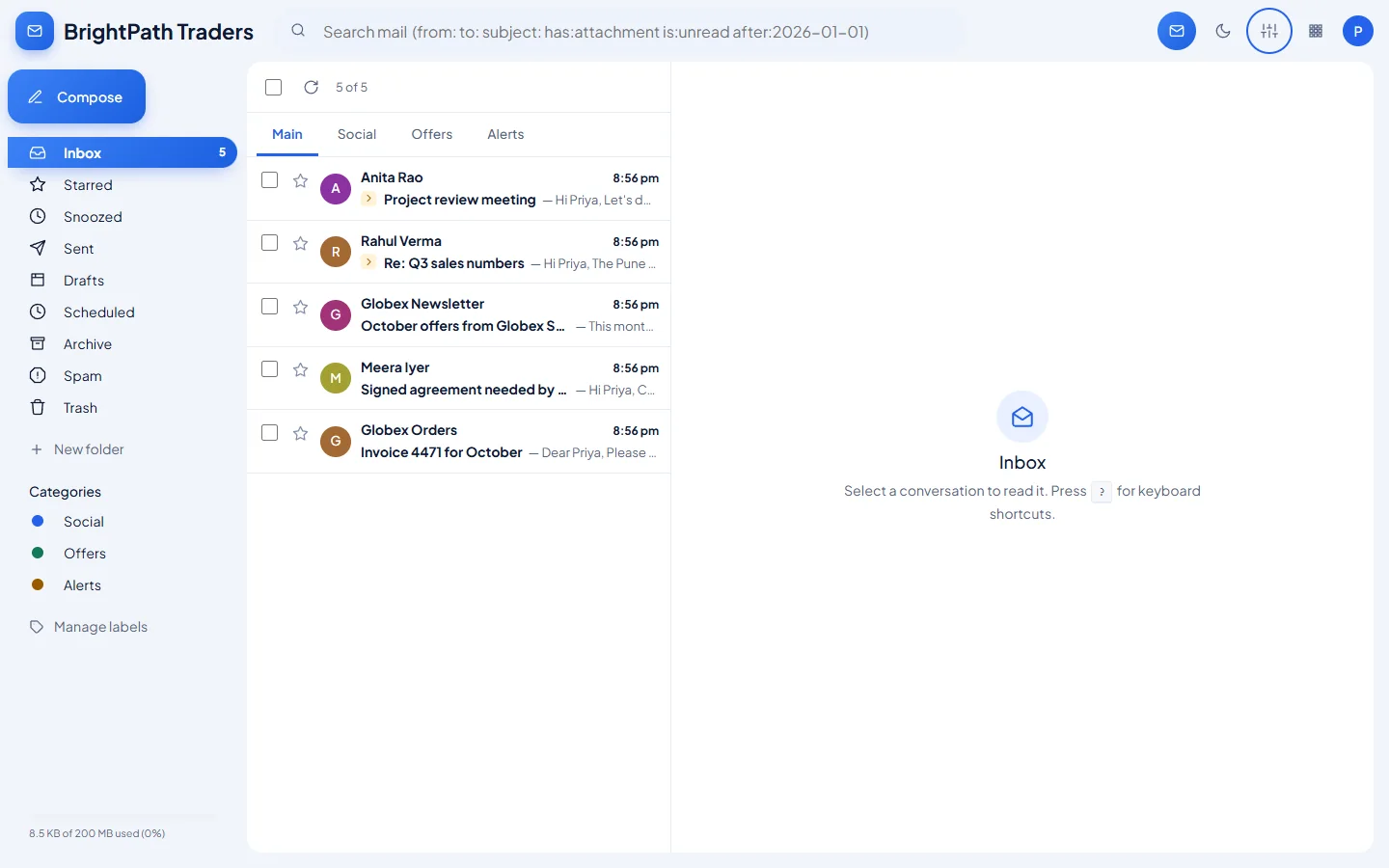
Important mail is now on top
Marked mail moves above the rest. The newsletter, which arrived last, now sits below your colleagues' mail.
Example
Who counts as important:
- Marked
- People you have sent mail to from Sayl webmail, people saved in your contacts, and mail a rule marked important.
- Not marked
- Newsletters, notifications and senders you have never written to.
The result
- Mail from the people you actually work with is marked, and with Important first it stays at the top of your Inbox.
Troubleshooting
- Someone I write to is not marked.
- Save them as a contact, or send them a message from Sayl webmail. Changes can take up to 10 minutes to show.
- I send from Outlook or my phone and people are not marked.
- Only mail that has a copy in your Sent folder counts. Make sure your mail app saves sent mail to the Sent folder on the server.
- How do I go back to the normal order?
- Quick settings → Inbox type → Default (newest first).
Still stuck? Your organisation's administrator can help first. Administrators can reach Sayl support from the admin console, or through the contact page.