
Sayl Mail · For administrators
Allow people to encrypt their mail with their own keys
Decide whether people who use OpenPGP or S/MIME may store their new mail encrypted with their own key, what that changes, and how to turn it off for someone.
What encryption with people's own keys is and why it helps
Some people already use OpenPGP or S/MIME in a mail app such as Outlook, Apple Mail or Thunderbird. When you allow it, they can choose to have their new mail stored encrypted with their own public key, so only their private key, which Sayl never sees, can open it.
It is Off by default, and most organisations should keep it off. Encrypted mail cannot be read by webmail, search, eDiscovery search or data protection reports, and if the person loses their private key, nobody can ever read those messages again.
Where to find it
Admin console → Organization → Organization settings → Encryption with people's own keys
Who can use it: Organisation administrators with full rights.
Step by step
Every screenshot is from Sayl Mail itself, using a demo company with made-up people. The button to click is outlined in orange.
- 1
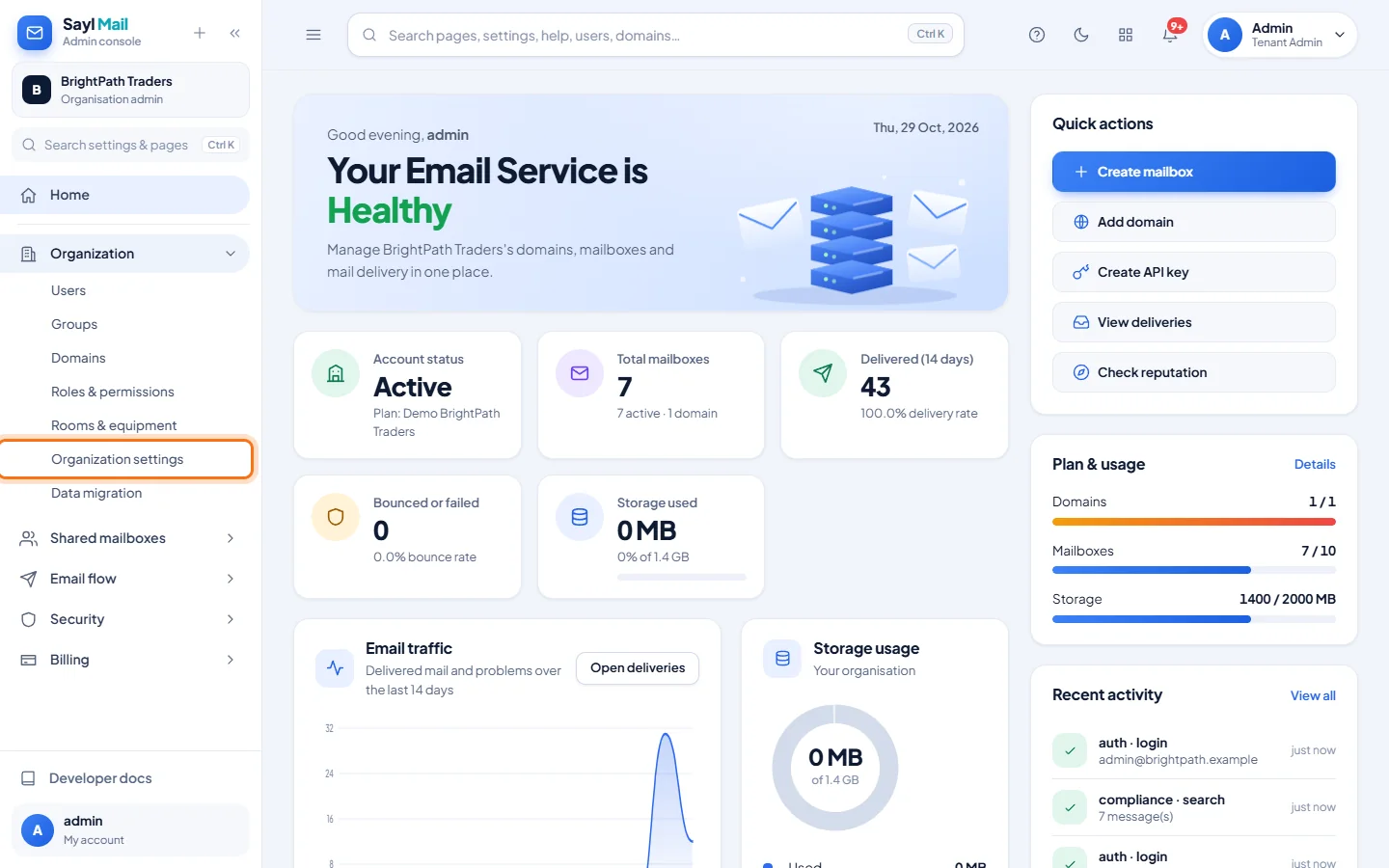
Open Organization → Organization settings
In the admin console menu, open Organization and click Organization settings.
- 2
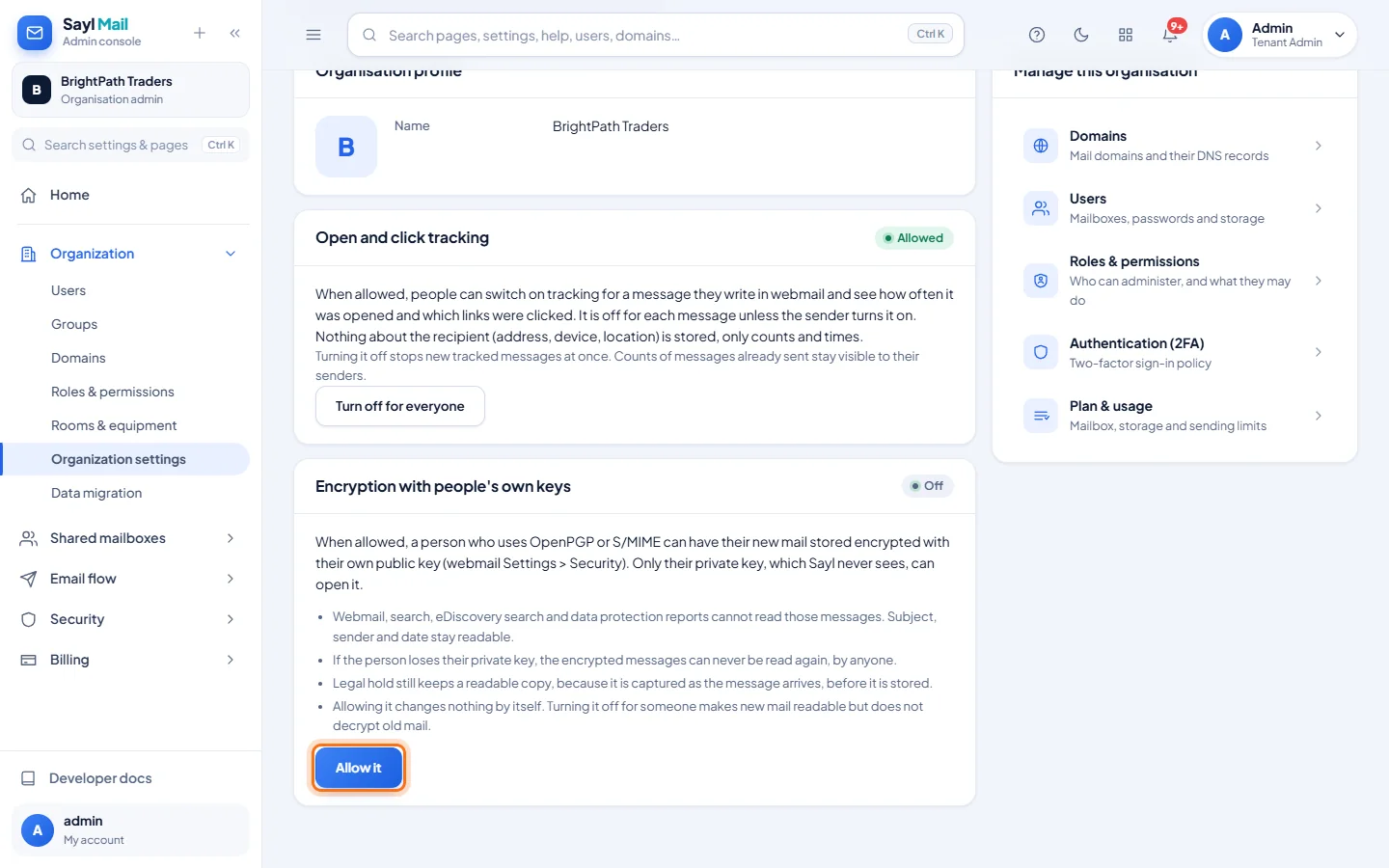
Read the card before you allow it
The card Encryption with people's own keys shows Off and lists what changes for anyone who turns it on. Click Allow it only if people in your organisation really need it.
- 3
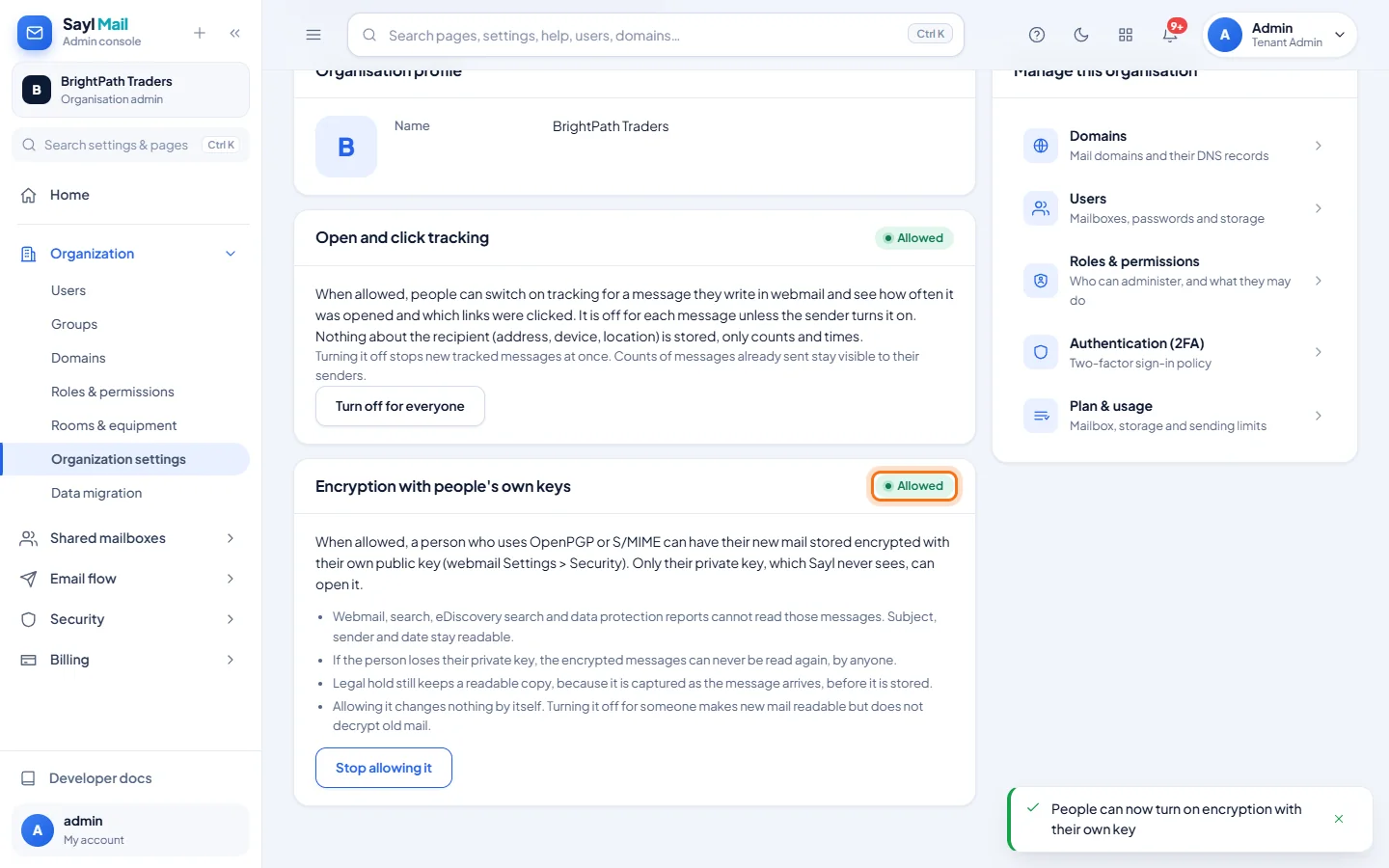
Allowed: people can now turn it on for themselves
The card shows Allowed. Allowing it changes nothing by itself: each person still has to turn it on in webmail (Settings → Security → Encrypt new mail with my own key), with their public key and their password. The people who turned it on are then listed in this card.
- 4
Turn it off for someone who lost their key
If a person loses their private key, click Turn off next to their name in the card, enter a reason (kept in the audit log) and confirm. New mail for that mailbox is stored readable again. Messages that are already encrypted stay encrypted.
Example
What changes for a person who turns it on:
- Webmail and search
- Cannot show or find the text of their new messages. Subject, sender and date stay readable.
- eDiscovery and data protection reports
- Cannot read those messages either.
- Legal hold
- Still keeps a readable copy, because it is captured as the message arrives, before it is stored.
- Lost private key
- The encrypted messages can never be read again, by anyone, including Sayl.
- Turning it off
- Makes new mail readable again, but does not decrypt mail that was already encrypted.
The result
- Only people who know what they are doing can encrypt their own mail, and you can switch it off for anyone who loses their key.
Troubleshooting
- I clicked Stop allowing it, but someone still has it on.
- Stopping only prevents new turn-ons. The people listed keep it until you click Turn off for them.
- A person can't find the setting in webmail.
- The card in their Settings → Security only appears while your organisation allows it (or while they have it on).
- A person asks us to recover their encrypted mail.
- That is not possible without their private key. Turn it off for them so new mail is readable, and ask them to look for a backup of their key.
Still stuck? Your organisation's administrator can help first. Administrators can reach Sayl support from the admin console, or through the contact page.