
Finance, GST & Accounting · Banking
Bank Accounts
Add bank accounts in Sayl Finance and import statements so every line can be reconciled against invoices and bills.
What it is for
Bank Accounts are the accounts you hold, so a statement import knows which one it belongs to and can be reconciled. It is a record to import against and reconcile - not a live bank feed.
How it works
- Each account has an opening balance, which the ledger starts from. Statements are imported from a CSV file with date, description, reference, debit and credit columns.
- Imported lines are not posted until you match or categorize them - that is what Bank Reconciliation is for.
Step by step
Every screenshot is from the live demo. The highlighted button is the one to click - nothing here is saved in the demo, so you can follow along freely.
- 1
Open Bank Accounts
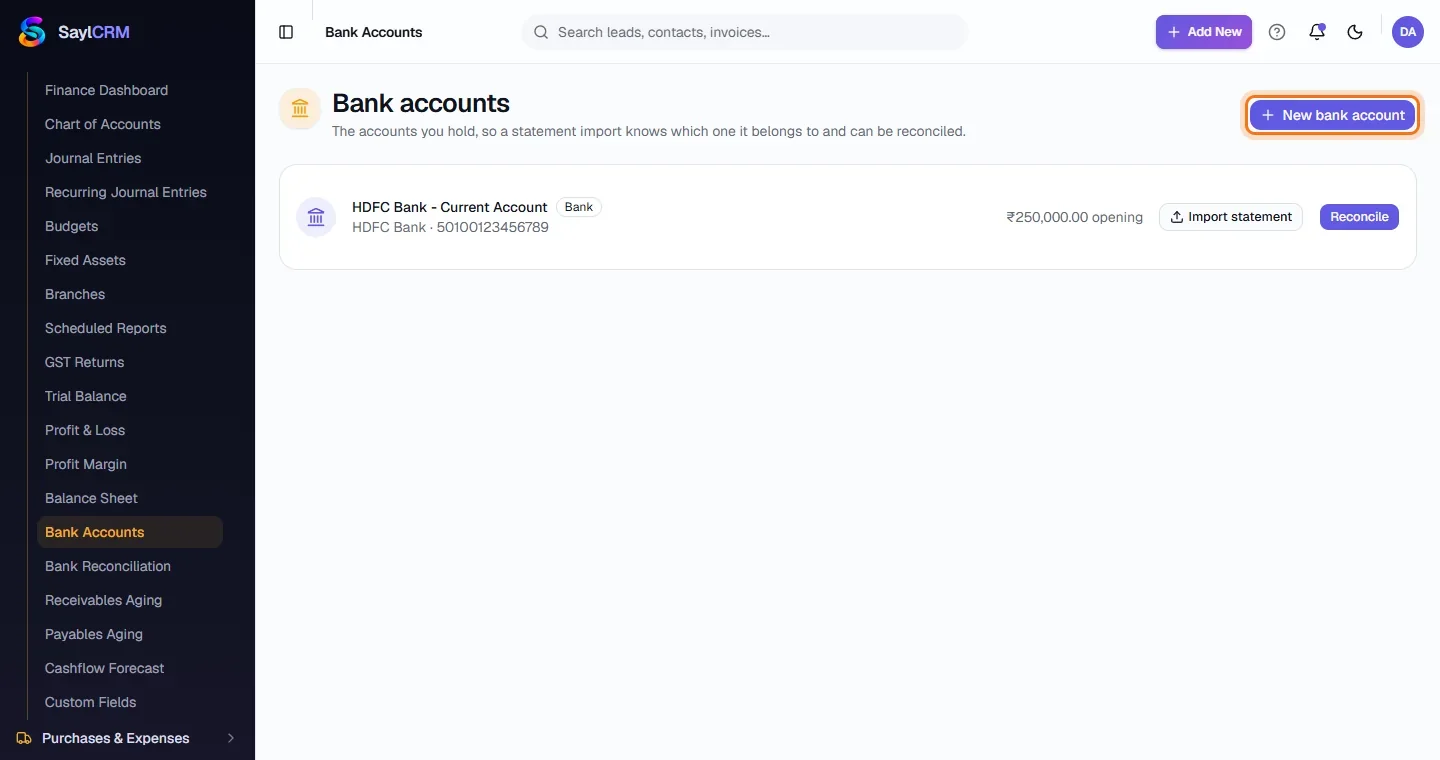
Finance → Accounting → Bank Accounts. Each account shows its bank, account number and opening balance, with Import statement and Reconcile buttons.
- 2
Click New bank account
The button is at the top right (highlighted).
- 3
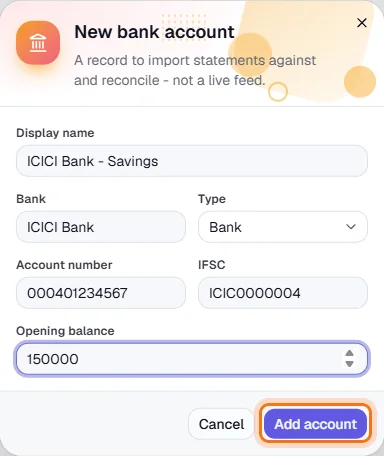
Enter the account details
A display name, the bank, the account type, account number, IFSC and the opening balance.
- 4
Save, then import a statement
Click Add account (highlighted). Use Import statement to upload a CSV from your bank, then Reconcile to work through it.