
Finance, GST & Accounting · Banking
Bank Reconciliation
Match imported bank statement lines to invoices and bills, categorize the rest and leave nothing unaccounted for in Sayl Finance.
What it is for
Bank Reconciliation takes each line from an imported statement and accounts for it - matched to an invoice or bill, categorized to an account, or set aside with a reason - so nothing stays unaccounted for.
How it works
- Lines start in Unmatched. Click one and Sayl suggests the invoice or bill with the same amount, so a customer payment is usually a single click.
- Match to an invoice records the payment and settles it; match to a bill pays the bill. Categorize posts the line straight to an account you choose, for example bank charges.
- Ignore sets a line aside without posting it, with a reason - such as an internal transfer between your own accounts.
- Every decision can be undone from the Matched tab with Unmatch.
Step by step
Every screenshot is from the live demo. The highlighted button is the one to click - nothing here is saved in the demo, so you can follow along freely.
- 1
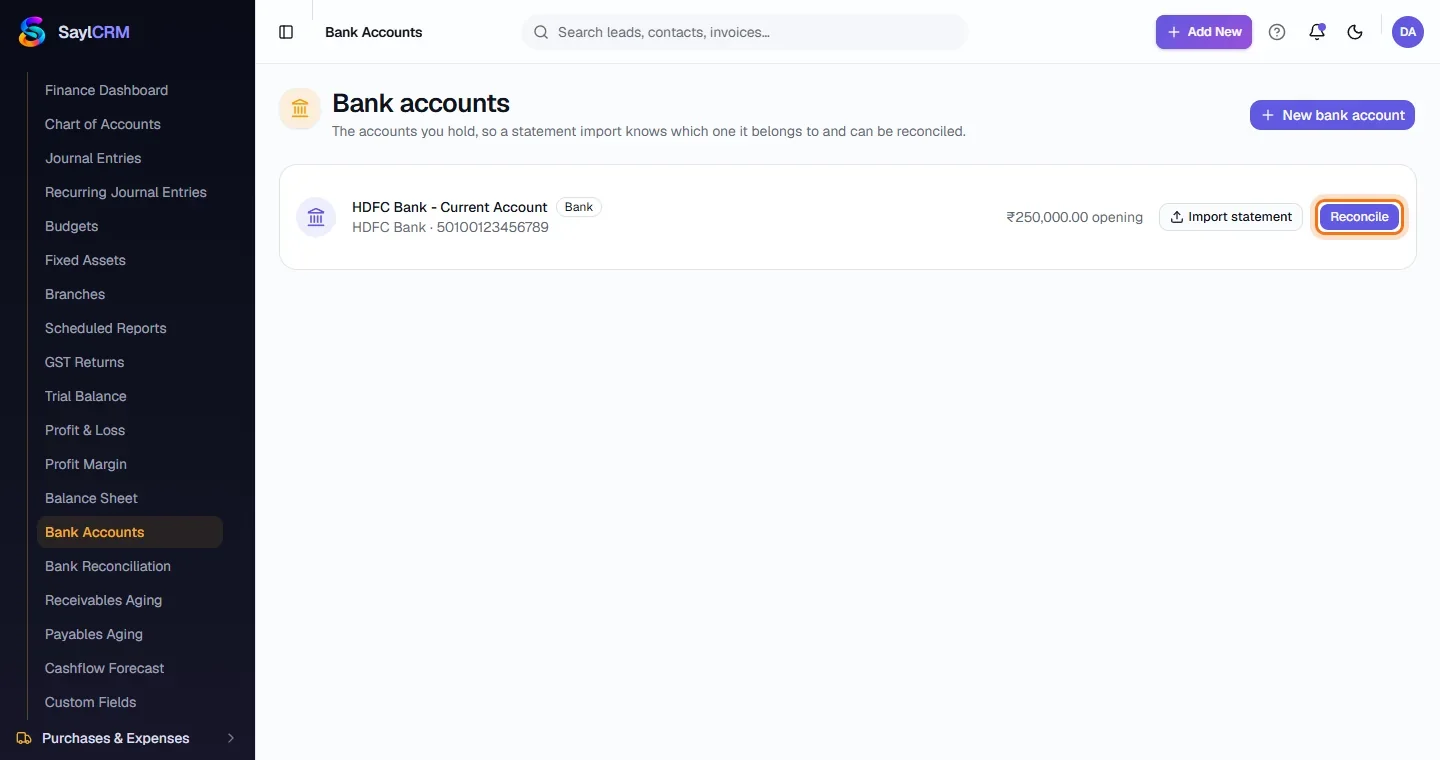
Open Bank Accounts and click Reconcile
Finance → Accounting → Bank Accounts, then Reconcile beside the account (highlighted).
- 2
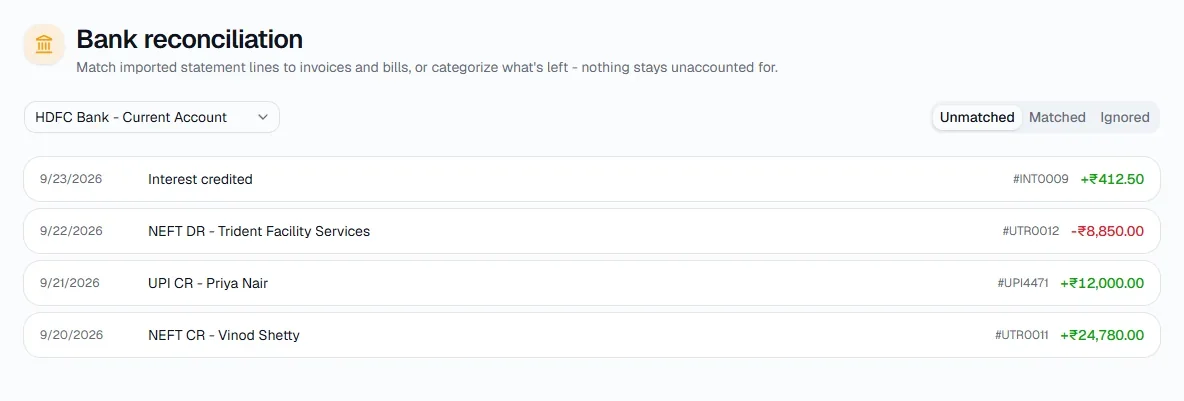
Work through Unmatched
The Unmatched tab lists every statement line not yet accounted for, with its date, reference and amount.
- 3
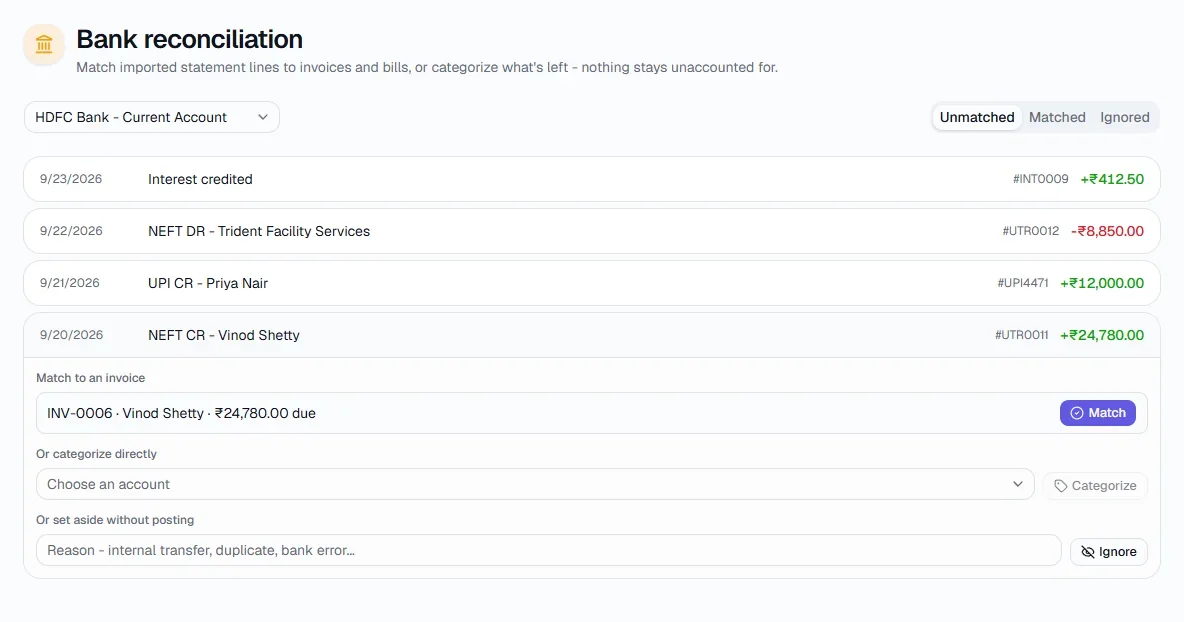
Match, categorize or ignore
Click a line. Sayl offers the invoice with the same amount - click Match. Otherwise choose an account and click Categorize, or type a reason and click Ignore.
- 4
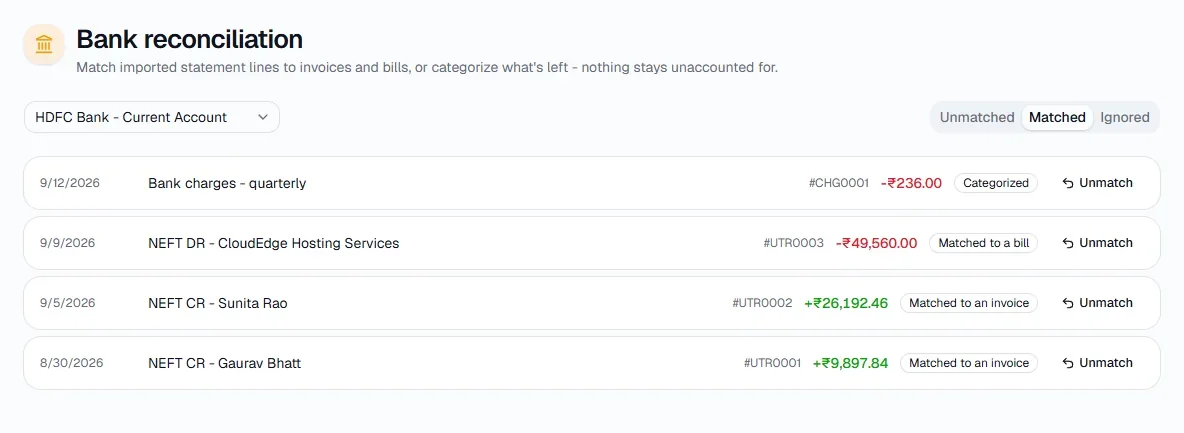
Review what is done
The Matched tab shows each line with how it was settled - Matched to an invoice, Matched to a bill or Categorized - and an Unmatch button to undo it.
Tips
- Reconcile weekly - small batches are quick and the differences are easy to trace.