
Finance, GST & Accounting · Purchases & Expenses
Expenses
Record quick expenses in Sayl Finance - a taxi fare, a subscription, petty cash - and post them to the ledger immediately.
What it is for
Expenses are quick entries for money already spent - a taxi fare, a subscription, petty cash - with no bill to raise first.
How it works
- An expense posts to the ledger immediately: it debits the category you choose and credits the cash or bank account it was paid from.
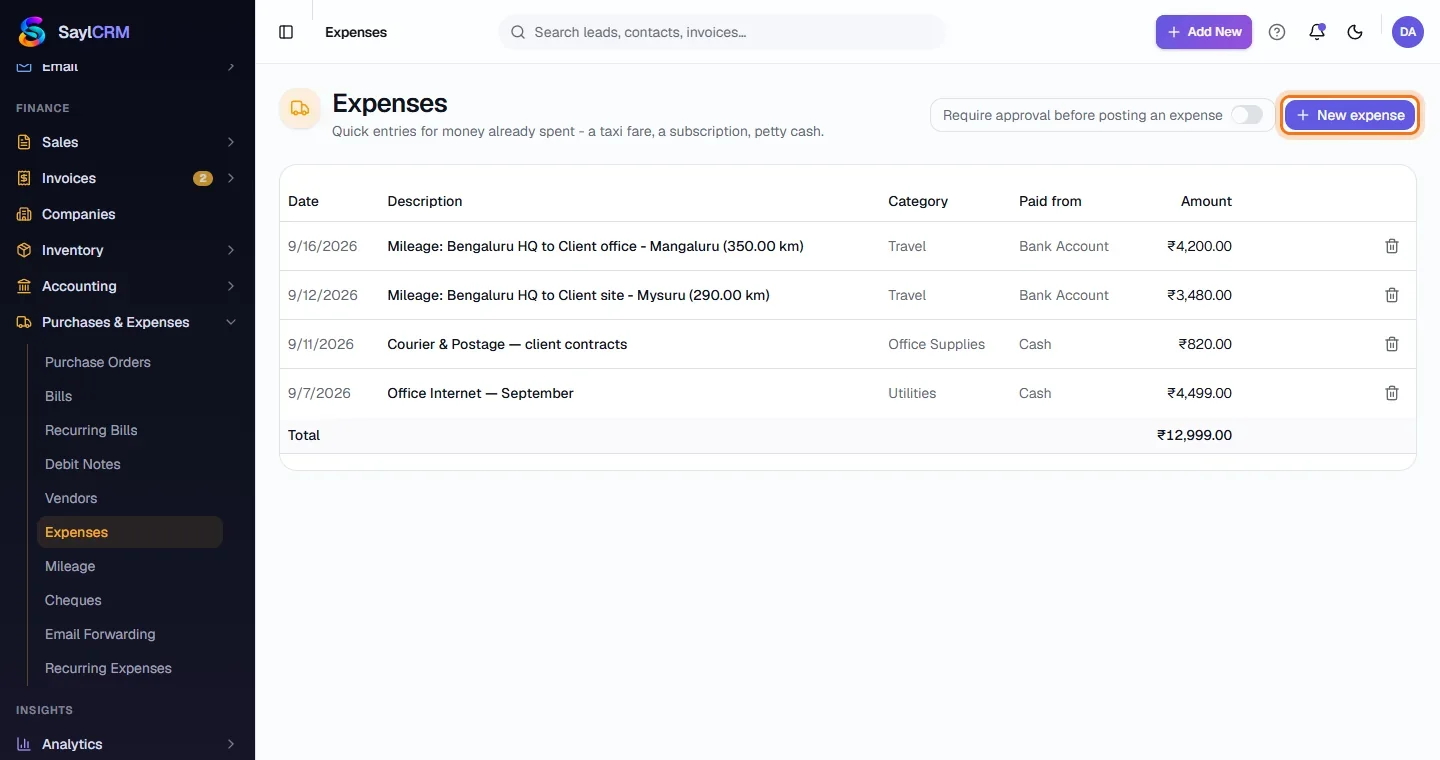
- A workspace can require approval before an expense posts. Mileage claims also arrive here once you turn trips into expenses.
Step by step
Every screenshot is from the live demo. The highlighted button is the one to click - nothing here is saved in the demo, so you can follow along freely.
- 1
Open Expenses
Finance → Purchases & Expenses → Expenses. Each row shows the date, description, category, what it was paid from and the amount, with a total.
- 2
Click New expense
The button is at the top right (highlighted).
- 3
Fill in the expense
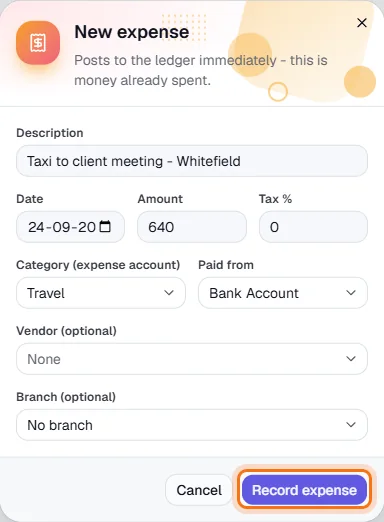
Describe it, set the date, amount and tax %, choose the category (an expense account) and where it was paid from. Add a vendor or branch if it helps.
- 4
Record it
Click Record expense (highlighted). It is in the ledger and the Profit & Loss at once.