
Finance, GST & Accounting · Accounting
Scheduled Reports
Email a Profit & Loss, Balance Sheet or aging report to your team on a schedule from Sayl Finance.
What it is for
Scheduled Reports emails a report to whoever needs it, on a cadence - as a CSV attachment, no login required - so your accountant or partners get the numbers without asking.
How it works
- Pick a report, a start date, how often it repeats and the recipients. Each run emails a CSV of that report to every recipient.
- The list shows the next run, the last run and whether the schedule is active or paused. A schedule can be paused and resumed at any time.
Step by step
Every screenshot is from the live demo. The highlighted button is the one to click - nothing here is saved in the demo, so you can follow along freely.
- 1
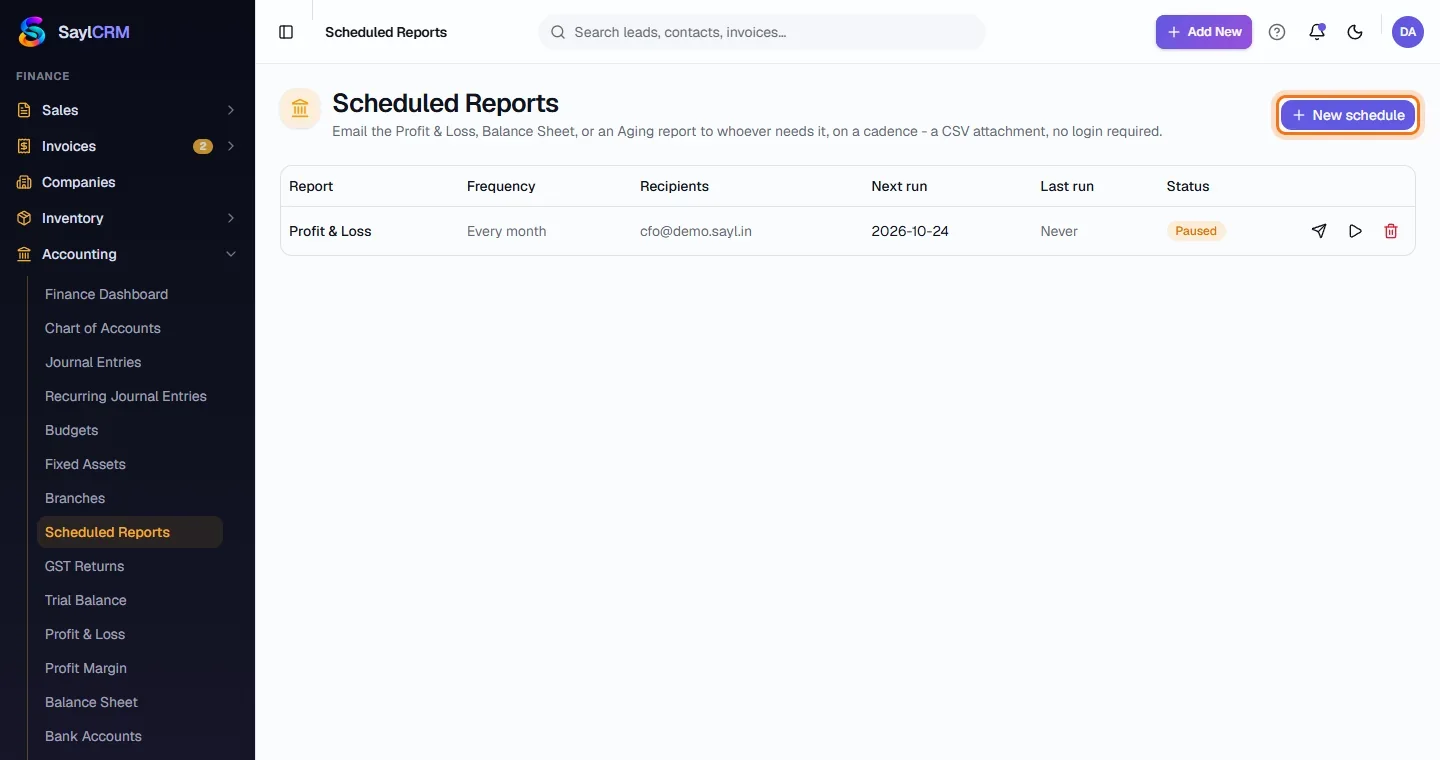
Open Scheduled Reports
Finance → Accounting → Scheduled Reports.
- 2
Click New schedule
The button is at the top right (highlighted).
- 3
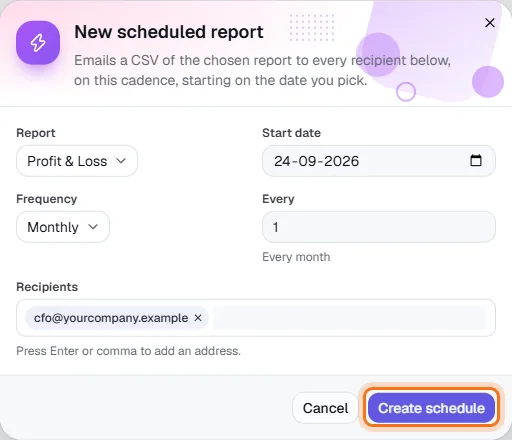
Choose the report and cadence
Pick the report (for example Profit & Loss), the start date, the frequency and how often.
- 4
Add recipients
Type an email address and press Enter or a comma to add it; add as many as you need.
- 5
Create the schedule
Click Create schedule (highlighted).