
Finance, GST & Accounting · Accounting
Chart of Accounts
Understand and extend the Sayl Finance chart of accounts - the general ledger's own vocabulary for assets, liabilities, equity, income and expenses.
What it is for
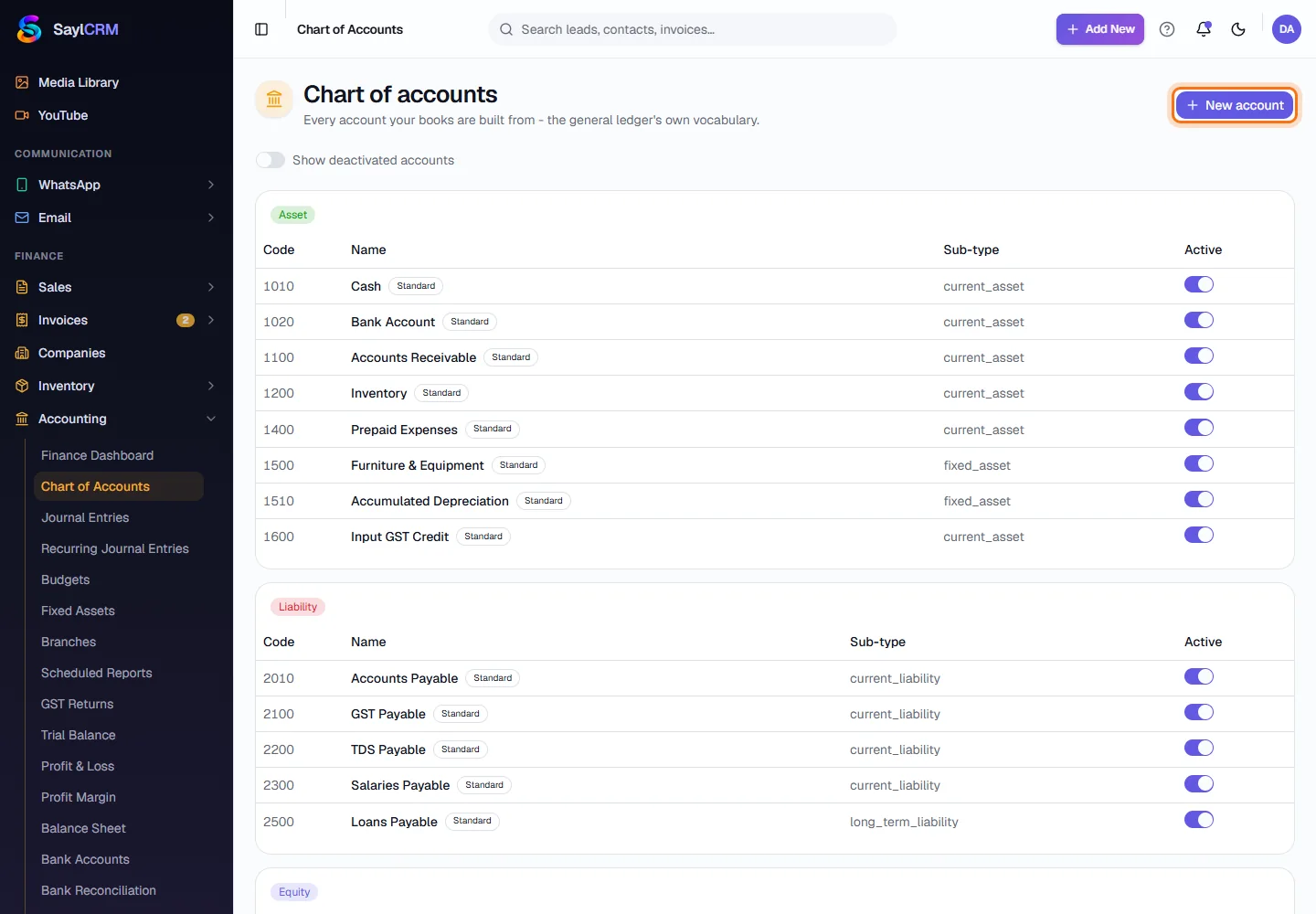
The chart of accounts lists every account your books are built from, grouped as Asset, Liability, Equity, Income and Expense. Every invoice, bill, payment and journal entry posts to these accounts.
How it works
- A standard chart is created for you - Cash, Bank Account, Accounts Receivable, Accounts Payable, GST Payable, Sales Revenue and so on - and marked Standard.
- Accounts you add are yours alone; the standard accounts are untouched.
- An account can be deactivated rather than deleted, so history is never lost. Show deactivated accounts reveals them.
Step by step
Every screenshot is from the live demo. The highlighted button is the one to click - nothing here is saved in the demo, so you can follow along freely.
- 1
Open Chart of Accounts
Finance → Accounting → Chart of Accounts. Accounts are grouped by type, each with its code, name and sub-type.
- 2
Click New account
The button is at the top right (highlighted).
- 3
Give it a code, name and type
Choose a code that fits the numbering (for example 6090), a name such as “Training & Certification” and the type - Asset, Liability, Equity, Income or Expense.

- 4
Save
Click Add account (highlighted). It is available in journal entries, bills, expenses and budgets straight away.
Key fields
- Code
- Your numbering, e.g. 6090. Codes group accounts of the same kind.
- Type
- Asset, Liability, Equity, Income or Expense - decides which report it appears on.