
Finance, GST & Accounting · Purchases & Expenses
Cheques
Print vendor cheques onto your bank's own cheque leaf from Sayl Finance and keep a register so no number is used twice.
What it is for
Cheques prints vendor cheques onto your bank's own cheque leaf and keeps a register, so no cheque number is ever used twice.
How it works
- A cheque template records where the date, payee, amount in words, amount in figures and A/C Payee sit on your bank's leaf. Set it up once per bank.
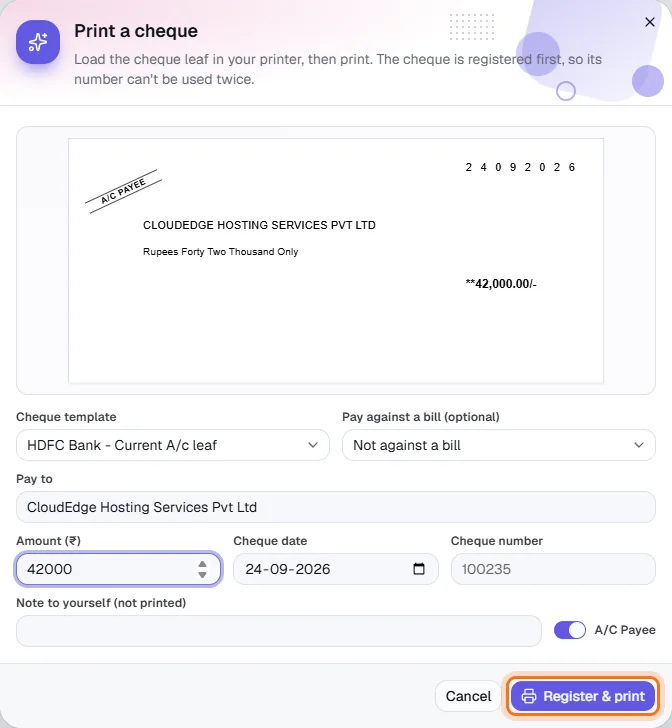
- The cheque is registered before it prints, so its number can never be reused. The preview shows the amount in words as well as figures.
- A registered cheque can be Reprinted or Voided from the register.
Step by step
Every screenshot is from the live demo. The highlighted button is the one to click - nothing here is saved in the demo, so you can follow along freely.
- 1
Open Cheques
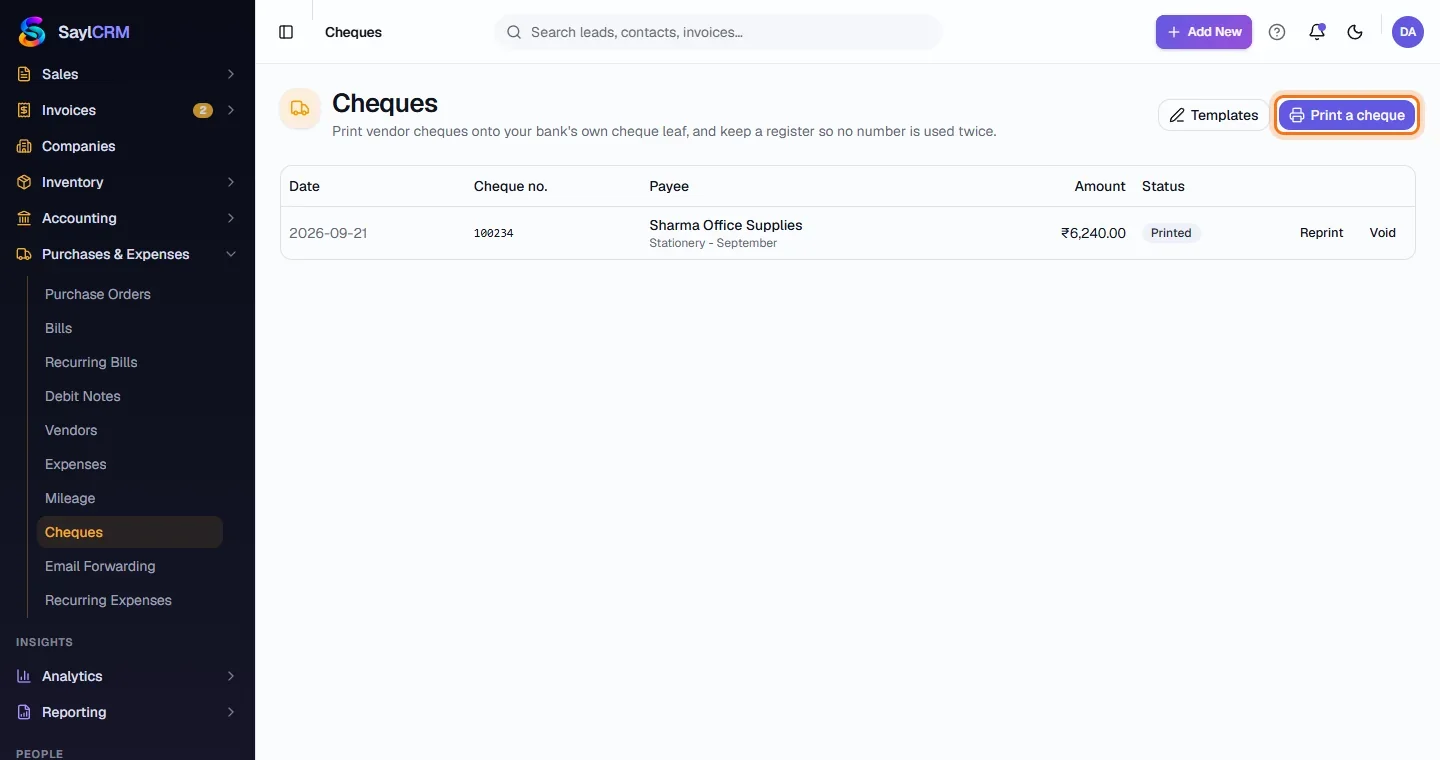
Finance → Purchases & Expenses → Cheques. The register lists each cheque's date, number, payee, amount and status.
- 2
Set up your cheque leaf
Click Templates and add one that matches your bank's cheque - where each field prints.
- 3
Click Print a cheque
The button is at the top right (highlighted).
- 4
Fill in the cheque
Choose the template, optionally a bill to pay, then the payee, amount, date and cheque number. A live preview shows the printed cheque.
- 5
Register and print
Load the leaf in your printer and click Register & print (highlighted).