
Finance, GST & Accounting · Inventory
Warehouses
Add warehouses in Sayl Finance to tag stock adjustments and items by location.
Try it in the live demoFinance → Inventory → Warehouses
What it is for
Warehouses are stock locations you can tag against an item or a stock adjustment, so you know where stock is kept.
How it works
- Warehouses tag stock - they do not split it. A single running total per item still covers the whole workspace.
Step by step
Every screenshot is from the live demo. The highlighted button is the one to click - nothing here is saved in the demo, so you can follow along freely.
- 1
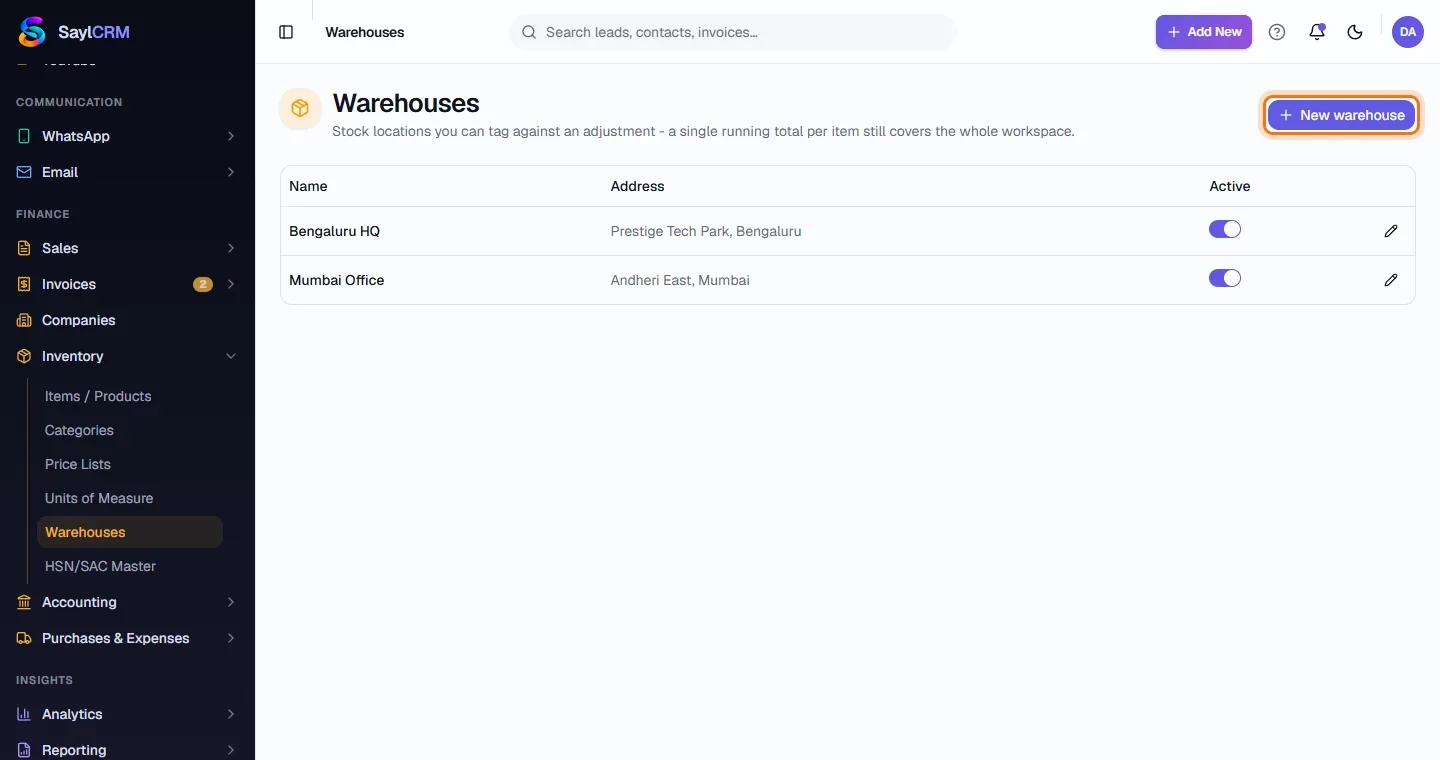
Open Warehouses
Finance → Inventory → Warehouses.
- 2
Click New warehouse
The button is at the top right (highlighted).
- 3
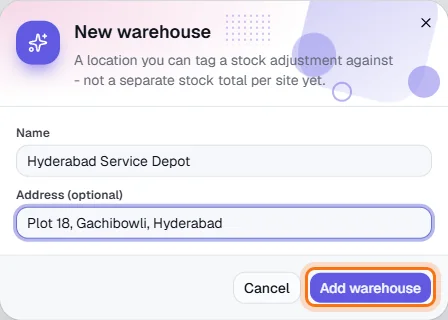
Name it and add an address
Enter a name and, optionally, an address.
- 4
Save
Click Add warehouse (highlighted). It can now be chosen on an item and on stock adjustments.