
Finance, GST & Accounting · Invoicing
Companies
Manage the legal entities and branches you invoice under in Sayl Finance - each with its own GSTIN, address, bank details and payment terms.
What it is for
Companies are the legal entities or branches you invoice and quote under. Each prints its own GSTIN, address, bank details and payment terms on the documents raised under it.
Most businesses have exactly one, created for you. Add a second when you have another branch or a separate legal entity that bills separately.
How it works
- One company is the default and is pre-selected on new documents. Any other appears in the company picker wherever a quotation or invoice is created.
- Bank details and the UPI ID entered here appear in the Pay to block of an invoice, so customers know where to pay.
Step by step
Every screenshot is from the live demo. The highlighted button is the one to click - nothing here is saved in the demo, so you can follow along freely.
- 1
Open Companies
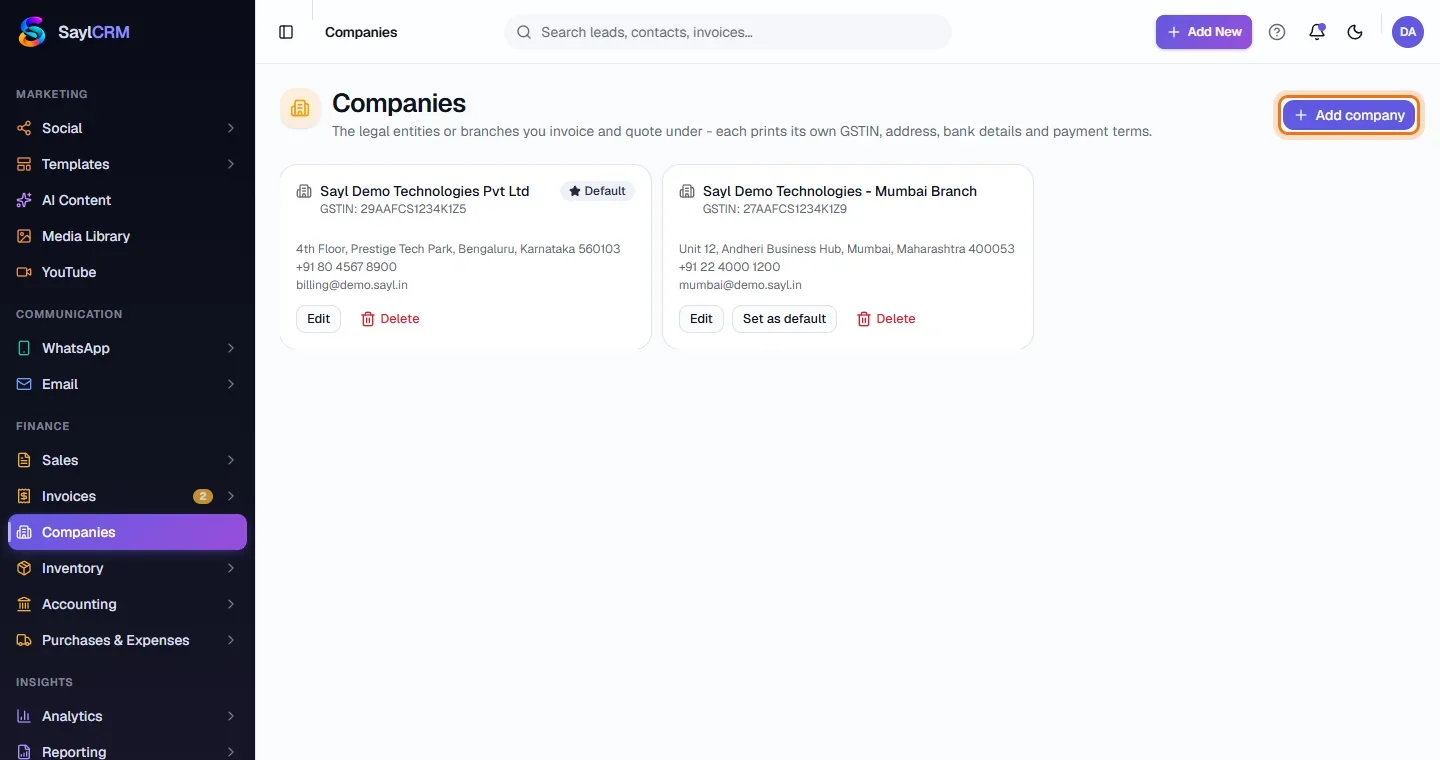
Finance → Companies. Each company shows its GSTIN, address, phone and email, with Edit, Set as default and Delete.
- 2
Click Add company
The button is at the top right (highlighted).
- 3
Enter the company's details
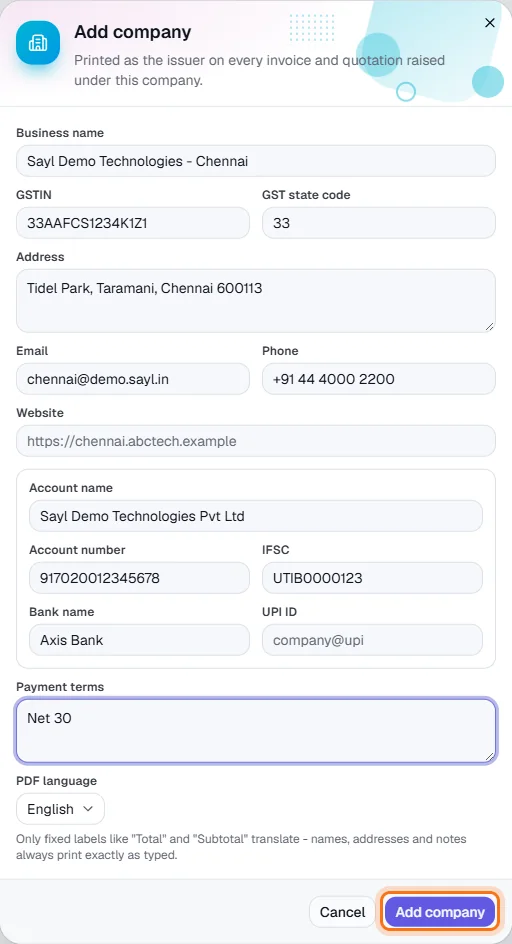
Business name, GSTIN and GST state code, address, email, phone and website. Then the bank details - account name, number, IFSC, bank and UPI ID - and default payment terms.
- 4
Choose the PDF language and save
Pick the language fixed labels such as “Total” print in (names, addresses and notes always print exactly as typed). Click Add company (highlighted). To make it the default, use Set as default on its card.
Key fields
- GSTIN / GST state code
- Printed on the document and used for the tax split.
- Bank details / UPI ID
- Shown in the Pay to block so customers can pay.
- Payment terms
- Default wording under the totals.
Tips
- Give each company its own bank account so payments land where the invoice says.