
Finance, GST & Accounting · Sales
Quotations
Create, send, revise and convert quotations in Sayl Finance. Track what you offered, what the customer said and what it became.
What it is for
A quotation is a priced offer with an expiry date - not a draft invoice. It records what you put in front of a customer and what they said back, from first draft to accepted, rejected or expired.
Quotations sit at the start of the money side of a deal: an accepted quotation becomes a sales order or an invoice without retyping a single line.
How it works
- Drafts are private. Nobody outside your workspace sees a draft; sending it starts the clock, and from then on the expiry date is real.
- Sent quotations are revised, not edited. Someone outside the company is holding a copy, so changing the price in place would leave two versions disagreeing. Revise creates a new version under the same number and keeps the original on record.
- Rejecting a quotation asks for a reason - the part of a lost deal anybody reads later, and what tells you whether you are losing on price or on fit.
- One quotation, one invoice. Converting twice is refused, so the same money is never chased twice. The invoice arrives as a draft for you to check.
Step by step
Every screenshot is from the live demo. The highlighted button is the one to click - nothing here is saved in the demo, so you can follow along freely.
- 1
Open Quotations
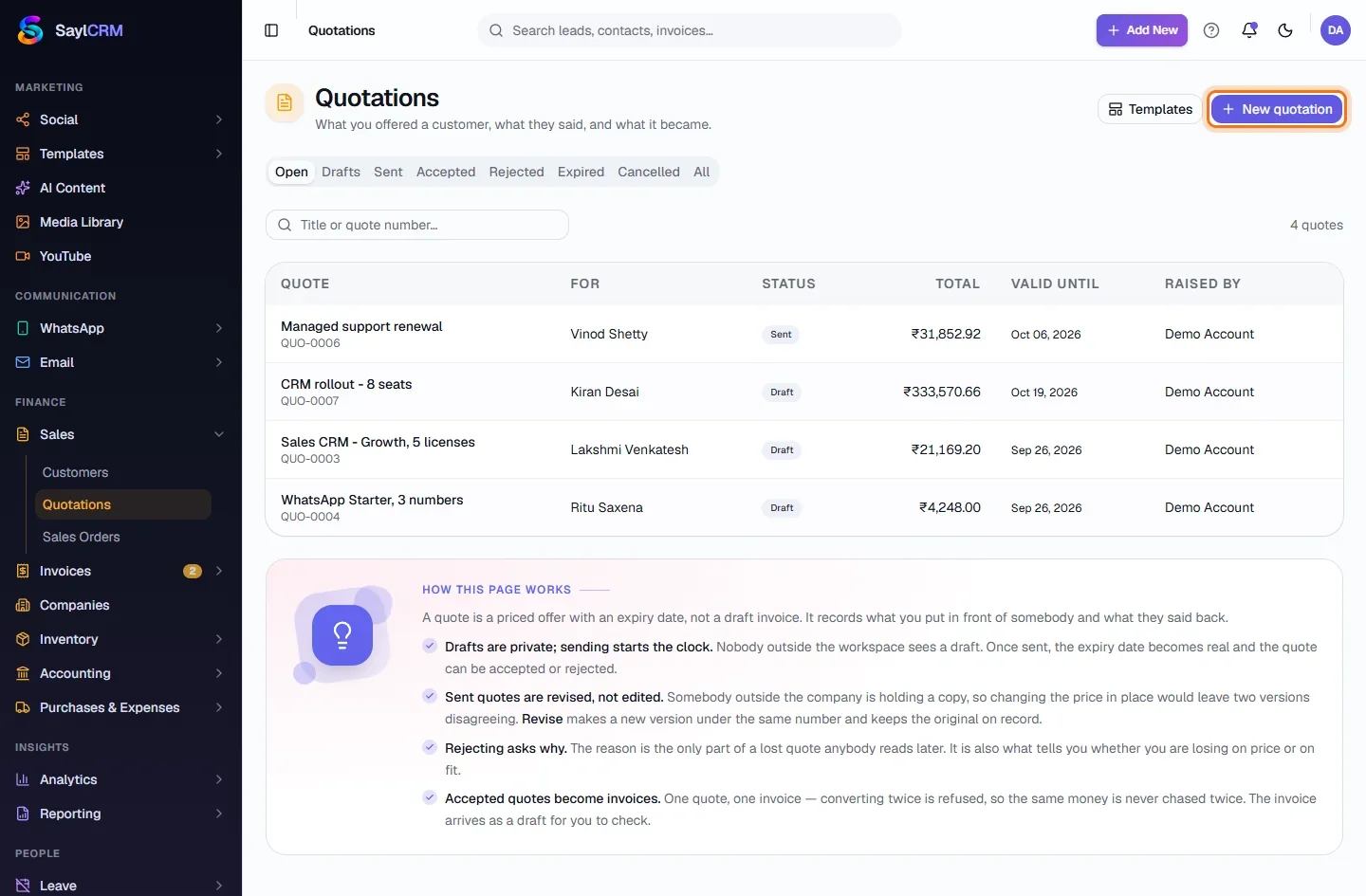
Finance → Sales → Quotations. The tabs (Open, Drafts, Sent, Accepted, Rejected, Expired, Cancelled, All) filter by where each quotation is in its life. Open shows only the ones with work in them.
- 2
Click New quotation
The button is at the top right (highlighted).
- 3
Name it and choose the customer
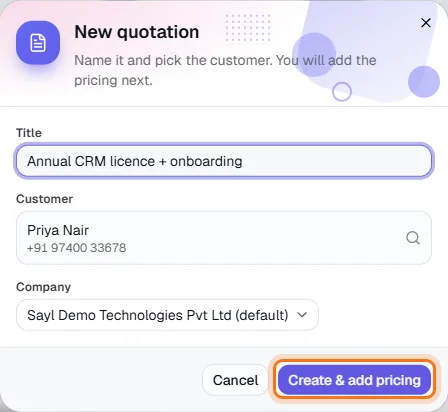
Give the quotation a title, pick the customer (search by name or phone) and, if you bill under more than one company, choose which one. Then click Create & add pricing.
- 4
Add the pricing lines
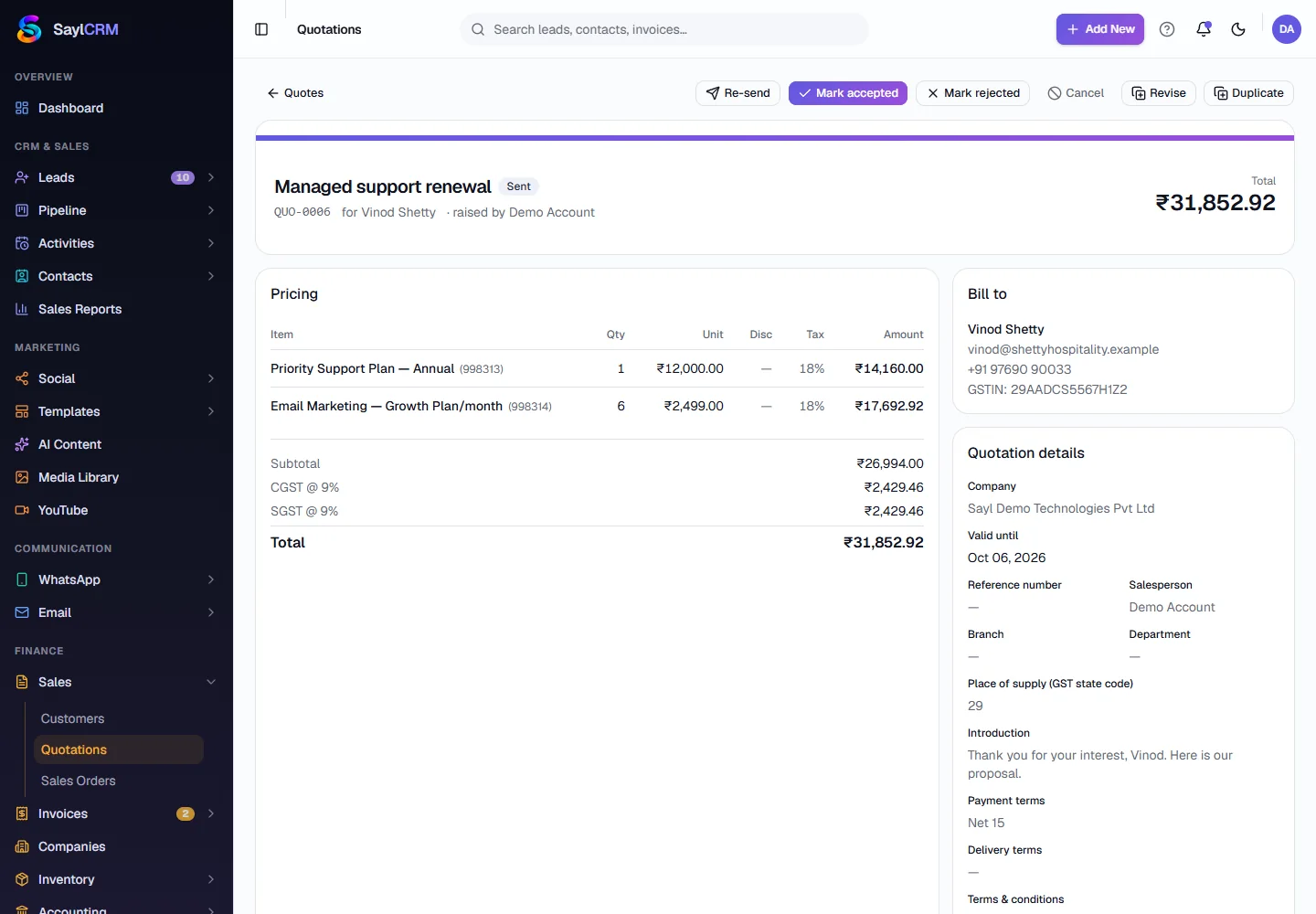
On the next screen add lines by picking items from your catalog - the price, HSN/SAC code and GST rate fill in - or type a custom line. Add a discount per line if needed; totals and the CGST/SGST or IGST split calculate as you go.
- 5
Send it and follow it up
Open the quotation to see everything in one place. While it is Sent you can Re-send, Mark accepted, Mark rejected, Cancel, Revise or Duplicate it.
- 6
Convert what was accepted
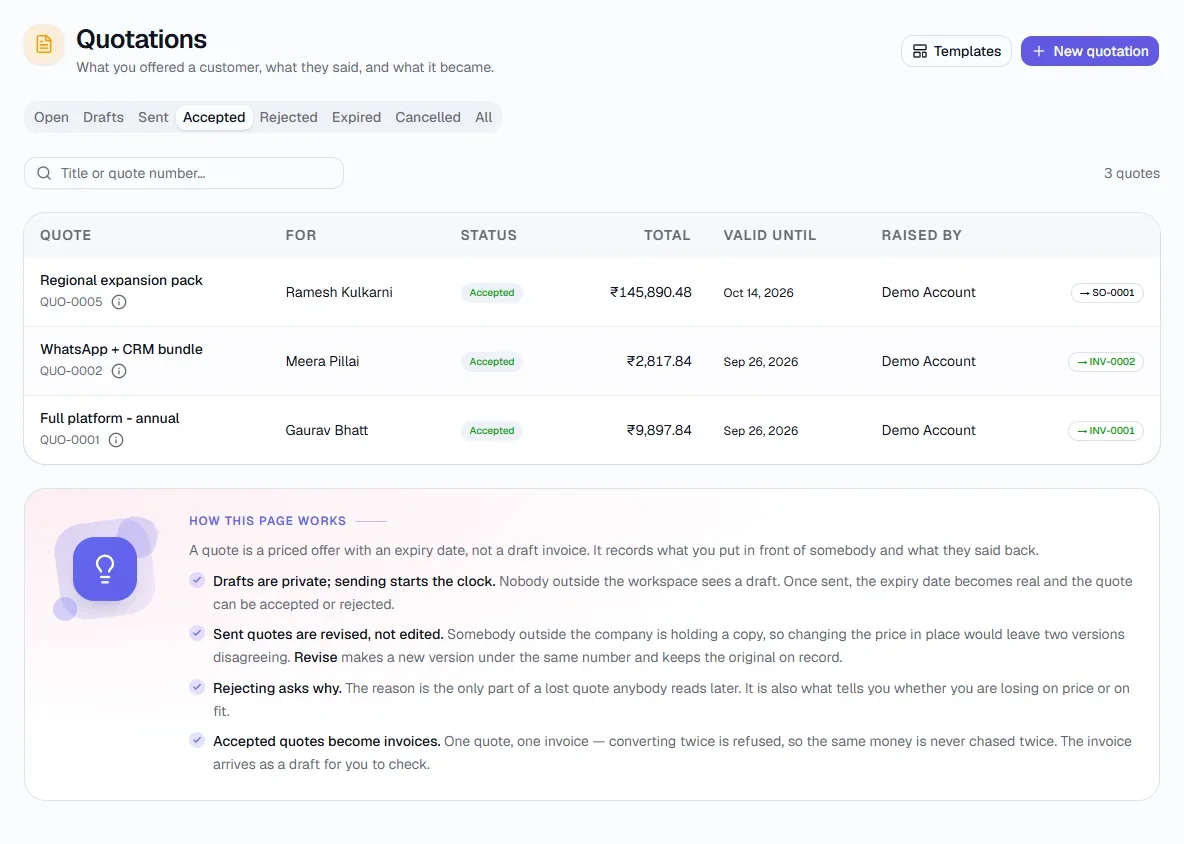
Accepted quotations turn into a sales order or an invoice in one click. The Accepted tab lists the ones that have won; an accepted quotation links to the sales order it created.
Key fields
- Title
- What the offer is for, e.g. “Annual CRM licence + onboarding”.
- Customer
- Who the offer is for; their GSTIN and address print on the quotation.
- Valid until
- The expiry date. After it, an unanswered quotation becomes Expired.
- Place of supply
- Two-digit GST state code, which decides CGST/SGST versus IGST.
- Payment & delivery terms
- Printed on the quotation and carried onto the invoice.
Tips
- Use Duplicate to start a new quotation from an old one - it is quicker than rebuilding the lines.
- Save reusable layouts with Templates (top of the page) so intros, terms and common lines are one click away.