
Finance, GST & Accounting · GST
GST Returns
Prepare GSTR-1 and GSTR-3B data from your invoices in Sayl Finance - B2B, B2C and HSN summaries you can export to Excel.
What it is for
GST Returns prepares GSTR-1 and GSTR-3B data for one tax period - a workpaper to copy into the GST portal or hand to your accountant. It never files anything.
How it works
- Everything is read from the invoices you issued in the period. Invoices to customers with a GSTIN appear invoice-by-invoice under B2B; the rest are summarised under B2C.
- The HSN summary groups quantity, taxable value and tax by HSN/SAC code and rate.
- Within one state tax is split into CGST and SGST; between states it is IGST - the same split shown on the invoice.
- Export (.xlsx) downloads the workpaper.
Step by step
Every screenshot is from the live demo. The highlighted button is the one to click - nothing here is saved in the demo, so you can follow along freely.
- 1
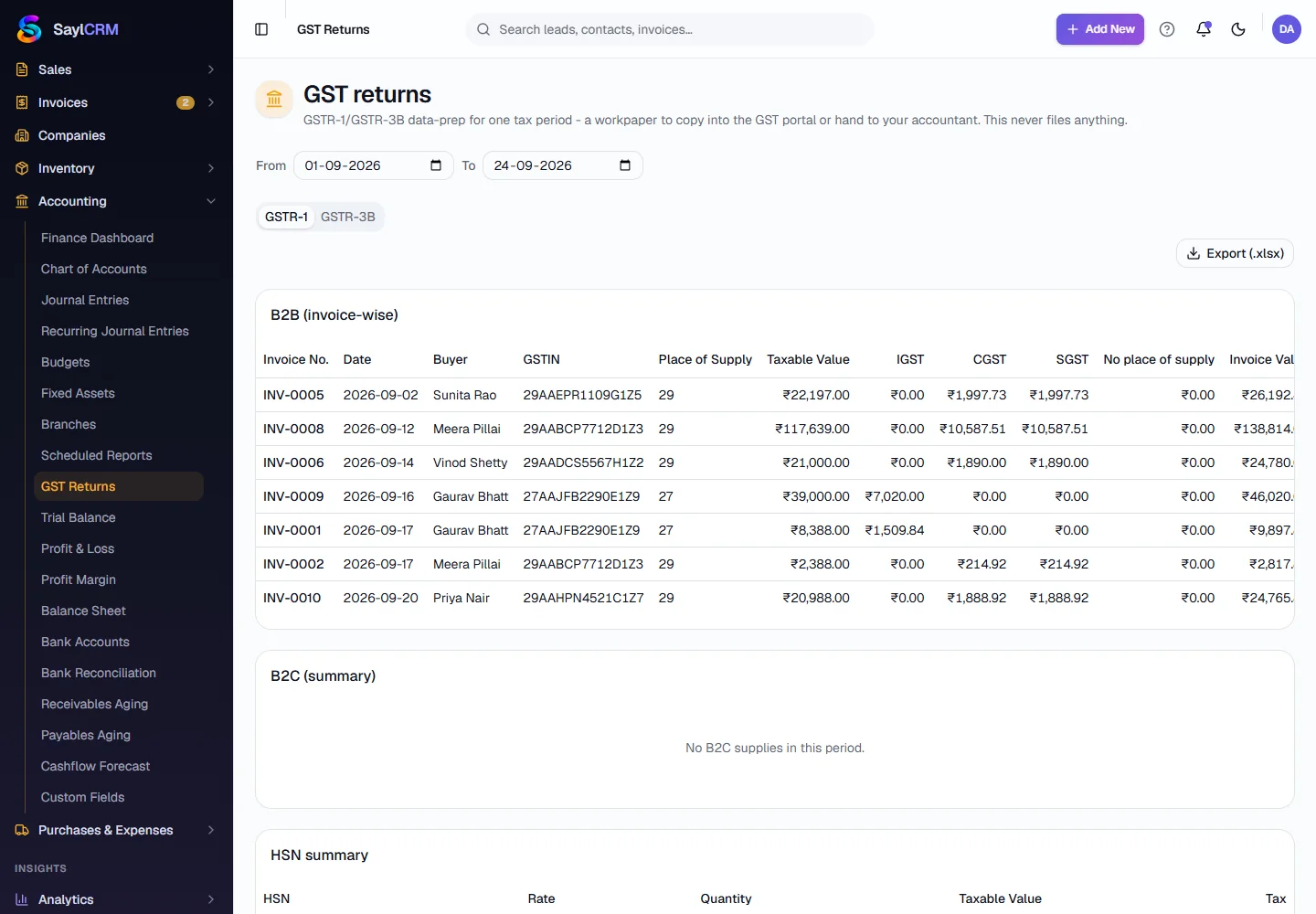
Open GST Returns
Finance → Accounting → GST Returns.
- 2
Choose the period
Set the From and To dates, and switch between GSTR-1 and GSTR-3B.
- 3
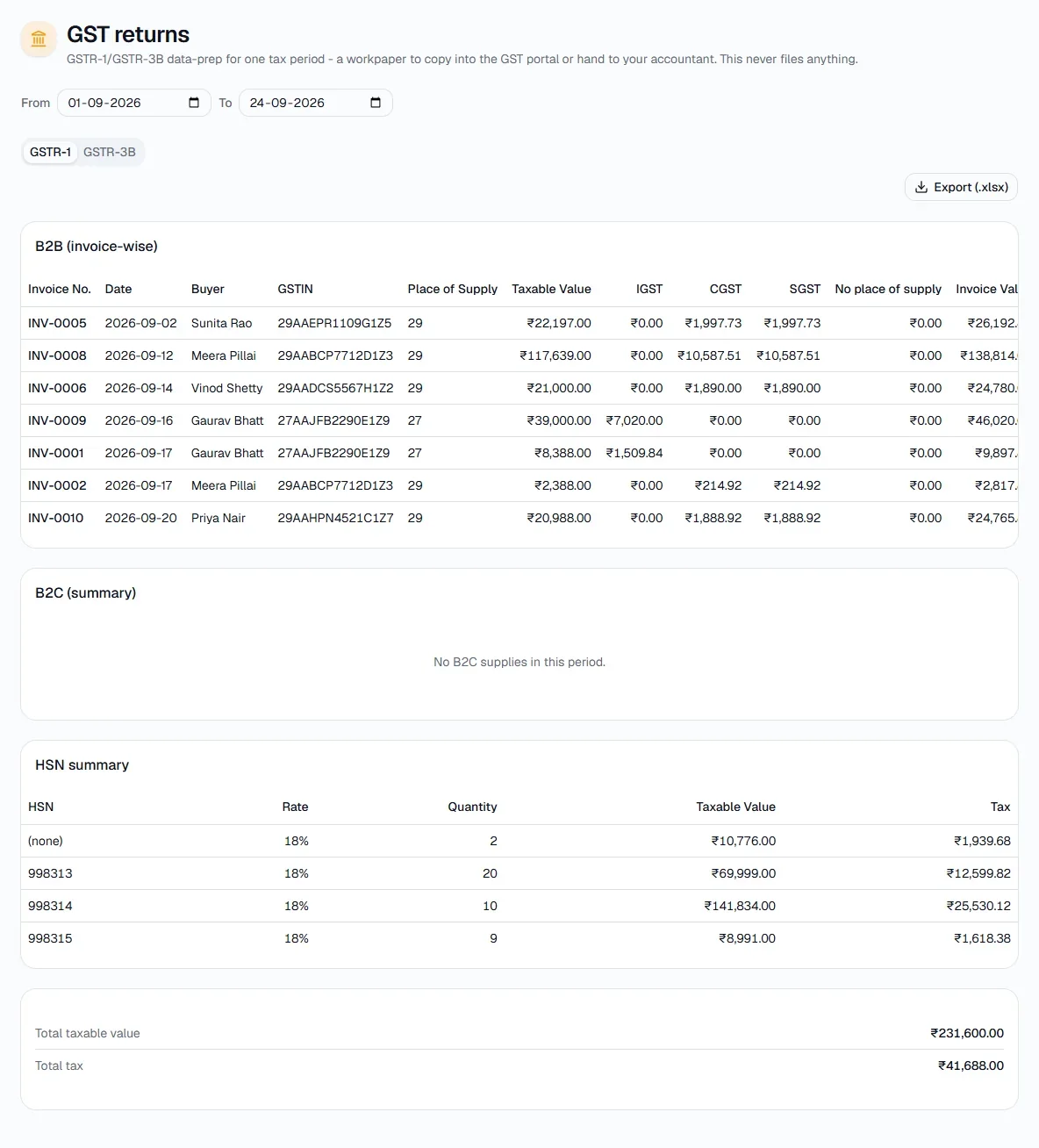
Review the B2B, B2C and HSN sections
Each B2B invoice shows its number, date, buyer, GSTIN, place of supply, taxable value and IGST/CGST/SGST. The HSN summary and total taxable value and tax are underneath.
- 4
Export
Click Export (.xlsx) (top right of the report) and give the workpaper to whoever files the return.
Tips
- Missing GSTINs are the usual cause of an invoice landing under B2C - fix them on the customer.