
Finance, GST & Accounting · GST
HSN/SAC Master
Search the official India HSN/SAC catalog in Sayl Finance and add your own codes - the source for every code picker.
What it is for
The HSN/SAC Master is the official India codes catalog - HSN for goods, SAC for services - plus any codes you add. It powers the code picker everywhere an HSN/SAC is chosen.
How it works
- The catalog is shared across every workspace on the platform: a code means the same thing to every business in India, so a correction here helps everyone.
- Each code carries a type (Goods or Services) and, optionally, a GST rate. Filter by type and search by code or description.
Step by step
Every screenshot is from the live demo. The highlighted button is the one to click - nothing here is saved in the demo, so you can follow along freely.
- 1
Open HSN/SAC Master
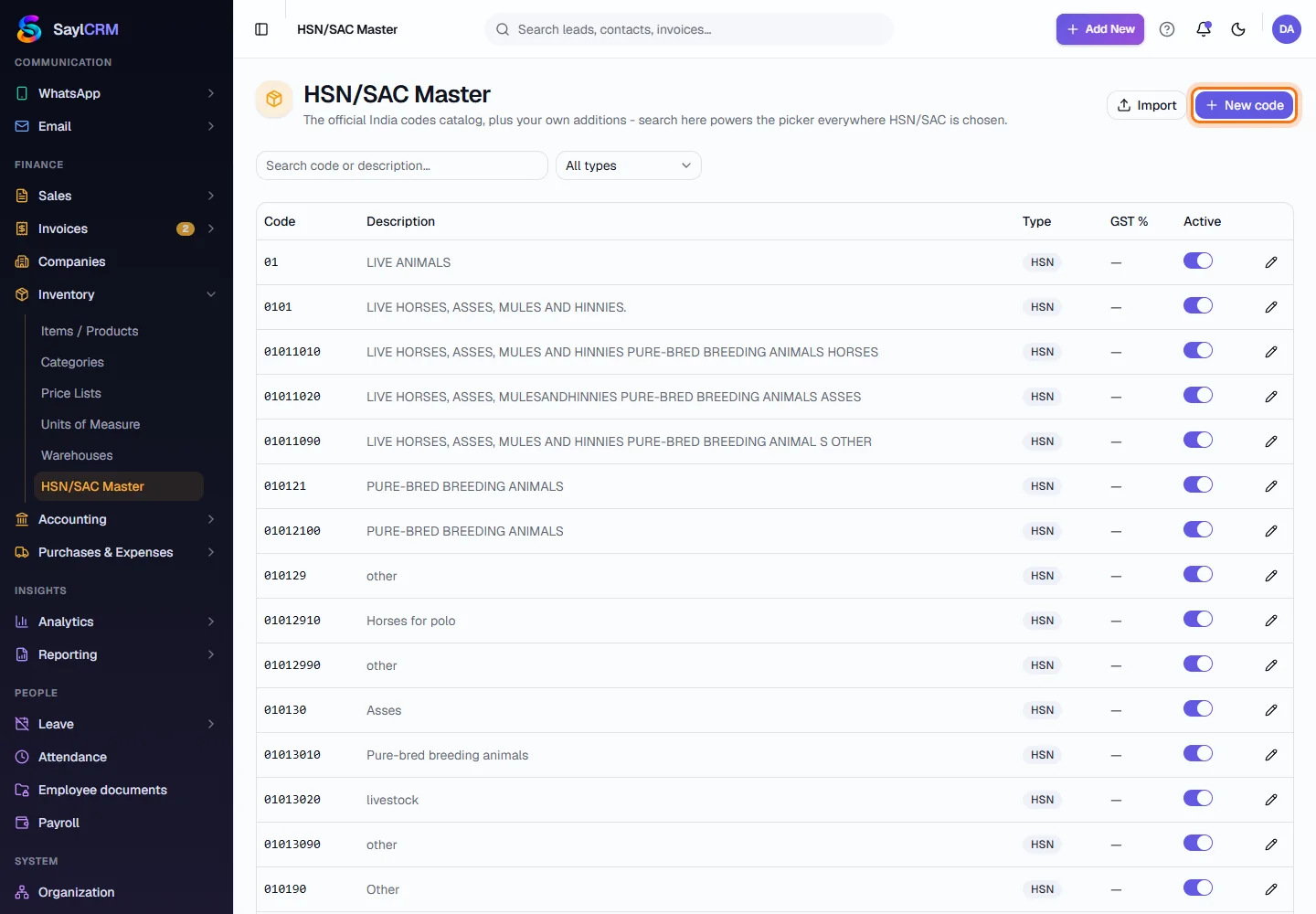
Finance → Inventory → HSN/SAC Master. Filter by type and search by code or description.
- 2
Click New code
The button is at the top right (highlighted). Import loads many codes at once.
- 3
Enter the code
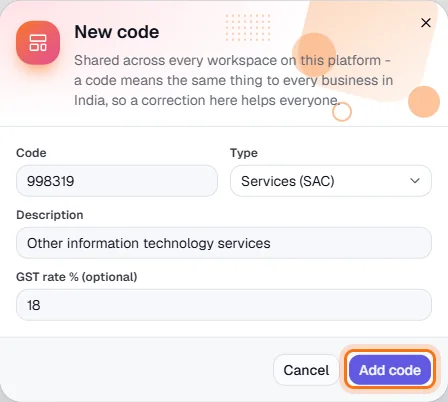
Enter the code, choose Goods (HSN) or Services (SAC), the description and, optionally, the GST rate.
- 4
Save
Click Add code (highlighted). It is now searchable in every HSN/SAC picker.