
Finance, GST & Accounting · Accounting
Budgets
Plan income and expenses month by month in Sayl Finance and compare the plan against the actual ledger.
What it is for
A budget is what you expect to earn and spend each month. Once it exists, Sayl compares it with what the ledger actually shows so you can see where you are ahead or behind.
How it works
- A budget covers twelve months from its start month. For each income or expense account, type an annual amount to spread it evenly, or set each month yourself for a seasonal year.
- Budget vs actual reads the real ledger, so there is nothing to re-enter. The Finance Dashboard also shows spending against the active budget for the current month.
Step by step
Every screenshot is from the live demo. The highlighted button is the one to click - nothing here is saved in the demo, so you can follow along freely.
- 1
Open Budgets
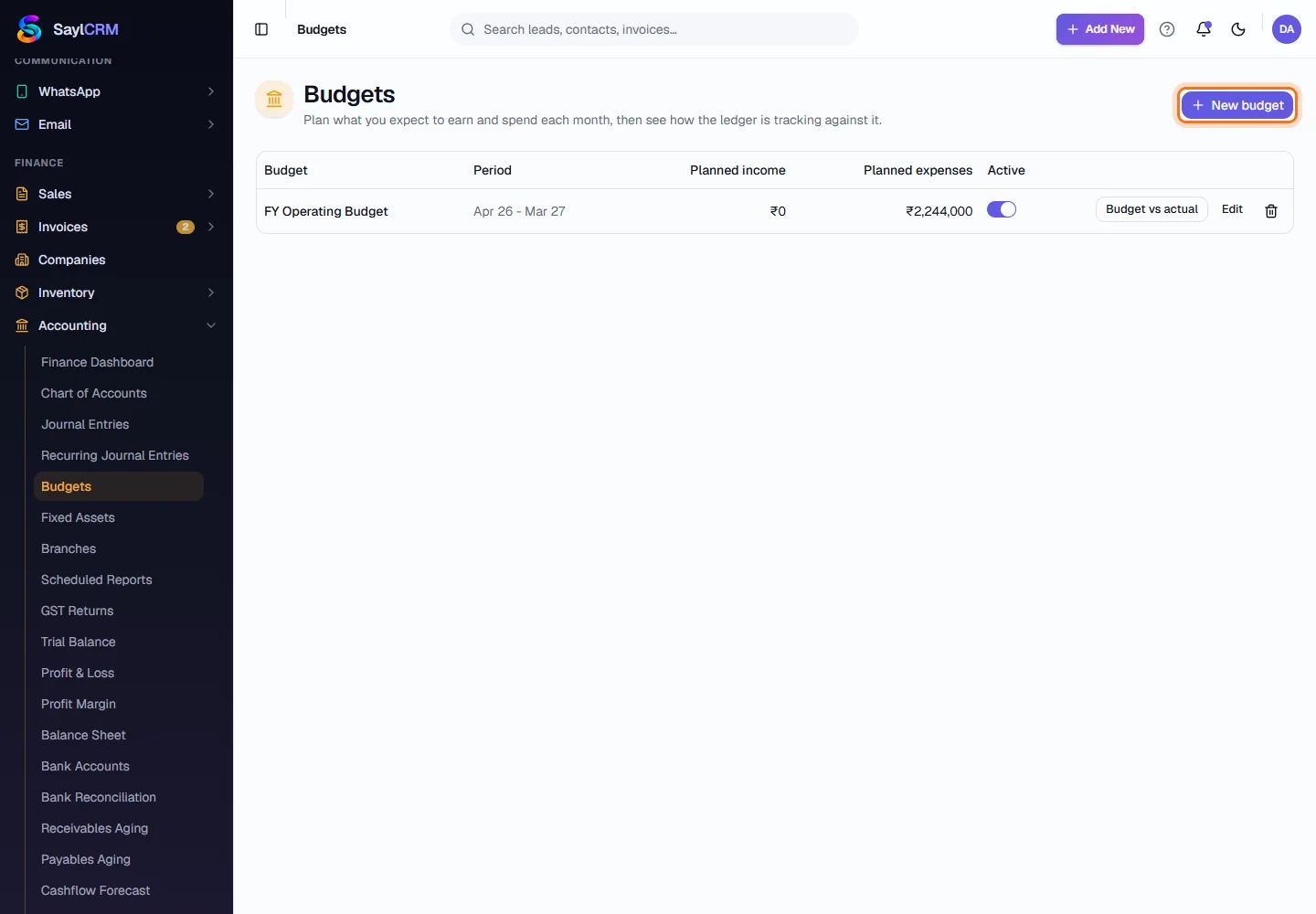
Finance → Accounting → Budgets. Each budget shows its period and planned income and expenses.
- 2
Click New budget
The button is at the top right (highlighted).
- 3
Name it and choose the start month
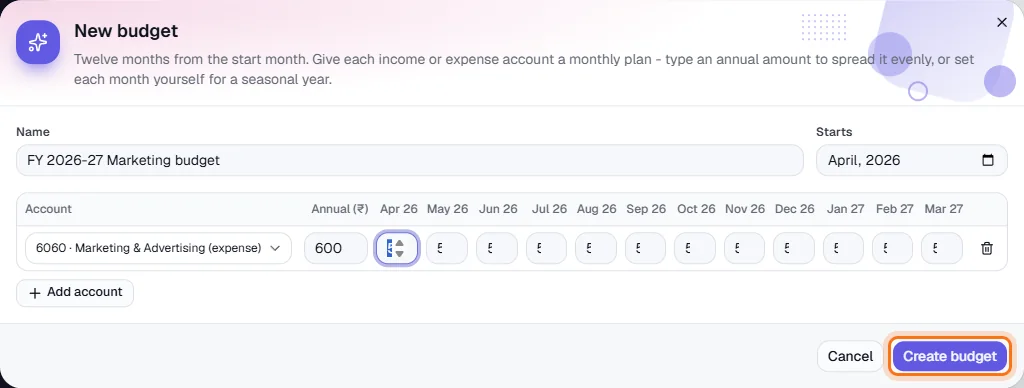
For example “FY 2026-27” starting April.
- 4
Add accounts and amounts
Click Add account, choose an income or expense account, then either type the annual amount and the months fill in evenly, or enter each month.
- 5
Create and compare
Click Create budget (highlighted). Use Budget vs actual on the list to see plan against reality.