
Finance, GST & Accounting · Invoicing
Credit Notes
Issue credit notes in Sayl Finance to reduce what a customer owes for sales returns, price adjustments and invoice corrections.
What it is for
A credit note reduces what a customer owes against an invoice that has already been issued - a sales return, a price adjustment or a correction. It is the proper way to fix an issued invoice: the original stays on the record and the credit note sits beside it.
How it works
- A credit note is saved as a draft first. Issuing it is what posts it to the ledger and reduces the invoice's balance.
- It is always raised against an issued invoice, and the credit note number (CN-0001 …) is shown next to that invoice in the list.
- Issued credit notes can be cancelled from their detail page.
Step by step
Every screenshot is from the live demo. The highlighted button is the one to click - nothing here is saved in the demo, so you can follow along freely.
- 1
Open Credit Notes
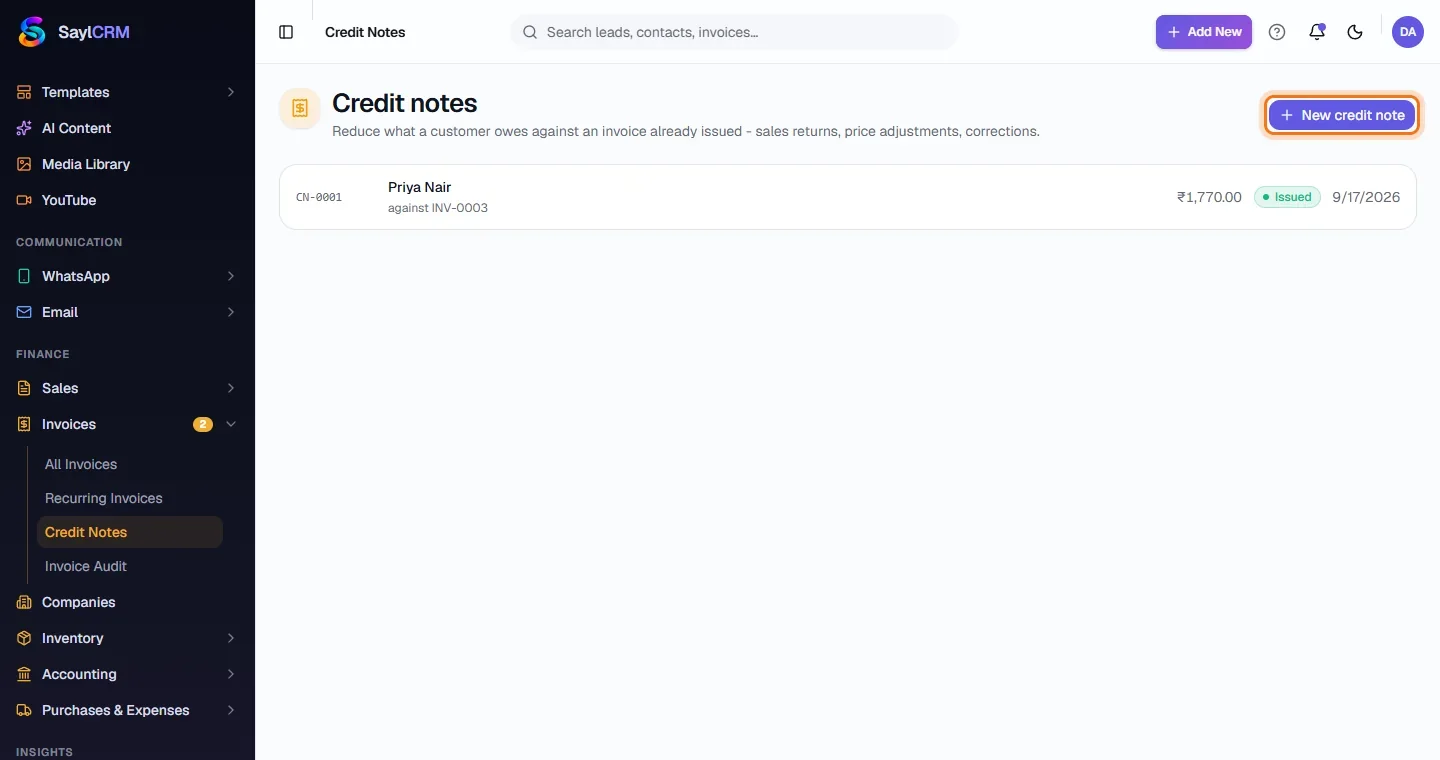
Finance → Invoices → Credit Notes. Each entry shows the customer, the invoice it is against, the amount and its status.
- 2
Click New credit note
The button is at the top right (highlighted).
- 3
Choose the invoice and give a reason
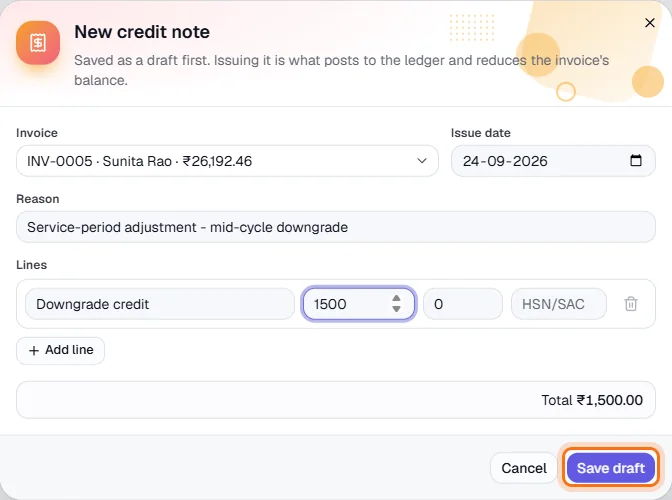
Pick the issued invoice - each option shows the customer and amount - set the issue date and write the reason, for example “Service-period adjustment - mid-cycle downgrade”.
- 4
Enter the credit lines
Add a line with a description, the amount to credit and its tax %. The total shows below. Click Save draft (highlighted), then issue it when you are sure.
- 5
Review an issued credit note
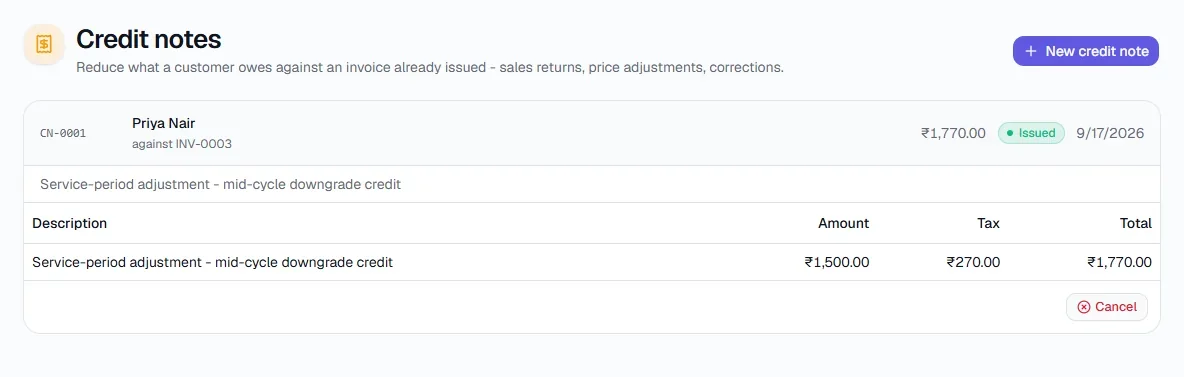
Open the credit note to see its lines, tax and total, and to cancel it if it was raised in error.
Key fields
- Invoice
- The issued invoice being credited.
- Reason
- Why - goods returned, price adjustment, invoice raised in error.
- Lines
- Description, amount, tax % and HSN/SAC of what is being credited.
Tips
- Credit only the part that needs correcting; the rest of the invoice stays payable.