
Finance, GST & Accounting · Purchases & Expenses
Debit Notes
Issue debit notes in Sayl Finance to reduce what you owe a vendor for returns, price reductions and corrections.
What it is for
A debit note reduces what the business owes a vendor against a bill that is already open - a purchase return, a price reduction or a correction.
How it works
- A debit note is saved as a draft first. Issuing it posts it to the ledger and reduces the bill's balance - and each line needs an expense account before that can happen.
Step by step
Every screenshot is from the live demo. The highlighted button is the one to click - nothing here is saved in the demo, so you can follow along freely.
- 1
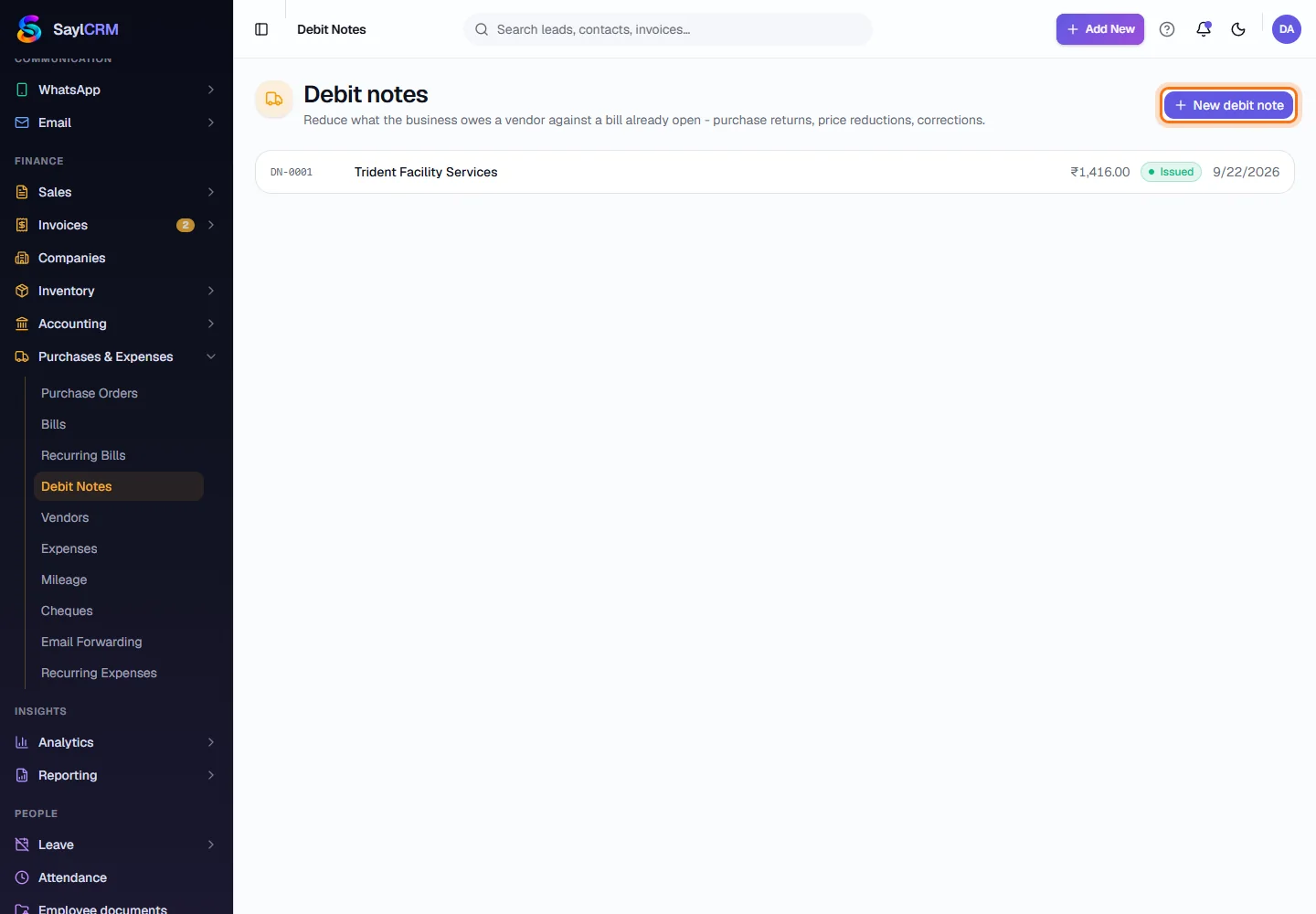
Open Debit Notes
Finance → Purchases & Expenses → Debit Notes.
- 2
Click New debit note
The button is at the top right (highlighted).
- 3
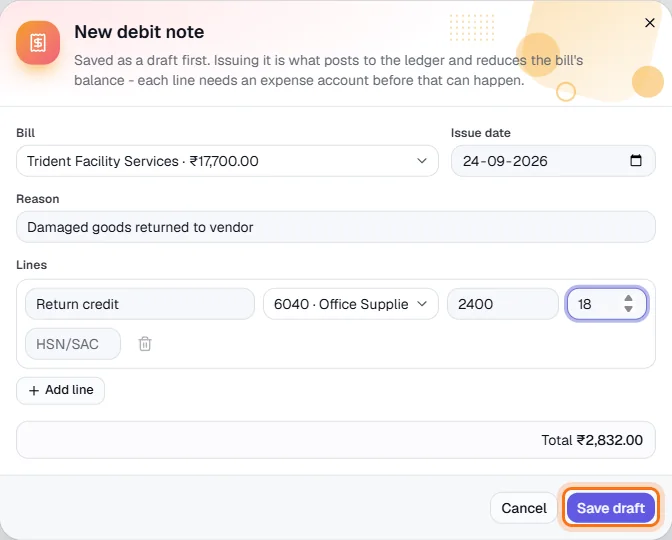
Choose the bill and the reason
Pick the open bill - each option shows the vendor and amount - and describe why, for example goods returned to the vendor.
- 4
Enter the credit lines
Add a description, the expense account, the amount and tax %.
- 5
Save and issue
Click Save draft (highlighted), then issue it to reduce the bill.