
Finance, GST & Accounting · Accounting
Fixed Assets
Track fixed assets and run monthly depreciation in Sayl Finance, with cost, accumulated depreciation and book value for each asset.
What it is for
Fixed Assets tracks what the business owns for years - laptops, furniture, servers - and the depreciation that spreads each cost over its useful life, so the balance sheet shows book value rather than the original price forever.
How it works
- Adding an asset records it and its depreciation plan; it does not post a purchase. Its cost is already in your books through the bill or expense that paid for it.
- Choose straight-line (an even amount every month) or written-down value, a useful life in months and an optional salvage value.
- Run depreciation posts each month's charge through the month you pick - debiting Depreciation Expense and crediting Accumulated Depreciation - and updates each asset's book value.
Step by step
Every screenshot is from the live demo. The highlighted button is the one to click - nothing here is saved in the demo, so you can follow along freely.
- 1
Open Fixed Assets
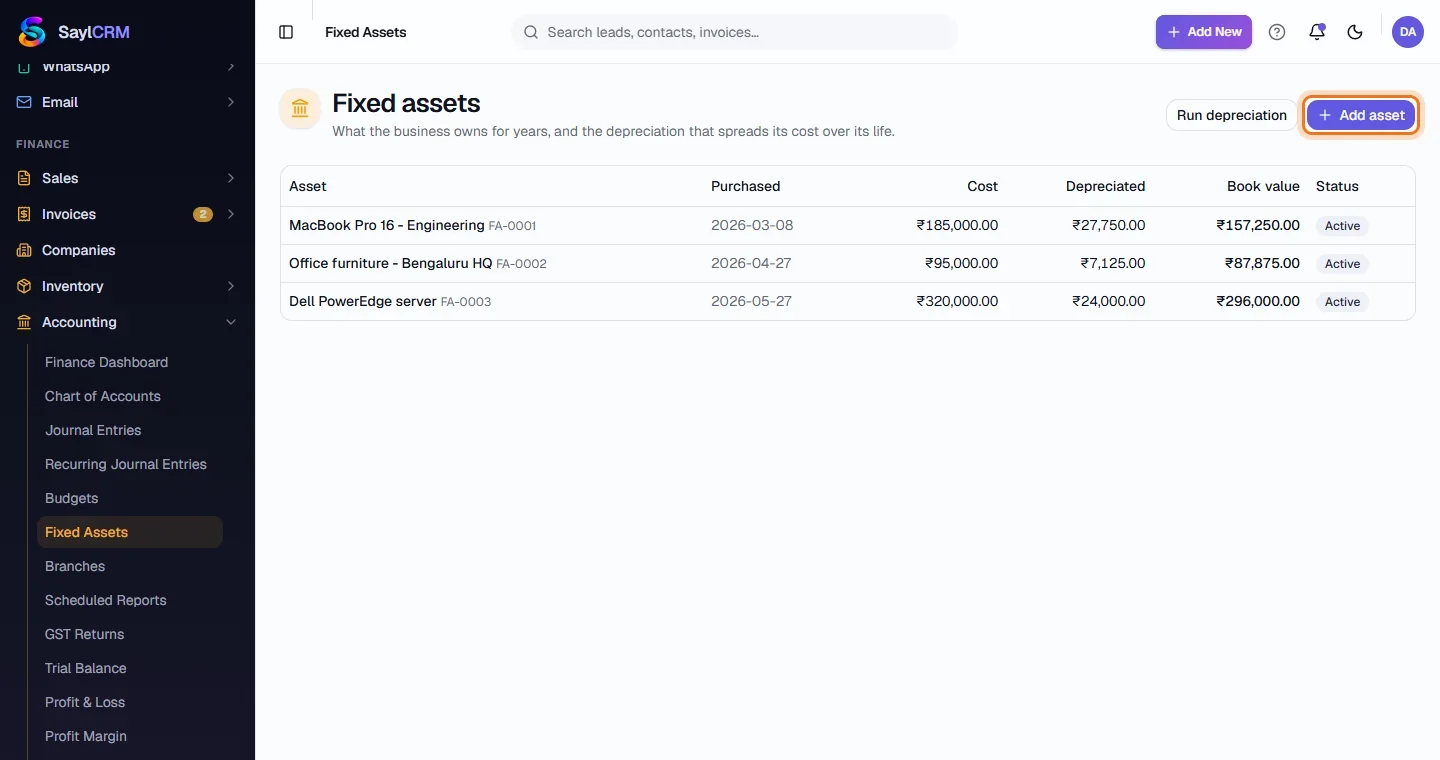
Finance → Accounting → Fixed Assets. Each asset shows its purchase date, cost, depreciation to date, book value and status.
- 2
Click Add asset
The button is at the top right (highlighted).
- 3
Describe the asset
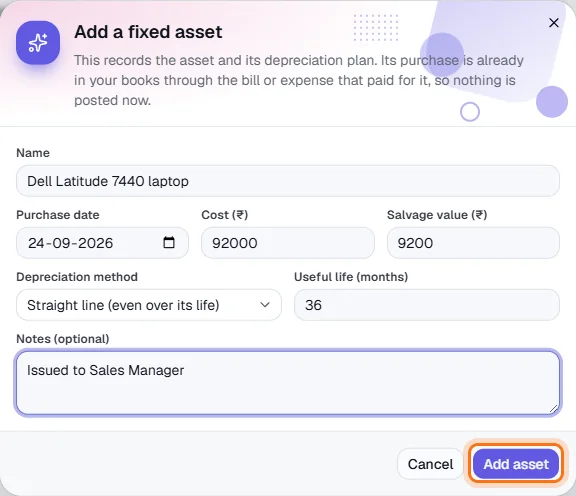
Name it, then enter the purchase date, cost and salvage value.
- 4
Choose the depreciation plan
Pick the method and the useful life in months; add notes such as who it is issued to. Click Add asset (highlighted).
- 5
Run depreciation each month
Click Run depreciation and choose the month to post through. Every active asset is depreciated up to that month.
Key fields
- Cost / Salvage value
- What it cost, and what it is expected to be worth at the end.
- Useful life (months)
- How long the cost is spread over.
- Method
- Straight line (even) or written down value.