
Finance, GST & Accounting · Reports
Receivables Aging
See who owes your business money and how overdue each invoice is with the Sayl Finance receivables aging report.
Try it in the live demoFinance → Accounting → Receivables Aging
What it is for
Receivables Aging shows who owes the business money, and how overdue each invoice is - your collections list.
How it works
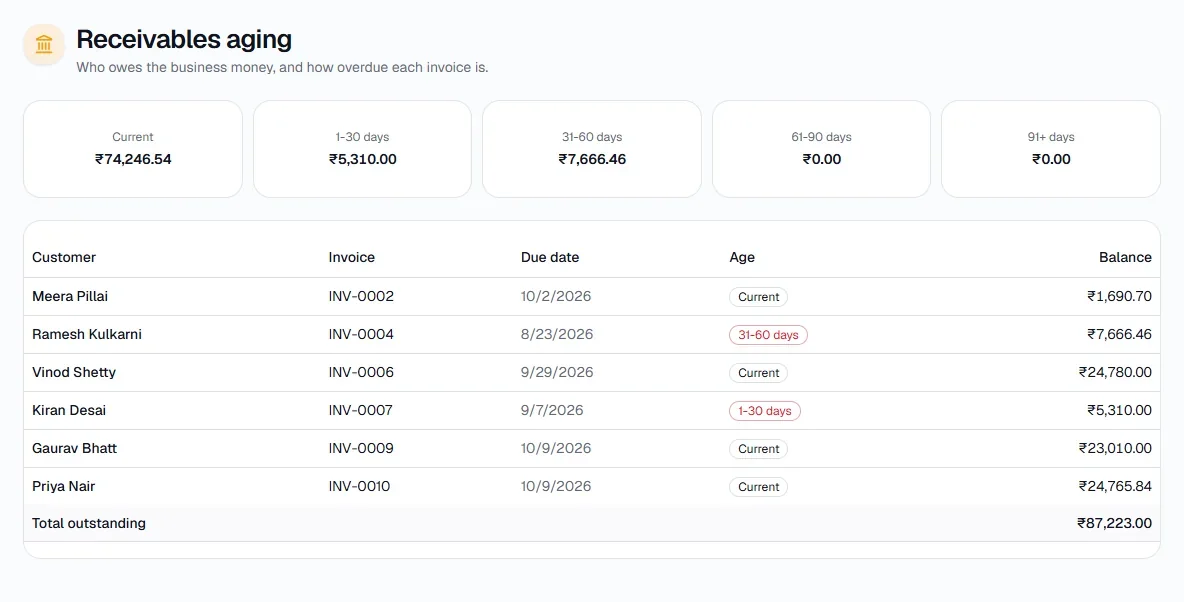
- Outstanding invoices are grouped by how late they are: Current, 1-30 days, 31-60, 61-90 and 91+.
- Each row shows the customer, invoice, due date, age and remaining balance, with the total outstanding at the bottom.
Step by step
Every screenshot is from the live demo. The highlighted button is the one to click - nothing here is saved in the demo, so you can follow along freely.
- 1
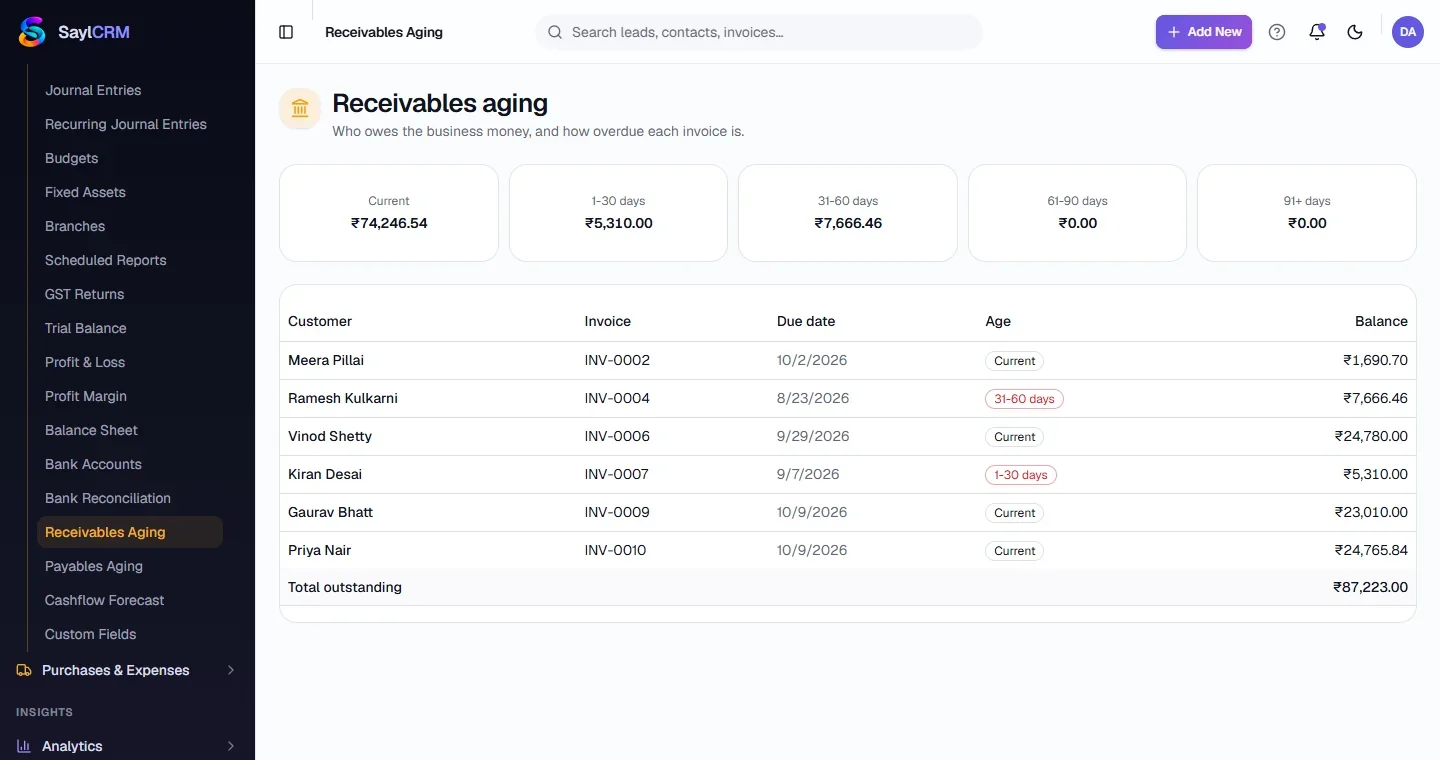
Open Receivables Aging
Finance → Accounting → Receivables Aging.
- 2
Read the buckets
The cards at the top total each age band.
- 3
Chase the late ones
Late invoices are flagged with their age. Open an invoice to send it again or record a payment.