
Finance, GST & Accounting · Reports
Trial Balance
See every account's total debits and credits as of a date in the Sayl Finance trial balance - proof that the books balance.
Try it in the live demoFinance → Accounting → Trial Balance
What it is for
The trial balance lists every account's total debits and credits as of a date. Its job is proof: if the books are sound, the two totals are identical.
How it works
- It reads directly from the ledger, so it includes everything invoices, bills, payments, expenses and journal entries have posted.
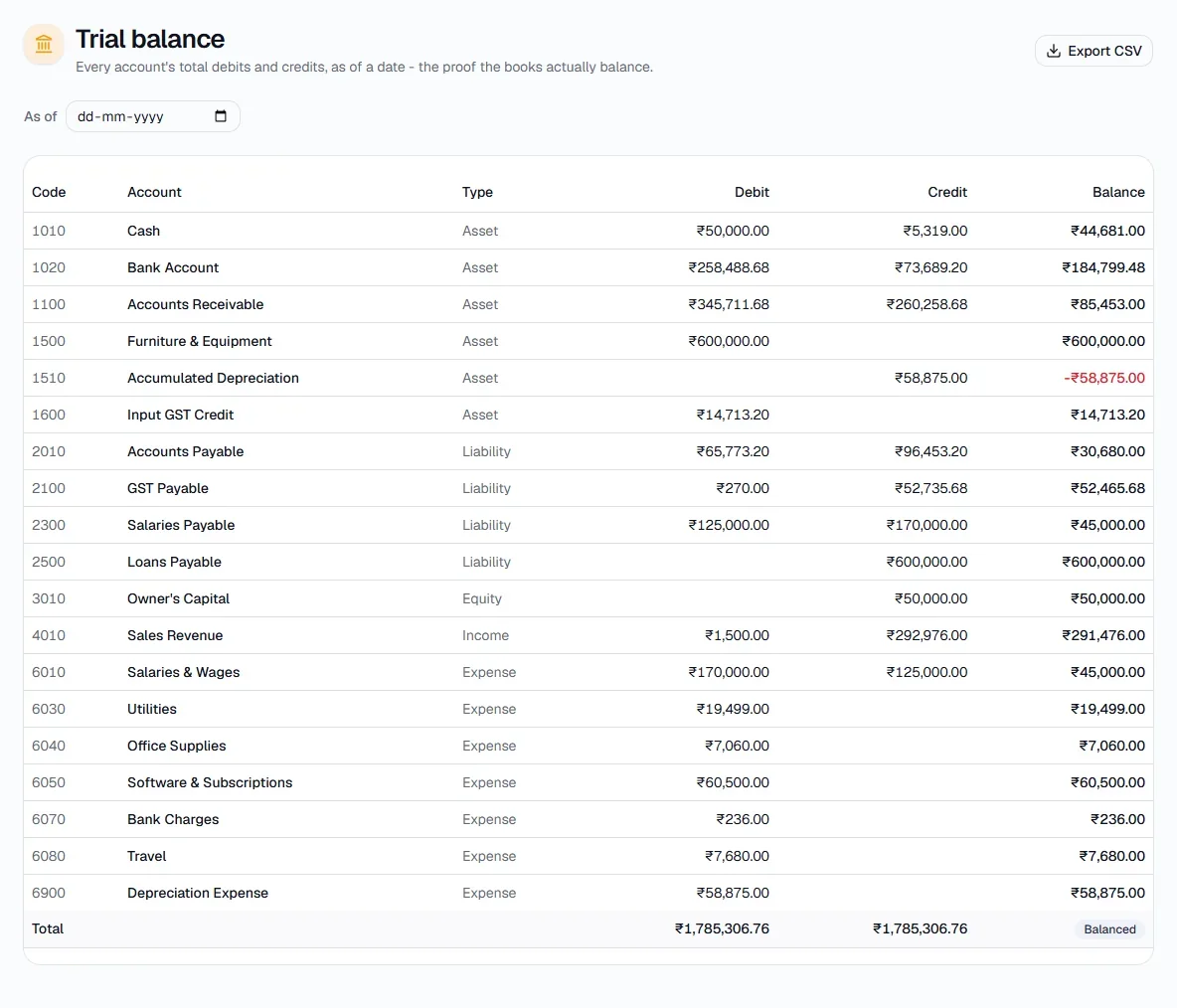
- The bottom row shows the totals with a Balanced badge. Leave the date empty for everything to date.
Step by step
Every screenshot is from the live demo. The highlighted button is the one to click - nothing here is saved in the demo, so you can follow along freely.
- 1
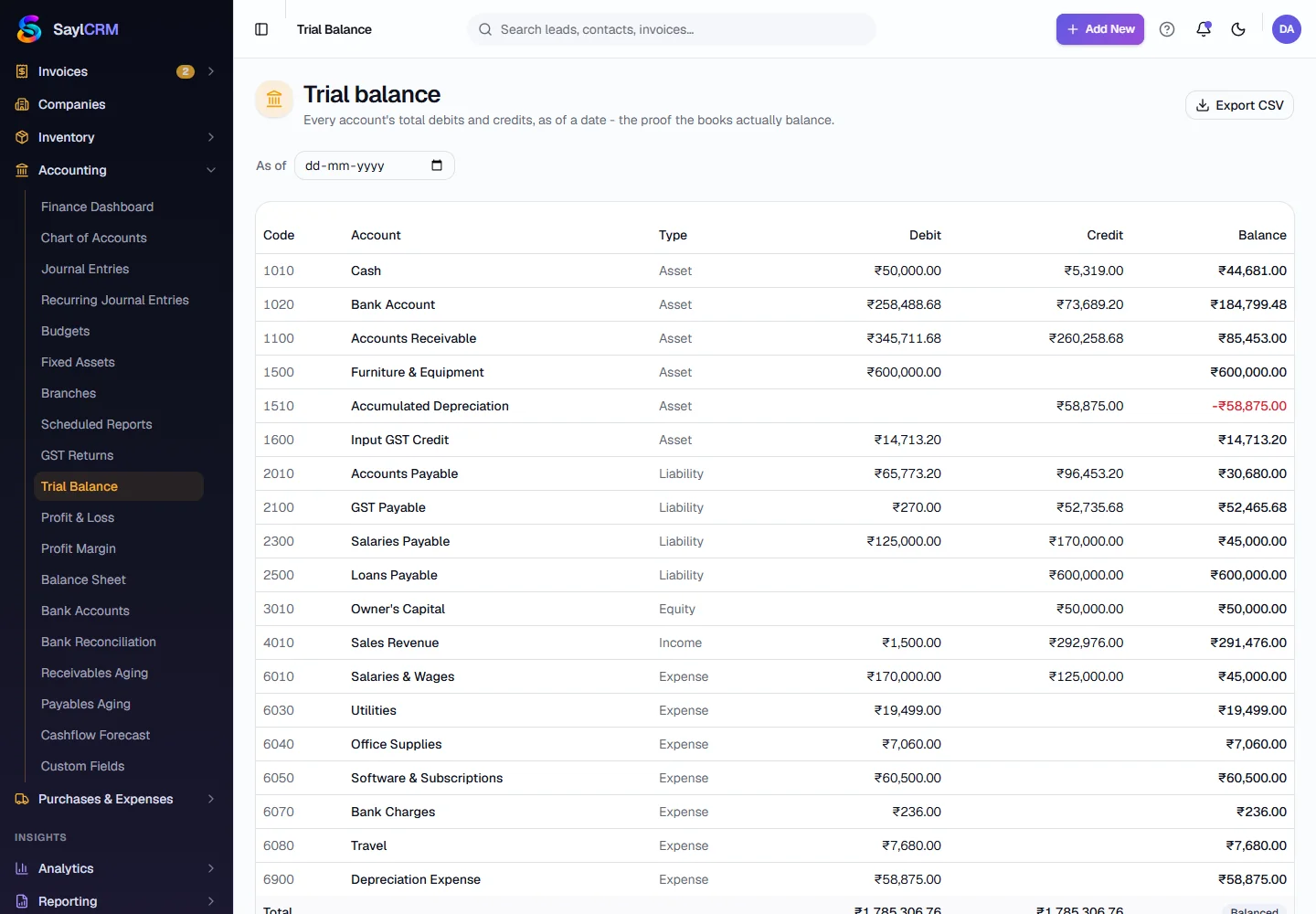
Open Trial Balance
Finance → Accounting → Trial Balance.
- 2
Choose the date
Pick the As of date, or leave it empty to include everything.
- 3
Read the table
Each account shows its type, debit, credit and balance. The total row confirms the books balance.
- 4
Export
Export CSV downloads it for your accountant.