
Finance, GST & Accounting · Inventory
Units of Measure
Manage units of measure in Sayl Finance - a starter set is included and you can add your own.
Try it in the live demoFinance → Inventory → Units of Measure
What it is for
A unit of measure is what a quantity is counted in - each, hour, month, kilogram. The abbreviation is what prints next to a number on a document.
How it works
- A starter set (each, hour, month, kilogram, litre, box and more) is created for you automatically; add your own alongside it.
Step by step
Every screenshot is from the live demo. The highlighted button is the one to click - nothing here is saved in the demo, so you can follow along freely.
- 1
Open Units of Measure
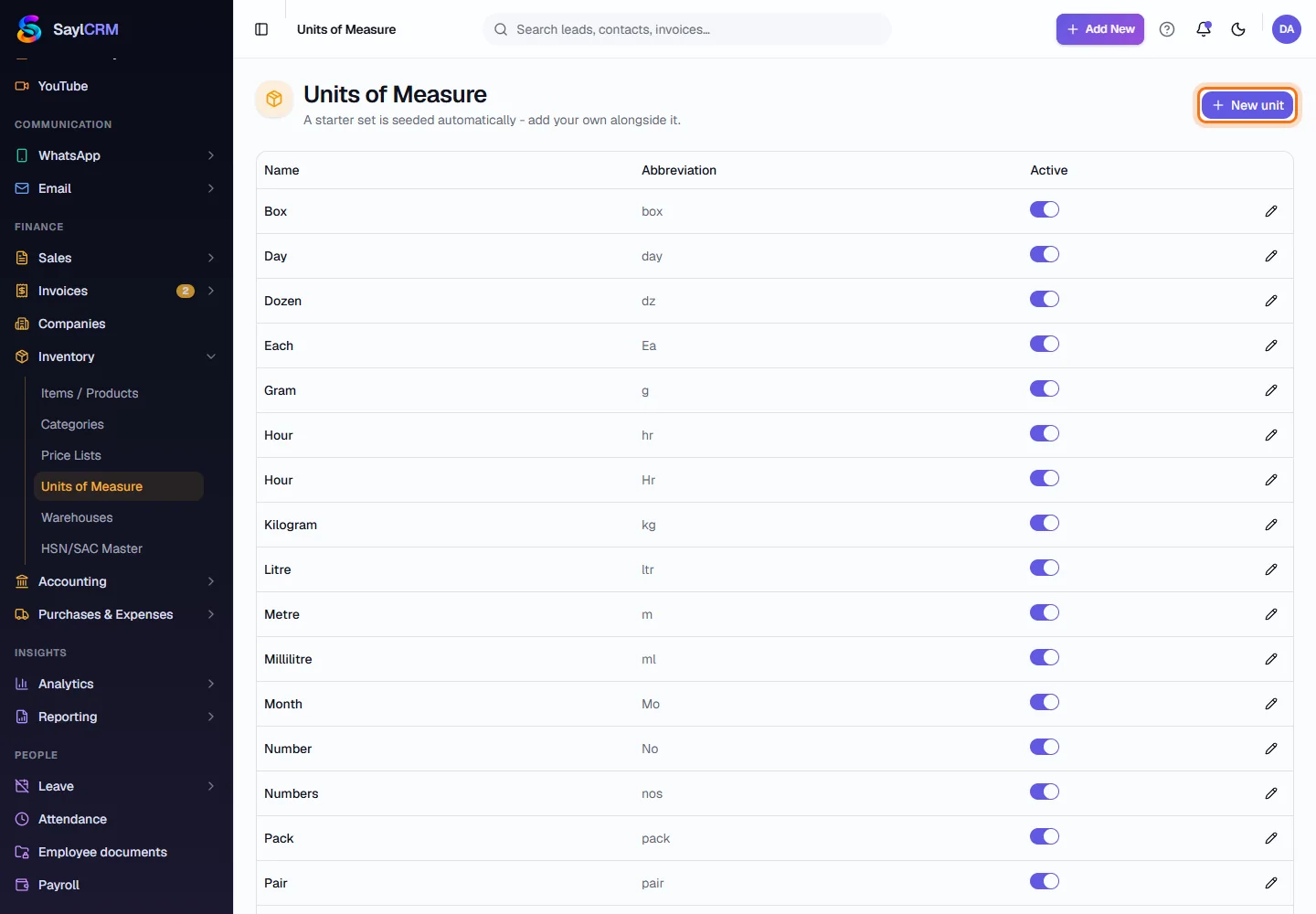
Finance → Inventory → Units of Measure. The starter units are already listed.
- 2
Click New unit
The button is at the top right (highlighted).
- 3
Name the unit and set its abbreviation
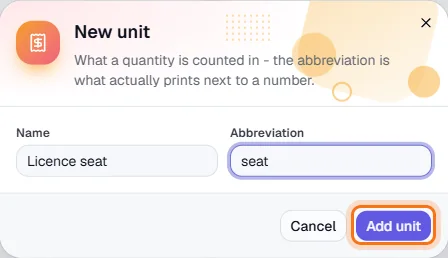
For example “Licence seat” with the abbreviation “seat”.
- 4
Save
Click Add unit (highlighted). It can now be chosen on any item.
Key fields
- Abbreviation
- What actually prints next to a quantity.