
Finance, GST & Accounting · Accounts
Exchange Rates
Keep the rates Sayl uses to convert foreign-currency invoices and bills into rupees, by hand or from a daily feed.
What it is for
Your books are kept in rupees. When an invoice or bill is in dollars, euros or any other currency, Sayl converts it with the rate for that day, and a payment received at a different rate books the difference as an exchange gain or loss.
The Exchange Rates page is where those rates live: the latest one for each currency you use, and the full history.
How it works
- A rate says how many rupees one unit of the foreign currency was worth on a day, for example 1 USD = ₹84.11.
- Documents already issued keep the rate they used - changing today's rate never rewrites an invoice you sent last week.
- Entering a rate for a day that already has one replaces it. A rate you type is never overwritten by the daily feed for the same day.
- The base currency is rupees and is fixed once entries have been posted, because every amount in your books is held in it.
Step by step
Every screenshot is from the live demo. The highlighted button is the one to click - nothing here is saved in the demo, so you can follow along freely.
- 1
Open Exchange Rates
Finance → Accounts → Exchange Rates. The top shows your base currency (INR), then the Live rates switch, then one line for each currency you use with its latest rate, the day it applies to and whether it was typed or came from the feed. The History table below lists every rate, and can be filtered to one currency.
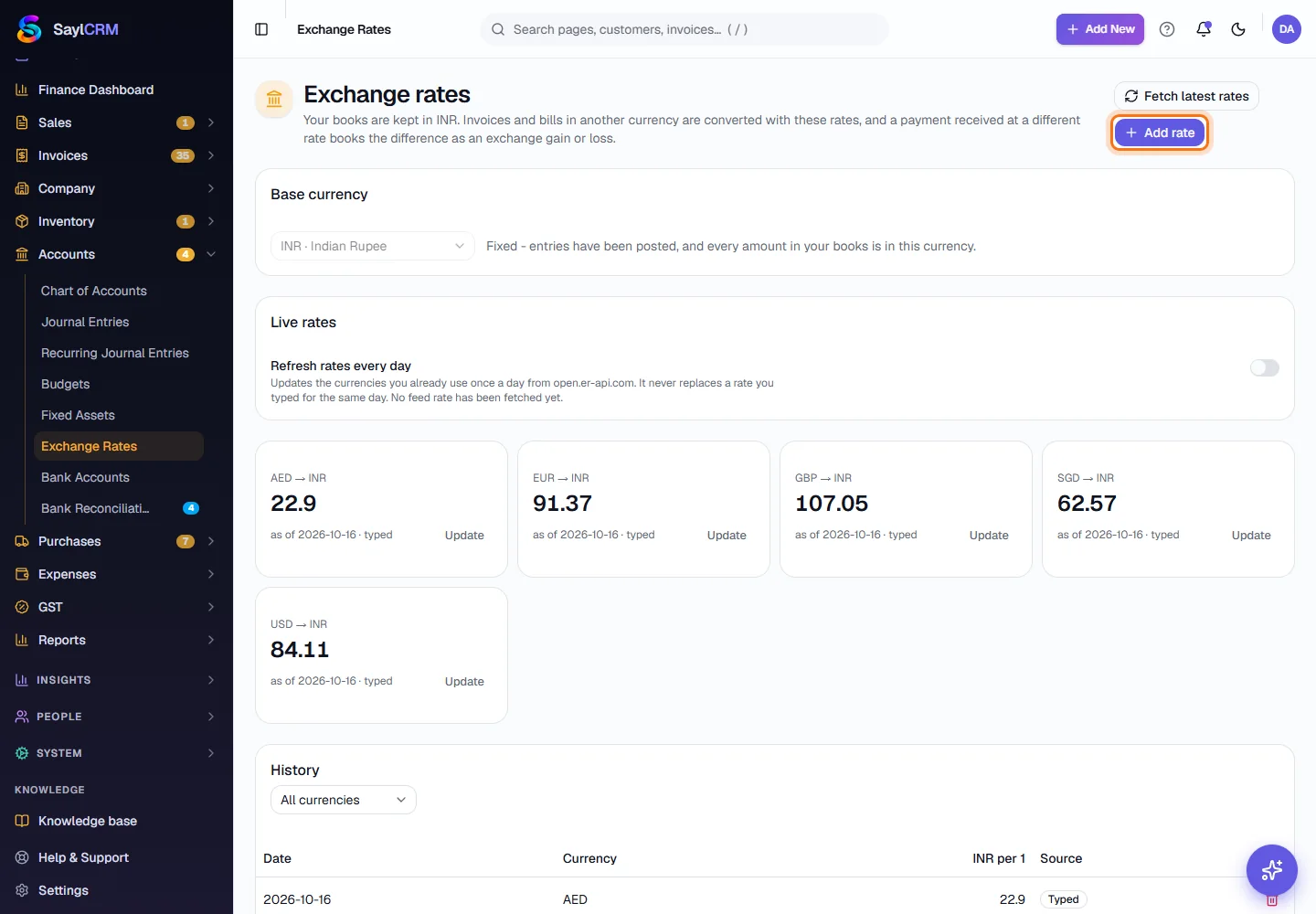
Add rate (highlighted) and Fetch latest rates are at the top right. - 2
Add a rate
Click Add rate. Choose the currency, the date and how many rupees one unit was worth, then click Save rate. Use this for a rate your bank gave you or one you want to fix for a particular deal.
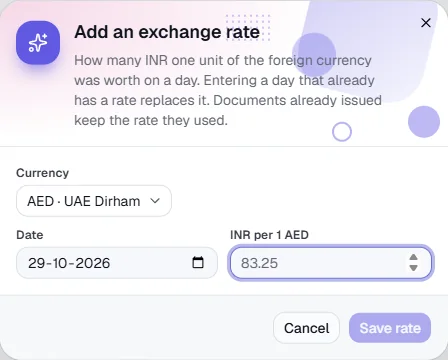
Nothing is saved in the demo. - 3
Update a currency's latest rate
Click Update next to a currency to enter today's rate for it. The line shows the new rate straight away, and the old one stays in the History.
- 4
Fetch the latest rates, or let Sayl do it daily
Click Fetch latest rates to pull today's rates for the currencies you already use. Switch on Refresh rates every day under Live rates to have Sayl do it once a day on its own. A rate you typed for the same day is kept.
- 5
Use it on invoices and bills
On an invoice or bill in a foreign currency, Sayl proposes the rate for the document date. Check it against your bank's rate before you issue the document - it then stays on that document.
Key fields
- Currency
- The foreign currency, for example USD, EUR, GBP, AED or SGD.
- Date
- The day the rate applies to. Entering a day that already has a rate replaces it.
- INR per 1 unit
- How many rupees one unit of the currency was worth that day.
- Source
- Typed (you entered it) or Feed (fetched automatically).
Tips
- Enter the rate your bank actually used when money arrives - the difference from the invoice rate is booked as an exchange gain or loss.
- Update rates at least weekly if you invoice abroad regularly, so the proposed rate is close to the real one.
- Check History if a document shows a surprising rupee value - the rate on that day is listed there.