Finance, GST & Accounting · Reports
Scheduled Reports
Email or WhatsApp any Report Builder report, or the Profit & Loss, Balance Sheet and Aging statements, on a schedule from Sayl Finance.
What it is for
Scheduled Reports sends a report to whoever needs it, on a cadence, so your accountant, partners or managers get the numbers without logging in or asking.
You can schedule any report saved in Report Builder - sent by email and/or WhatsApp as a PDF or CSV - or one of the built-in financial statements: Profit & Loss, Balance Sheet, Receivables Aging and Payables Aging, emailed as a CSV.
How it works
- Every run builds the report from that day's data and sends it to the recipients. Nothing has to be opened in Sayl.
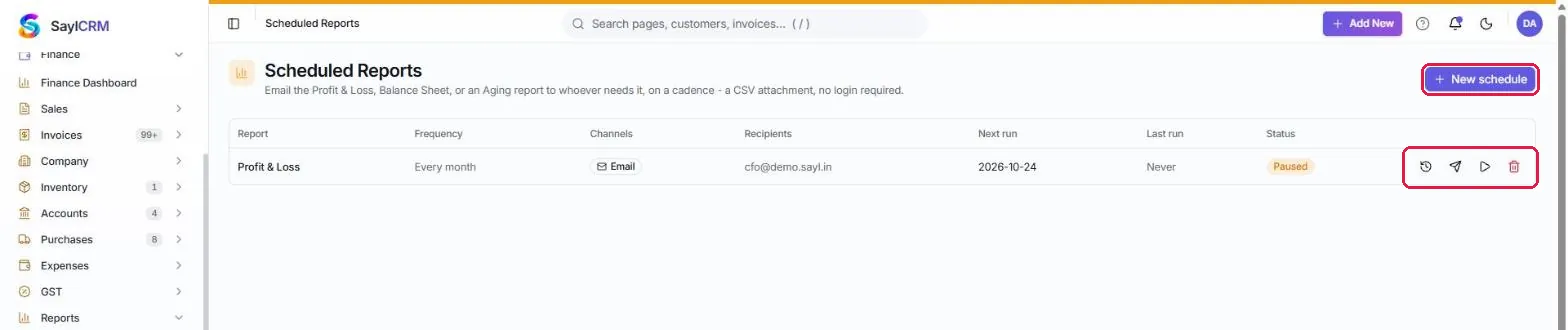
- The list shows each schedule's report, frequency, channels, recipients, next run, last run and status. From a row you can view its report history, send it now, pause or resume it, or delete it; click the report name to edit it.
- A Report Builder schedule can run daily, weekly, on specific weekdays, monthly (same date, or first/last day or a fixed date), quarterly, yearly or on custom dates, at a send time in your timezone.
Step by step
Every screenshot is from the live demo. The highlighted button is the one to click - nothing here is saved in the demo, so you can follow along freely.
- 1
Open Scheduled Reports
Finance → Reports → Scheduled Reports. Click New schedule (highlighted); the row actions are view history, send now, pause/resume and delete.
- 2
Choose the report
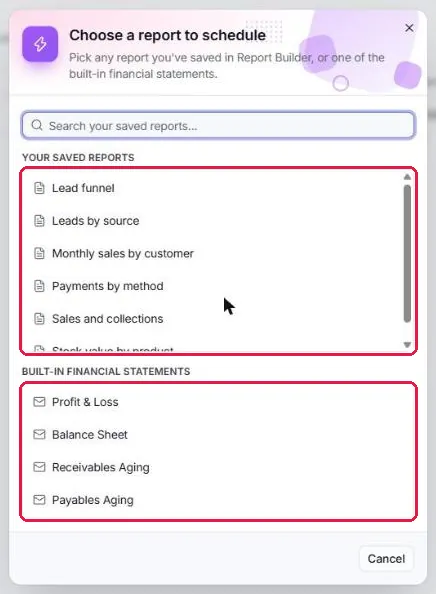
Pick one of your saved Report Builder reports, or a built-in financial statement.
- 3
A built-in statement: set the cadence
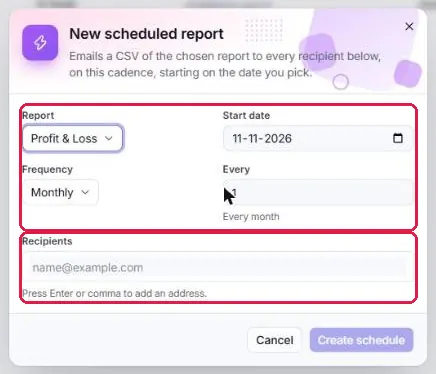
For Profit & Loss, Balance Sheet or an Aging report: choose the start date, the frequency and how often, add recipients' email addresses (press Enter or a comma after each), then Create schedule.
- 4
A Report Builder report: frequency, format and channels
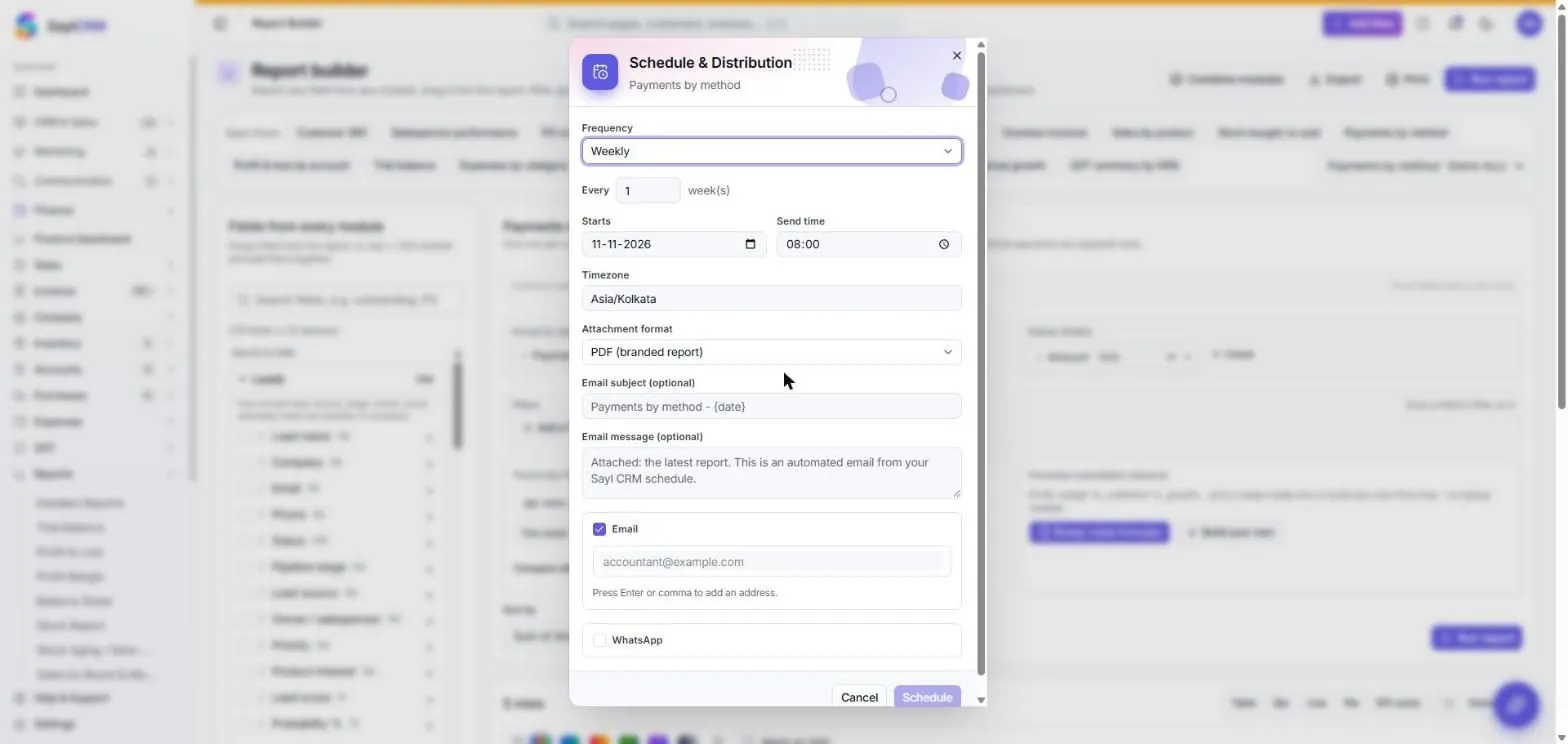
For a saved report: choose the frequency, start date, send time and timezone, the attachment format (PDF or CSV), an optional subject and message, and the recipients by email and/or WhatsApp, then Schedule. You can also open this from the report itself with Schedule & Distribution.
Key fields
- Report
- Any saved Report Builder report, or Profit & Loss, Balance Sheet, Receivables Aging, Payables Aging.
- Frequency
- Daily, weekly, specific weekdays, monthly, quarterly, yearly or custom dates (Report Builder reports); daily to yearly for statements.
- Attachment
- PDF (branded) or CSV for Report Builder reports; CSV for statements.
- Channels
- Email, and WhatsApp for Report Builder reports.
Tips
- Schedule the Overdue invoices or Invoice aging report weekly to the person who chases payments.
- Use Send now to check what recipients will receive before the first scheduled run.
- A report must be saved in Report Builder before it can be scheduled.