
Finance, GST & Accounting · Inventory
Kits / Bundles
Sell several products as one kit in Sayl Finance - one line, one price - while each sale takes every component out of its own stock.
What it is for
A kit (bundle) is a product made of other products: a starter pack, a gift hamper, an installation set. Customers see one line at one price; behind it, each component is deducted from its own stock.
How it works
- A kit holds no stock of its own. How many kits you can sell is worked out from the components: the number of complete kits the stock on the shelf can make.
- Selling a kit takes each component's quantity out of that component's stock, in the quantity set for one kit.
- The kit has its own price, barcode and HSN/SAC - the price is not added up from the components, so you can price a bundle below the parts.
- Only plain goods can be components: not services, not other kits, and not products tracked by serial number or batch. A product can appear once in a kit (raise its quantity instead), and a kit cannot contain itself. A kit itself cannot be serial- or batch-tracked.
Step by step
Every screenshot is from the live demo. The highlighted button is the one to click - nothing here is saved in the demo, so you can follow along freely.
- 1
Start a new item
Finance → Inventory → Items / Products → New item. Give the kit a name, price, GST rate and HSN/SAC like any other product.
- 2
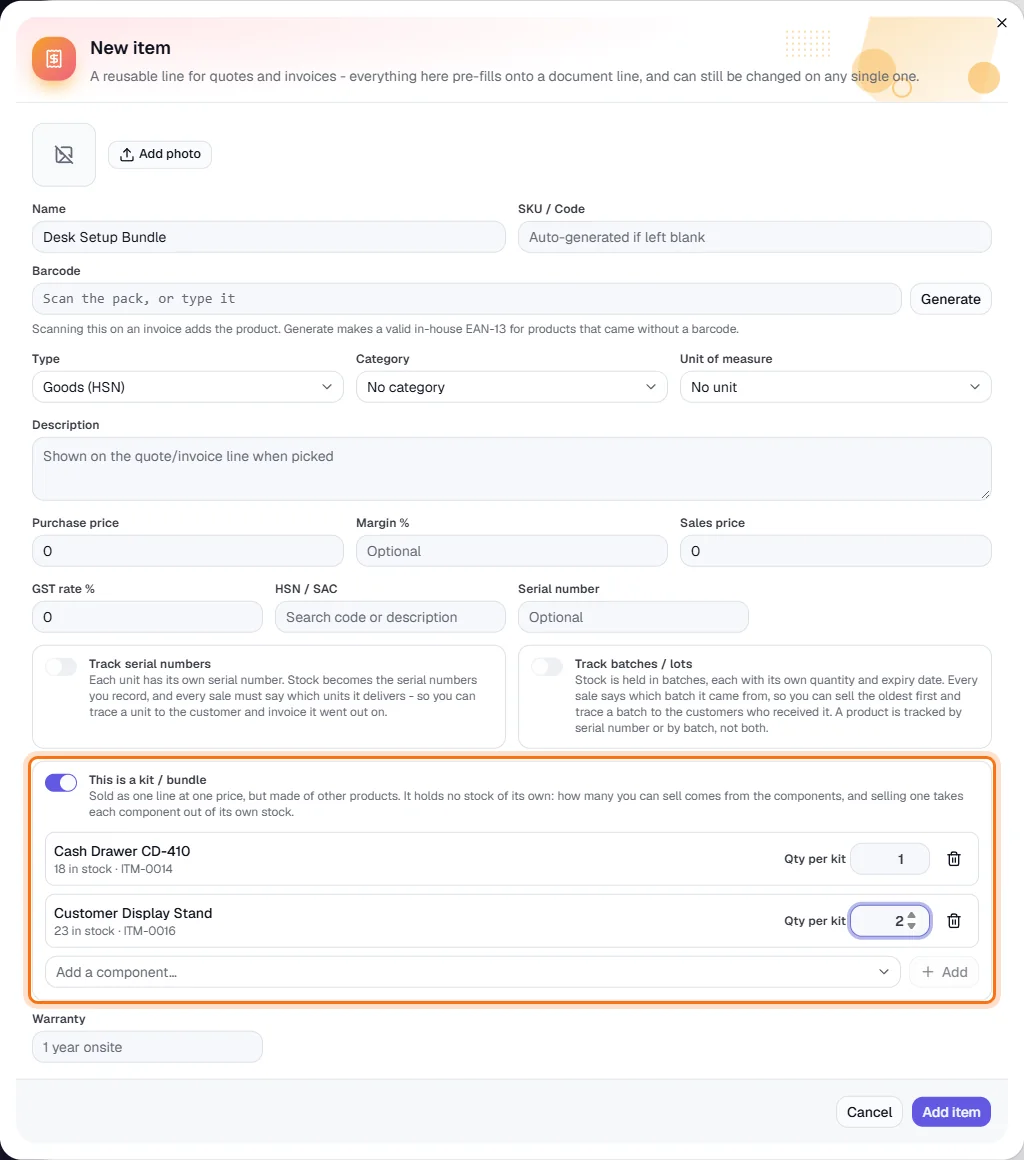
Switch on “This is a kit / bundle”
Turn the switch on (highlighted). It is available for goods, and the serial and batch switches must be off. The opening-stock box disappears - a kit has no stock of its own. A component list appears.
- 3
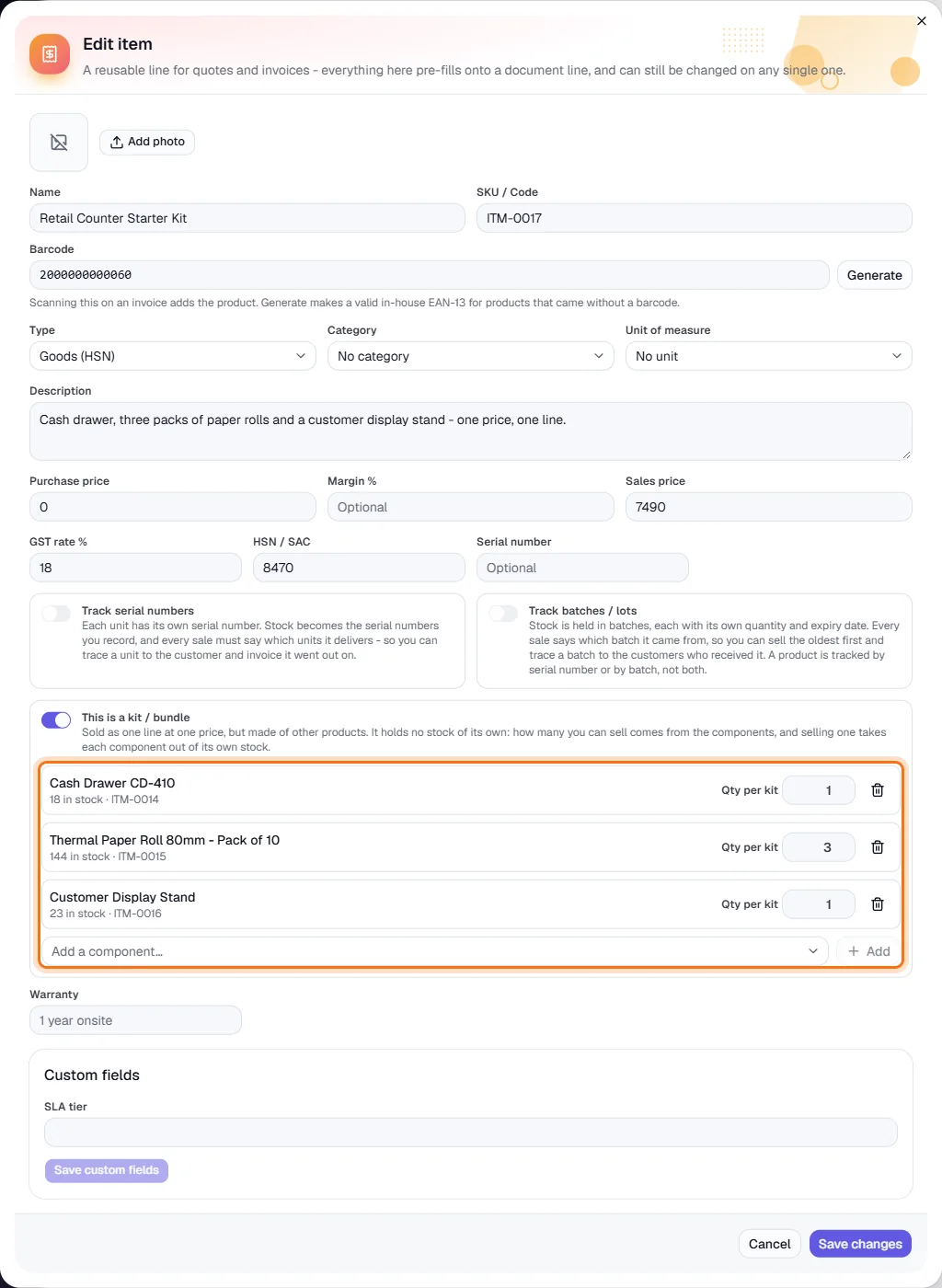
Add the components
Pick a product under Add a component… and click Add, then set Qty per kit - how many of it go into one kit (here 1 cash drawer, 3 packs of paper rolls and 1 display stand). Each row shows that component's current stock. Remove one with the bin icon. Click Add item to save the kit.
- 4
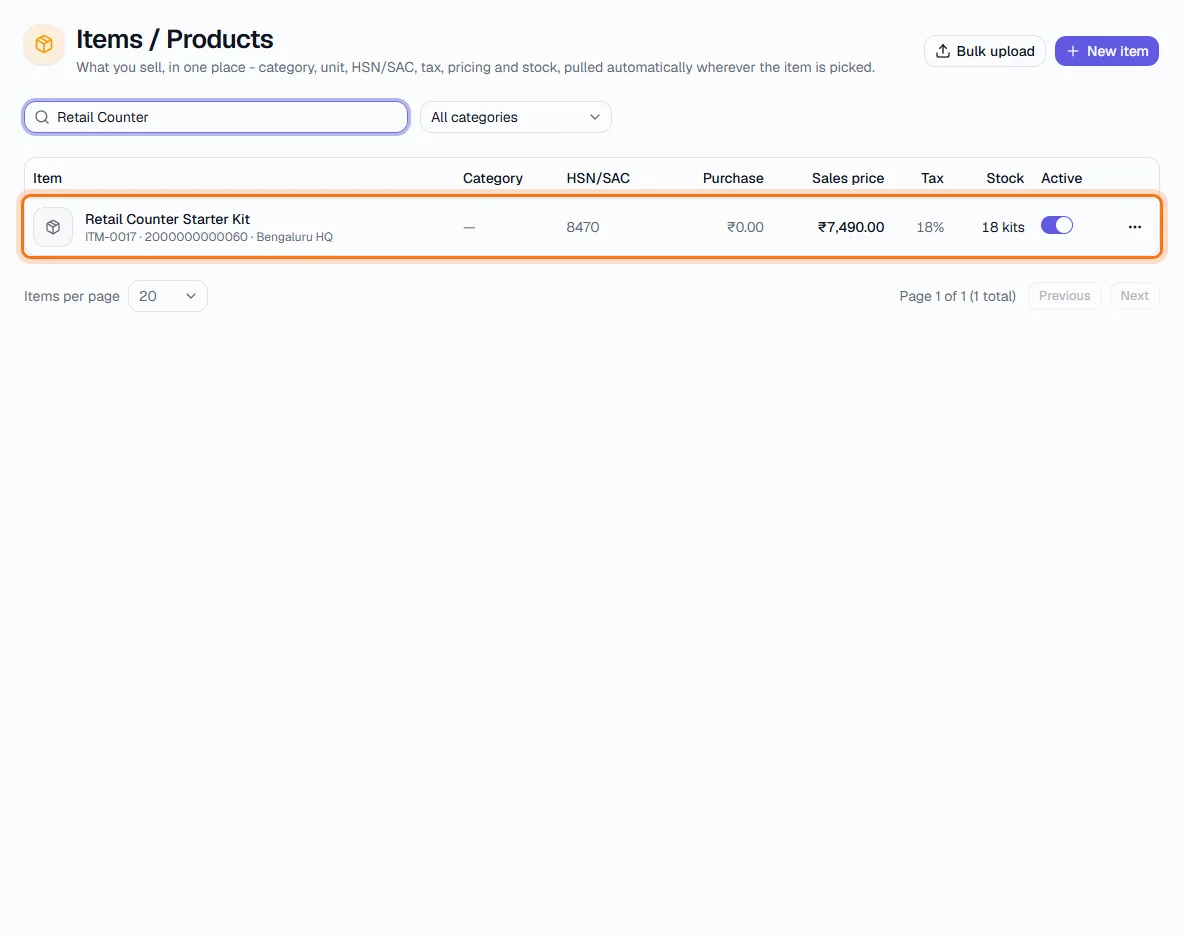
See how many kits you can sell
In the Items list the kit's Stock column reads N kits (highlighted) - the number of complete kits the components can make right now.
- 5
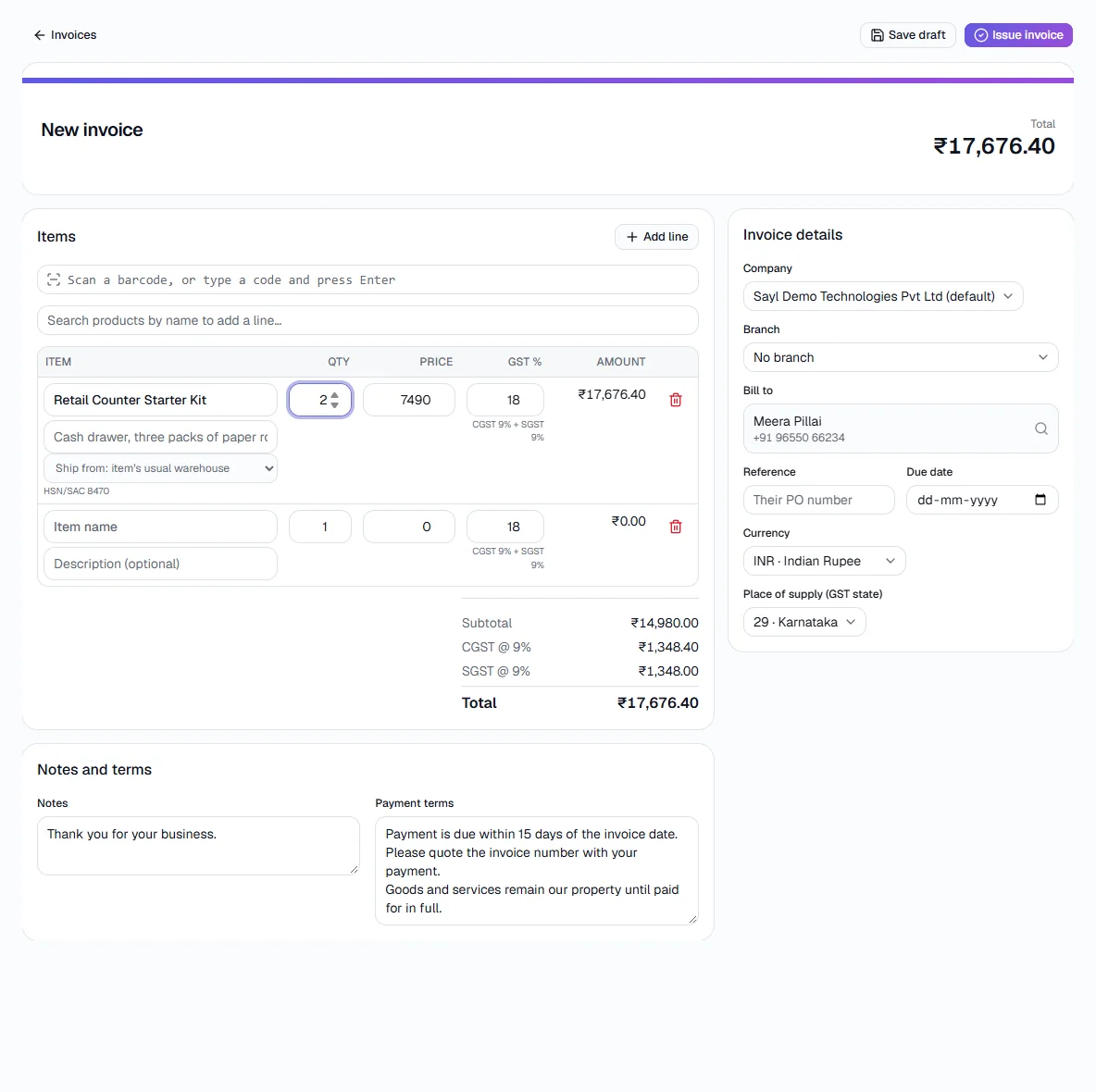
Sell it as one line
On an invoice, add the kit like any product: one line, one price, whatever the number of components (here 2 kits).
- 6
The components leave stock
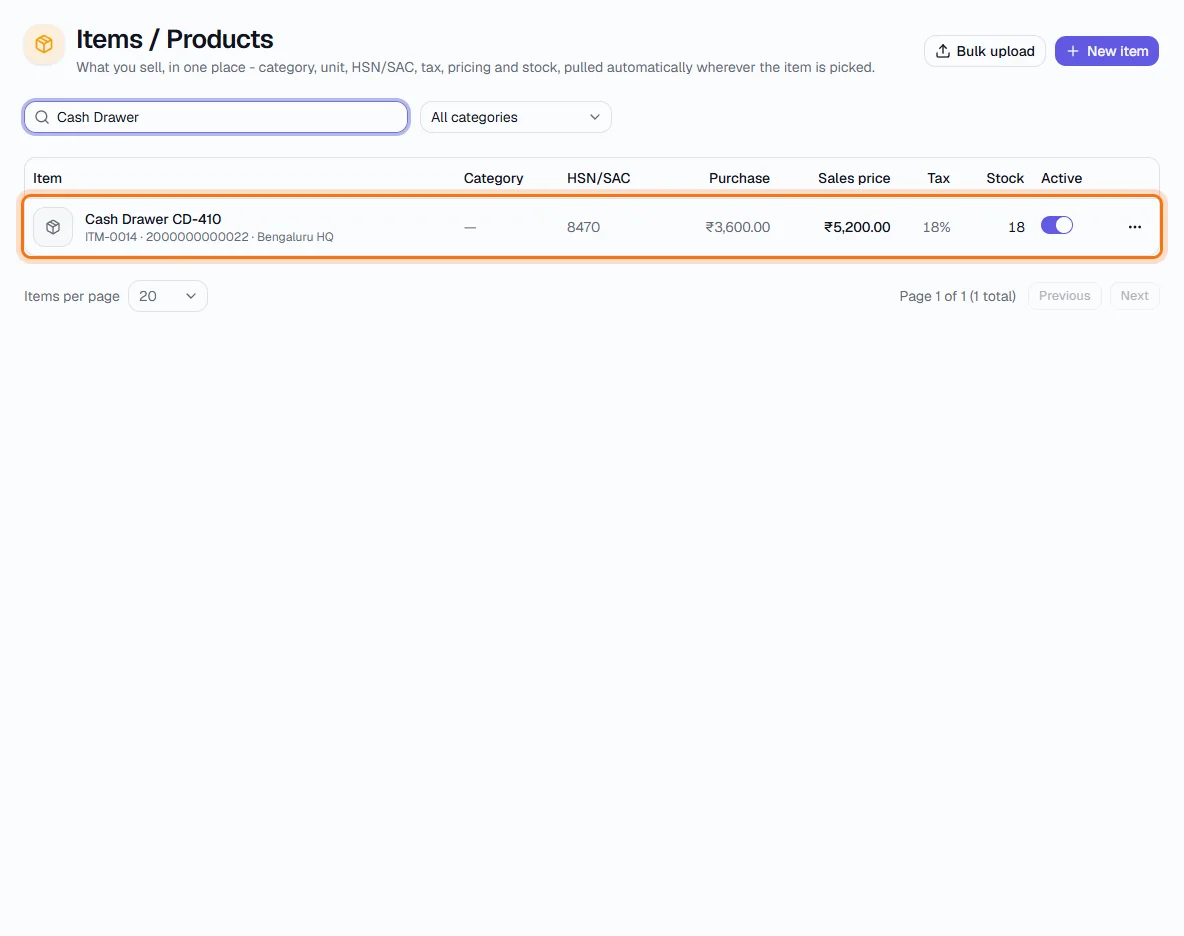
When the invoice is issued, each component is deducted in its own quantity: two kits took 2 cash drawers out of stock, leaving 18 (highlighted), and likewise the paper rolls and display stands. The kit count drops with them.
- 7
Change or undo a kit
Open the kit to edit its components or quantities. Switching off This is a kit / bundle and saving turns it back into an ordinary product.
Key fields
- This is a kit / bundle
- Item switch (goods only). Turns the item into a bundle of other products.
- Qty per kit
- How many of that component go into one kit; can be fractional.
- Stock (N kits)
- How many complete kits the components in stock can make.
Tips
- Watch the components' own reorder levels - the kit sells out when its scarcest component does.
- Print labels for the kit from Barcode Labels; scanning it adds the kit line.